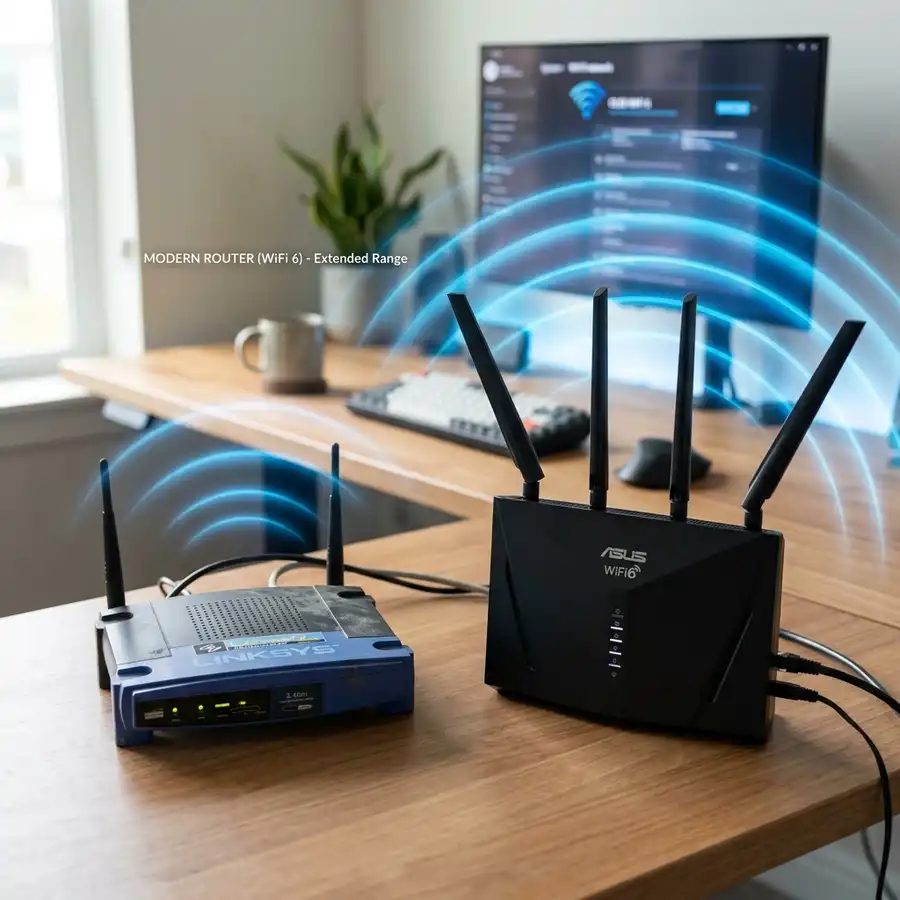
Securing stable Wi-Fi coverage across spacious multi-story homes or offices with dense brick walls is one of the most common challenges in residential networking today. If you want to eliminate wireless dead zones quickly without running long Ethernet patch cables across your hallways, finding the best wall plug wifi repeater to fit your budget and performance requirements is essential.
The best wall plug Wi-Fi range extender is the TP-Link RE305 AC1200, delivering outstanding dual-band speeds, stability, and value for money.
This technical guide reviews the top wall-plug Wi-Fi range extenders and signal boosters available on the market in 2026. We will look at crucial hardware specifications, including theoretical throughput metrics in both 2.4 GHz and 5 GHz bands, antenna signal strength (measured in dBi), wireless security protocols (WPA2 and WPA3), and the advantages of modern Mesh architectures. By the end of this article, you will know how to select the right device for your setup, identify if a slow internet connection is caused by signal attenuation, and learn how to detect unauthorized users on your Wi-Fi network who might be stealing your bandwidth.
Technical Specifications of the Top Wall Plug Range Extenders
To choose the right extender, we must compare the underlying hardware configurations and wireless transmission standards of each top brand. The table below lists four popular wall-plug signal expanders side-by-side, detailing maximum speed ratings, supported frequency bands, physical Ethernet LAN interfaces, and antenna specifications:
| Model | Max Data Rate | Frequency Bands | Ethernet Port | Antenna Array |
|---|---|---|---|---|
| TP-Link RE305 AC1200 | 1200 Mbps (300 @ 2.4G / 867 @ 5G) | Dual-Band (2.4 GHz + 5 GHz) | 1x Fast Ethernet (10/100 Mbps) | 2x External adjustable (2 dBi) |
| Intelbras IWE 3001 | 300 Mbps (2.4 GHz only) | Single-Band (2.4 GHz) | 1x Fast Ethernet (10/100 Mbps) | 2x Internal omni-directional |
| D-Link DAP-1610 | 1200 Mbps (300 @ 2.4G / 867 @ 5G) | Dual-Band (2.4 GHz + 5 GHz) | 1x Fast Ethernet (10/100 Mbps) | 2x External high-gain antennas |
| Xiaomi Mi Range Extender Pro | 300 Mbps (2.4 GHz only) | Single-Band (2.4 GHz) | No physical Ethernet ports | 2x External fixed antennas |

How Wireless Repeaters Function at the Physical Layer
Standard Wi-Fi range extenders operate by intercepting the radio frequency (RF) frames broadcast by the central router and retransmitting them to remote client devices. This occurs primarily at the Data Link layer (Layer 2) of the OSI model. On a legacy Single-Band extender operating strictly on the 2.4 GHz frequency, the hardware must transmit and receive data using the same radio channel. Because of this half-duplex design, a single-band repeater immediately reduces the maximum available bandwidth by 50% for all client devices connected to the extended network.
To address this performance penalty, manufacturers introduced Dual-Band (AC/AX) wall extenders. High-performance models like the TP-Link RE305 utilize technology commonly referred to as "Cross-Band" communication. This enables the extender to establish its backhaul link to the main router using the faster, less crowded 5 GHz band while broadcasting to client devices like phones and tablets on the wider-reaching 2.4 GHz band, or vice versa. This full-duplex approximation minimizes bandwidth loss, providing a much more responsive connection with lower latency and jitter.
Additionally, physical signal decay (known as free-space path loss) affects the high-frequency 5 GHz band much more than the 2.4 GHz band. Because higher-frequency radio waves carry shorter wavelengths, they struggle to pass through solid materials like concrete slabs, heavy timber doors, and metallic insulation. The 2.4 GHz band uses longer waves that bend around physical barriers more easily, but it is highly susceptible to congestion since household appliances (like microwaves and cordless phones) operate on the same spectrum. Balancing these characteristics is key to positioning your booster.
In addition to standard wireless signal decay, reflections and scattering play a major role in creating dead zones. When a Wi-Fi signal hits metallic surfaces, plasterboards with foil backing, or large bodies of water (like aquariums), it bounces back and causes multipath interference. This interference occurs when multiple copies of the same radio wave reach your phone at slightly different times, confusing the receiver chipset. Dual-band repeaters leverage technologies like Beamforming, which uses phase-shifting antenna arrays to direct RF energy toward your phone's specific location rather than broadcasting in a generic circle, improving signal quality.
Detailed In-Depth Reviews of the Top Wall Plug Wi-Fi Boosters
1. TP-Link RE305 AC1200 (Best Overall Value)
The TP-Link RE305 is the industry benchmark for standard home users seeking a simple wall-plug solution. Under the hood, it runs a reliable MediaTek SoC that supports Wi-Fi 5 (802.11ac) technology with MIMO capabilities. The two external antennas can be angled to optimize signal pathing through floors and walls. A standout usability feature is the Intelligent Signal Indicator LED on the face of the unit, which changes color to show you when the device is placed too close or too far from the main router, making installation easy.
Furthermore, it integrates with TP-Link's OneMesh ecosystem. When paired with a compatible Archer router, it creates a single, unified network name. Your smartphone will transition between the router and the extender without dropping your connection, allowing you to walk around your home without interrupting calls or video streams.
2. Intelbras IWE 3001 (Budget Choice)
For small apartments or users who only need to connect simple smart home accessories (like smart bulbs, plugs, or cameras) to the network, the Intelbras IWE 3001 is a functional choice. It is a compact, single-band 2.4 GHz repeater with a maximum rate of 300 Mbps. It setup is simple: pressing the physical WPS buttons on both the router and the extender links them in under a minute. However, the lack of 5 GHz support makes it unsuitable for high-bandwidth activities like 4K streaming or online gaming.
The company also provides comprehensive local support and manuals, which is highly beneficial for users who need straightforward instructions tailored to the modems supplied by local telecom operators.
3. D-Link DAP-1610 AC1200 (Sturdy and Reliable)
The D-Link DAP-1610 is a direct alternative to TP-Link's AC1200 offering. It features dual-band radios capable of hitting a combined speed of 1200 Mbps and includes a Fast Ethernet LAN port to connect wired devices like smart TVs or gaming consoles. D-Link's firmware is known for its stability and rarely requires reboots under high network loads. Its slim vertical shape also ensures it does not block the second electrical outlet in standard wall faceplates.
The web-based configuration wizard is mobile-friendly, allowing you to check for local channel interference and select the cleanest channels during the initial setup process.
4. Xiaomi Mi Wi-Fi Range Extender Pro (Simple and Sleek)
This budget-friendly option is popular among tech enthusiasts. Featuring a sleek black plastic chassis and two external antennas, it provides good coverage for 2.4 GHz networks. The entire setup is managed through the Mi Home app. However, it lacks a physical Ethernet port and is limited to the crowded 2.4 GHz band, which is prone to interference from household appliances like microwave ovens and baby monitors.
Despite these limitations, the antenna array on the Xiaomi extender offers impressive range, successfully pushing the signal through multiple drywalls while maintaining a stable connection for simple browsing.
Key Criteria to Evaluate Before Buying a Wall Plug Repeater
- Dual-Band vs. Single-Band: If your internet subscription is faster than 100 Mbps, avoid single-band repeaters. The 2.4 GHz band is crowded and rarely delivers real-world speeds above 50 Mbps. A dual-band unit is required to handle fast modern connections.
- Physical Ethernet Ports: Always check if the repeater has an RJ-45 LAN port. This allows you to configure the device in Access Point (AP) mode by running a cable from the main router, ensuring maximum speeds without wireless signal loss.
- Mesh Integration (EasyMesh / OneMesh): Modern TP-Link routers support OneMesh. Connecting a compatible OneMesh extender allows you to use a single Wi-Fi network name (SSID) throughout your home. Your devices will switch between the router and extender automatically, preventing connection drops.
- Antenna Gain (dBi): Extenders with external adjustable antennas (typically 2 to 5 dBi) offer better physical coverage and penetration through walls than models with compact internal antennas.
DomineTec Tip: Do not place the repeater in a known wireless dead zone. If you plug the device into an outlet where the main Wi-Fi signal is already weak or unstable, it will only amplify a poor signal. Instead, place the extender about halfway between the main router and the area with poor coverage.
Extender Mode vs. Access Point (AP) Mode: Performance Differences
Most wall-plug extenders can operate in two distinct functional modes. The default configuration is Extender Mode, which receives the wireless signal from the main router and rebroadcasts it over the air. While this is the easiest method to set up, it suffers from the 50% bandwidth reduction due to wireless half-duplex limitations.
Access Point Mode avoids this penalty entirely. In this mode, you connect an Ethernet cable (Cat5e or Cat6) from your main router to the port on the wall extender. The device receives data over the physical copper wire at full wire speed and broadcasts a fresh Wi-Fi network locally. This is highly recommended for home offices, gaming setups, or multi-story buildings where maximum speed and link stability are paramount.
When running a cable is impossible, consider utilizing Powerline adapters (PLC) to bridge the distance. PLC adapters transmit network data through your home's existing electrical wiring, turning any power socket into a wired network port. Connecting the LAN port of your wall repeater to a Powerline adapter allows you to position the Wi-Fi booster anywhere in the house without loss of throughput, bypassing the thick walls that block RF signals.
Selecting the Cleanest Channels and Frequencies to Avoid Congestion
To get the most out of your wall plug range booster, it is essential to manage your Wi-Fi channels properly. On the crowded 2.4 GHz band, there are only three non-overlapping channels: 1, 6, and 11. Most consumer routers are set to "Auto" channel selection, which can lead to frequent channel hopping and network instability. By accessing your main router's settings and locking it to one of these three channels, and then aligning your extender, you can reduce co-channel interference significantly.
For the 5 GHz band, you have access to a much wider range of channels. If you live in a dense apartment building, check if your router and extender support DFS (Dynamic Frequency Selection) channels. These channels are shared with radar systems, but when clear, they offer an interference-free spectrum, allowing your dual-band booster to deliver maximum speeds without competing with your neighbors' networks.
Step-by-Step Guide: How to Configure a Wall Plug Extender Using a Phone
Setting up a modern wall-plug range extender does not require a computer. You can complete the process using your mobile phone. Here is how to do it:
- Plug the extender into an electrical outlet near your main router during the initial setup process.
- Wait for the device's wireless indicator LED to start flashing, signaling that it is ready for configuration.
- On your phone, temporarily disable cellular data (3G/4G/5G) and open your Wi-Fi settings.
- Connect to the open wireless network broadcast by the extender (often named "TP-Link_Extender" or "D-Link_DAP-XXXX").
- Open your web browser and navigate to the setup URL specified in the device manual (e.g., http://tplinkrepeater.net).
- Set a secure administrator password to protect the extender from unauthorized access.
- The configuration wizard will scan for nearby 2.4 GHz and 5 GHz networks. Select your main home network from the list.
- Enter your main Wi-Fi password carefully.
- Choose whether to keep the same SSID as your main network or append a suffix (like "_EXT") to identify the extended network.
- Save the settings and wait for the extender to reboot. Once the indicator LED shows a stable, strong connection, unplug the device and move it to your desired location.
Frequently Asked Questions (FAQ)
1. Will a Wi-Fi repeater increase my subscribed internet speed?
No. A range extender cannot increase the overall speed provided by your Internet Service Provider. Its sole function is to expand the reach of the wireless signal. While it helps bring internet access to distant rooms, the speed on the extended network is usually lower than what you get when standing right next to the main router.
2. Is a wall-plug repeater better than a Mesh Wi-Fi system?
No, Mesh systems are technically superior. Standard repeaters create a separate network name, and devices must disconnect and reconnect manually as you move around. Mesh systems use a single network and manage transitions automatically. However, wall-plug repeaters remain popular because they are significantly cheaper than Mesh kits.
3. Can I connect two extenders in a chain to reach a far room?
While possible, daisy-chaining extenders is not recommended. Because each wireless relay degrades bandwidth by about 50%, a second hop will result in a very slow and unstable connection. If you need coverage across a very long distance, it is better to connect the extenders back to the router using Ethernet cables.
4. Why does my range extender keep disconnecting from the Wi-Fi?
This is usually caused by placing the extender too far from the main router, where the signal is too weak to maintain a stable connection. Other causes include electromagnetic interference from household appliances, IP address conflicts, or the extender overheating in a poorly ventilated outlet.
Conclusion
Choosing the best wall-plug Wi-Fi range extender depends on your speed requirements and home layout. Dual-band models like the TP-Link RE305 AC1200 are highly recommended because they avoid the bandwidth limitations of older single-band repeaters. By placing and configuring your extender correctly, you can eliminate dead zones and enjoy a reliable home network.




