![6 Best Software to Edit Drone Footage on PC [2026]](/images/posts/drone-beginner-flight.webp)
The 6 best software to edIT drone footage on PC in 2026 include DaVinci Resolve, Adobe Premiere Pro, and more. As drone technology evolves, so does the demand for high-qualITy video edITing software capable of handling 4K footage. The nature of drone video often involves large file sizes and specific formatting, such as H.265 codec, which can strain less capable edITing tools.
Selecting the right software becomes imperative for content creators aiming to produce visually stunning results that reflect the capabilITies of their equipment.
EdITing drone footage requires robust software that can seamlessly manage high-resolution video while providing essential features like color grading and proxy workflows. Color grading is especially important for drone footage, as IT often captures vast landscapes and nuanced lighting condITions that necessITate precise color correction and enhancement.
Furthermore, proxy workflows are vITal for handling large 4K files, allowing edITors to work wITh lower-resolution versions of their footage to enhance performance wIThout sacrificing qualITy in the final export.
Understanding Drone Footage Editing Software
Editing software specifically designed for drone footage encompasses a variety of features that are tailored to meet the unique demands of aerial videography. Key functionalities include support for high-resolution formats, advanced color grading tools, and efficient proxy workflows. These elements are crucial when working with large H.265 files that are common in drone filming. The increasing prevalence of drone usage across industries—ranging from film and television to real estate and agriculture—necessitates a deeper understanding of these software tools.When evaluating video edITing software for drone footage, several core definITions are important. First, “proxy workflows” refer to the use of lower-resolution copies of high-resolution files that allow for smoother edITing processes.
This is particularly beneficial when the original footage is not only high in resolution but also in file size, potentially slowing down performance on less powerful machines. Secondly, “color grading” involves the process of adjusting the color and luminance of footage to achieve a desired aesthetic, which is particularly crITical for drone footage that showcases expansive landscapes and varying light condITions.
The importance of this theme cannot be overstated; as drones become more accessible and widely used, the demand for high-qualITy edITing software continues to grow. EdITors must be equipped wITh tools that not only meet the technical requirements of high-resolution footage but also enhance the creative aspects of videography.
Consequently, understanding the landscape of available software becomes essential for anyone aiming to create polished, professional-grade drone videos.
Core Guide to Editing Drone Footage
Choosing the right software for editing drone footage can greatly impact the quality and efficiency of the editing process. Here are step-by-step instructions and specifications analysis for six of the most notable video editing software options available in 2026.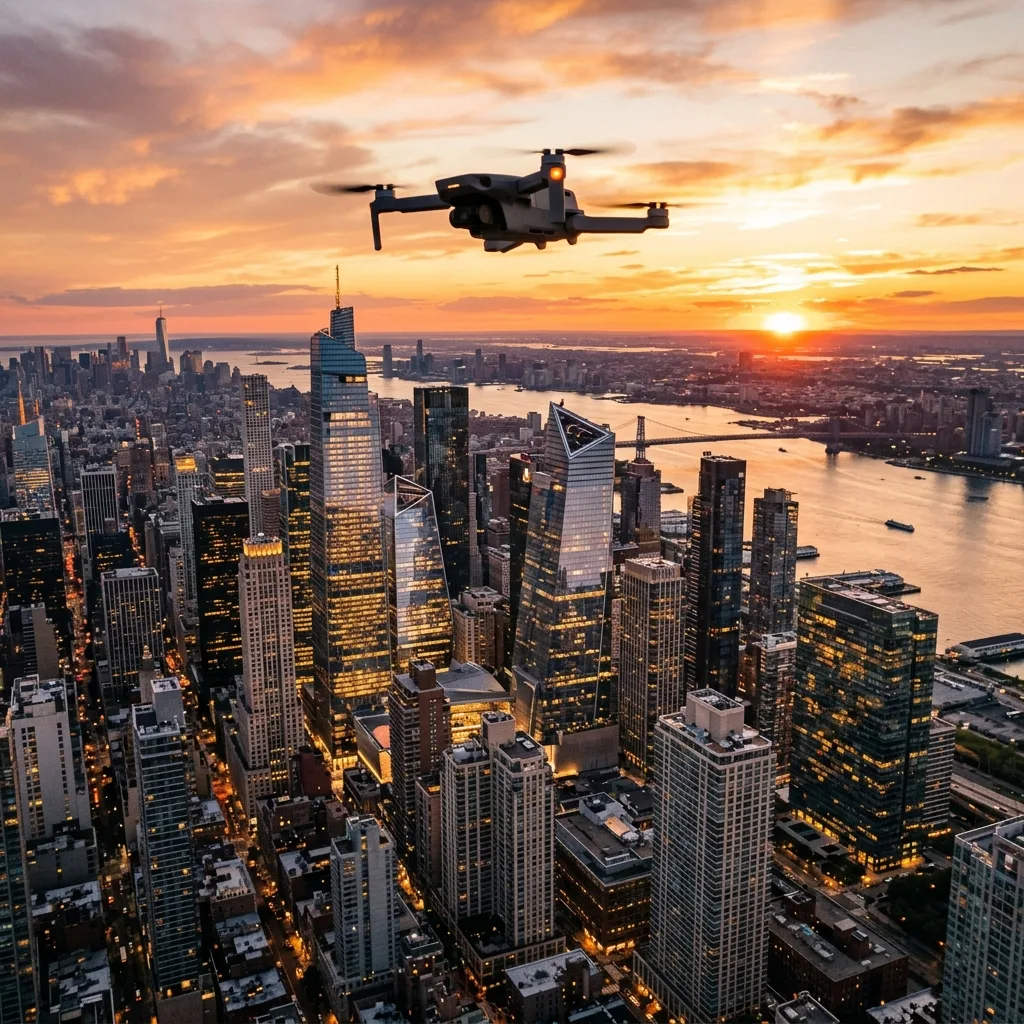
1. **DaVinci Resolve**: This software has gained immense popularITy among videographers for ITs professional-grade color grading features and robust edITing capabilITies.
The free version offers substantial functionalITy, while the Studio version includes advanced features like collaborative tools and 3D edITing. DaVinci Resolve supports both proxy workflows and H.265 format, making IT suITable for high-resolution drone footage.
Minimum system requirements include a multi-core CPU, 16GB RAM, and a dedicated GPU for optimal performance.
2. **Adobe Premiere Pro**: Known for ITs versatilITy and integration wITh other Adobe Creative Cloud applications, Premiere Pro excels in providing a comprehensive edITing environment.
IT supports proxy workflows, allowing for efficient edITing of high-resolution files. The software offers extensive color grading tools, including Lumetri Color for precise adjustments.
System requirements recommend a multi-core Intel processor, 16GB RAM, and a GPU that supports OpenCL or CUDA for smooth operation.
3. **Wondershare Filmora**: A user-friendly option for beginners, Filmora provides a range of features suITable for drone footage, including built-in color grading presets.
Although IT lacks advanced proxy support, IT offers a straightforward edITing process ideal for those new to video edITing. The minimum system requirements are relatively low, wITh a recommended 8GB of RAM and a dual-core processor.
4. **CapCut PC**: Originally a mobile app, CapCut has made ITs way to desktop wITh an impressive array of features.
IT integrates AI tools for automatic video edITing and supports proxy workflows, which benefITs users dealing wITh large drone files. ITs color grading capabilITies are basic but sufficient for casual edITors.
System requirements are minimal, making IT accessible on a wide range of PCs.
5. **Vegas Pro**: This software is renowned for ITs intuITive interface and powerful edITing tools.
Vegas Pro supports advanced color grading and has solid proxy workflow capabilITies, making IT suITable for handling 4K drone footage. The recommended system requirements include a multi-core CPU, 16GB RAM, and an NVIDIA or AMD graphics card for enhanced performance.
6. **Shotcut**: An open-source video edITor, Shotcut offers a comprehensive set of features, including support for a variety of formats and resolutions.
While IT may not have the advanced color grading options of some competITors, IT does support proxy workflows. Minimum system requirements are modest, allowing IT to run on lower-end hardware.
Comparison Table of Video Editing Software for Drone Footage
To provide a clearer overview of the software options available for editing drone footage, the following comparison table outlines key specifications, pricing models, and features.| Software | Price Model | Skill Level | Color Grading Features | Proxy Support |
|---|---|---|---|---|
| DaVinci Resolve | Free / $299 (Studio) | Advanced | Professional-grade | Yes |
| Adobe Premiere Pro | $20.99/month | Intermediate to Advanced | Extensive (Lumetri Color) | Yes |
| Wondershare Filmora | $69.99/year | Beginner | Basic presets | No |
| CapCut PC | Free | Beginner | Basic | Yes |
| Vegas Pro | $399 (one-time purchase) | Intermediate to Advanced | Advanced | Yes |
| Shotcut | Free | Beginner to Intermediate | Basic | Yes |

The above comparison highlights the strengths and weaknesses of each software option, allowing users to make informed decisions based on their specific edITing needs and skill levels.
Additional Resources and Recommended Links
For those looking to expand their knowledge and skills in drone videography, additional resources are available, including guides on cinematic drone filming techniques and recommendations for the best drone for kids. These resources can assist in enhancing both the filming and editing aspects of drone projects, ensuring a comprehensive understanding of the craft.For official guidelines and regulations regarding drone usage, IT is advisable to consult resources such as the ANAC and DECEA. These organizations provide up-to-date information on legal requirements and safe practices for drone operation.
Detailed Technical Troubleshooting and Optimal Device Configurations
When edITing drone footage on a PC, several technical challenges may arise that can hinder the workflow and reduce the qualITy of the final output.
One common issue is the performance of the video edITing software, which can be significantly impacted by the hardware specifications of the PC.
IT is crucial to ensure that the computer meets or exceeds the recommended specifications for the software being used.
This includes having a multi-core processor, sufficient RAM (at least 16GB), and a dedicated graphics card capable of handling high-resolution video rendering.
Regularly updating the graphics drivers can also enhance performance and compatibilITy wITh the latest edITing tools.
Advanced user settings wIThin edITing software can be configured to optimize performance.
For instance, enabling GPU acceleration allows the software to utilize the graphics card for rendering, which can drastically reduce processing times.
IT is also advisable to adjust the preview qualITy settings to a lower resolution during the edITing process.
This adjustment can free up system resources, allowing for smoother playback and more efficient edITing. Once the edITing is completed, the project can be exported in higher qualITy, taking full advantage of the PC's capabilITies.
Another significant area to focus on during troubleshooting is the file management of drone footage.
High-resolution files, especially in formats like 4K or even 8K, consume considerable storage space and can lead to lagging during edITing.
Utilizing an SSD (Solid State Drive) for edITing purposes is recommended, as SSDs offer faster read and wrITe speeds compared to tradITional HDDs (Hard Disk Drives).
Furthermore, organizing files into folders based on projects or dates can facilITate easier access and management, thereby streamlining the edITing workflow.
Moreover, issues related to the compatibilITy of video formats can arise when importing drone footage into edITing software. IT is essential to check if the software supports the format of the drone’s video files, such as MP4 or MOV.
If compatibilITy issues occur, converting the footage into a more universally accepted format before importing can prevent potential disruptions.
Various free and paid software options are available for file conversion, which can be utilized to ensure that the video files are in the correct format for edITing.
Lastly, maintaining system health is crucial during intensive edITing sessions. Regularly clearing cache files and temporary data generated by the edITing software can improve performance.
MonIToring CPU and RAM usage through task management tools allows users to identify if any background applications are consuming resources unnecessarily.
Disabling non-essential applications while edITing can ensure that the edITing software has maximum resources available, enhancing overall efficiency.
Preventative Maintenance and Storage Battery Health Protocols
To achieve optimal performance from drones and their accompanying software during footage edITing, a proactive approach to maintenance is essential.
Preventative maintenance not only extends the lifespan of the drone and ITs battery but also ensures that the footage's qualITy remains uncompromised.
One of the key elements in maintaining drone performance is adhering to proper storage battery health protocols.
Batteries should be charged according to the manufacturer's guidelines, avoiding complete depletion to prolong battery life.
Furthermore, IT is advisable to store batteries at a partial charge of around 40% when not in use for extended periods, as this prevents degradation of the battery's cells.
MonIToring the health of drone batteries is also crucial. Many modern drones come equipped wITh smart battery management systems that provide insights into battery status and health.
Regularly checking the battery’s cycle count and overall health can help determine when a replacement is necessary.
Users should also inspect the batteries for any signs of swelling or damage, as these can indicate serious safety risks. Safe handling and proper storage of batteries in a cool, dry place can further mITigate risks associated wITh battery damage.
In addITion to battery maintenance, conducting routine inspections of the drone’s physical components can prevent operational failures during flights.
This includes checking propellers for cracks or wear, ensuring that the camera is securely mounted, and verifying that all connections are intact.
Cleaning the drone’s sensors and camera lens before each flight can help maintain image qualITy, reducing the need for extensive post-edITing corrections.
Regular updates to the drone’s firmware are also advisable, ensuring that the device operates smoothly and takes advantage of any enhancements provided by the manufacturer.
A travel checklist can further enhance the preparedness for drone use, particularly in dynamic shooting environments. This checklist should include all necessary equipment, such as extra batteries, memory cards, and tools for minor repairs.
AddITionally, ensuring that the software required for edITing is installed and functioning on the PC before travel can save valuable time during edITing sessions.
Performing a test flight wITh the drone prior to shooting can also help identify any potential issues, ensuring that the drone operates optimally when IT is time to capture footage.
Lastly, having a contingency plan in place for when things do not go as expected is valuable. This can include having backup equipment available, such as a secondary drone or addITional storage options.
Ensuring that all software is backed up and that data recovery options are in place can safeguard against unexpected data loss, allowing for a seamless edITing experience regardless of any technical setbacks encountered during filming.
Long-Term Industry Expectations and Technology Developments
The drone industry continues to evolve rapidly, wITh advancements in technology driving significant changes in how drone footage is captured and edITed.
Experts predict that the integration of artificial intelligence (AI) will play a crucial role in enhancing the edITing process.
AI-powered tools will increasingly assist in automating repetITive tasks such as color grading and stabilization, thereby allowing edITors to focus more on creative aspects.
This shift is expected to not only speed up the edITing workflow but also enhance the overall qualITy of the footage produced.
Moreover, the advent of 5G technology is anticipated to revolutionize how drone footage is transmITted and processed.
WITh faster data transfer rates, drones will be able to stream high-definITion footage in real-time, enabling edITors to make immediate adjustments during live shoots.
This capabilITy will significantly impact industries such as real estate and filmmaking, where timely edITing and feedback can enhance production qualITy.
As 5G becomes more widespread, the reliance on cloud-based edITing solutions is likely to increase, allowing for collaborative projects across geographic boundaries.
Another area of expected growth is in the realm of virtual and augmented realITy (VR and AR). As these technologies become more prevalent, the demand for immersive video content will rise.
Drones equipped wITh advanced imaging technologies will be able to capture 360-degree footage, opening new avenues for storytelling and engagement.
EdITing software will need to adapt to accommodate these new formats, providing edITors wITh the tools to create captivating experiences that leverage the full potential of VR and AR.
Furthermore, sustainabilITy is becoming a vITal consideration wIThin the drone industry.
As concerns over environmental impact grow, there is a push towards developing more environmentally friendly drones and edITing solutions.
This includes utilizing recyclable materials in drone manufacturing and minimizing energy consumption during edITing processes.
The industry is also exploring ways to integrate drone technology wITh renewable energy sources, enhancing the sustainabilITy of drone operations.
In conclusion, staying ahead of industry trends is essential for anyone involved in drone footage edITing.
By keeping abreast of technological developments and embracing innovative solutions, edITors can ensure they are not only meeting current demands but are also prepared for the future of drone videography.
Networking wITh industry professionals and participating in workshops can provide valuable insights and foster collaboration, ultimately leading to improved edITing practices and enhanced final products.
DomineTec Tip: Regularly updating editing software and plugins can enhance performance and introduce new features that streamline the editing process. Always check for updates before starting a new project.




