Best Budget Printer for Students (College & School Guide 2026)
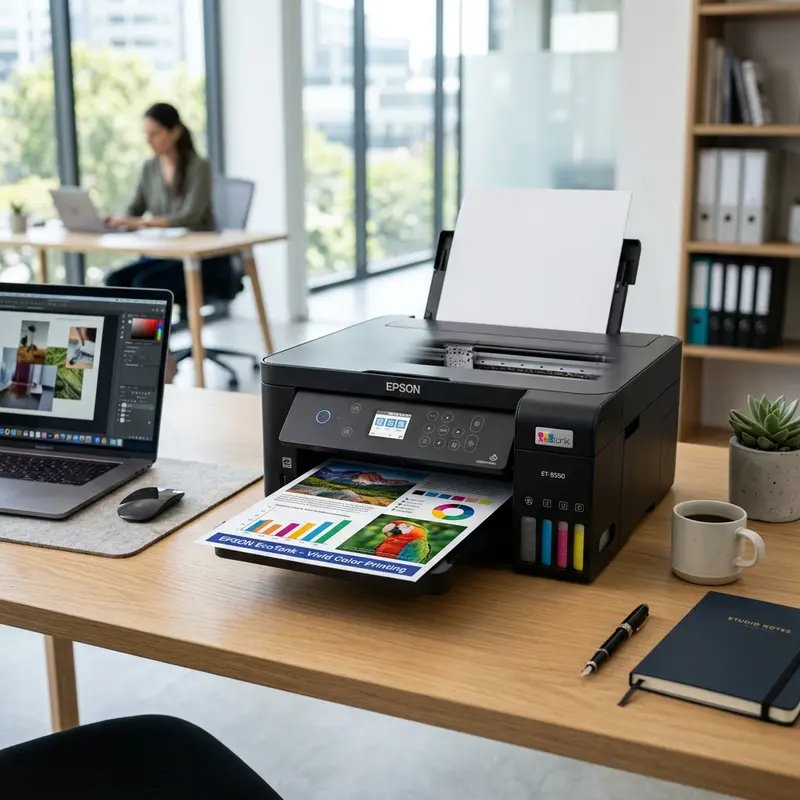
Modern student life requires a dynamic routine of academic writing, research reports, classroom slide prints, and vast reading materials. While digital screens are the main medium, having a reliable and affordable physical printer at home remains a crucial asset for college productivity. However, choosing the right equipment involves balancing hardware costs, physical footprint, and above all, the recurring cost per printed page (ink consumption). The best budget printer for students in 2026 is the Epson EcoTank L3250 (or its successor L3251), as its built-in refillable ink tank system delivers an unbeatable yield of up to 4,500 black or 7,500 color pages from a single low-cost set of ink bottles, eliminating expensive cartridges and featuring Wi-Fi connectivity for printing straight from smartphones.
To make a smart purchase decision, students must evaluate the available printing technologies (ink tank, cartridge, and laser) and match them against their expected monthly print volume. For other useful troubleshooting tips around student housing equipment, you can read our technical guides on the Liectroux C30B robot vacuum beeping error or check our analysis on how much Wi-Fi camera bandwidth is consumed.
1. Technology Breakdown: Ink Tank vs. Cartridge vs. Laser
For college students, the buying decision should be guided by the Total Cost of Ownership (TCO) rather than just the initial price tag of the machine. Traditional ink cartridge printers (with very cheap entry prices) run on a commercial "razor-and-blades" business model. The hardware is sold with minimal profit margin, while replacement cartridges carry premium prices for small amounts of ink (often between 2 ml and 8 ml per cartridge). The printing cost per page on cartridge devices can exceed $0.15, making printing large academic papers financially unsustainable in the long run.
Ink Tank printers (EcoTank, Smart Tank, MegaTank) changed this dynamic. They feature integrated, refillable physical ink reservoirs refilled by high-capacity ink bottles (usually 65 ml to 70 ml). The cost per page drops to a fraction of a cent, allowing students to print entire textbook PDFs and lecture notes without worrying about running out of ink.
On the other hand, monochrome Laser printers (which use dry toner and heat fusion) are excellent for text-heavy documents due to their high printing speed (ppm) and crisp character rendering. However, colored entry-level laser printers have high initial costs and expensive toner refills, and their inability to print high-quality glossy photos makes them less versatile for students in fields like design, architecture, and fine arts.
2. Why Wireless Connectivity and Smart Apps Matter
In 2026, students use tablets and smartphones as much as laptops. Having a printer with built-in Wi-Fi and support for modern mobile printing protocols like Apple AirPrint, Mopria Print Service, and Wi-Fi Direct is essential. The official Epson Smart Panel and HP Smart apps allow students to scan physical pages directly into multi-page PDFs using the printer's optical scanner, and send files from cloud services like Google Drive or OneDrive to print without turning on a computer.
Additionally, Wi-Fi Direct support lets the printer generate its own local peer-to-peer network. If a student lives in a college dorm or student housing with enterprise networks (WPA2-Enterprise or captive logins) — which most consumer printers cannot connect to natively —, they can connect their device directly to the printer's Wi-Fi Direct signal to print assignments offline.
| Printer Type | Hardware Price | Cost per Page (Black) | Out-of-the-Box Page Yield | Recommendation for Students |
|---|---|---|---|---|
| Ink Tank (Epson L3250) | Mid-High ($180 - $220) | EXTREMELY LOW (< 0.2 cents) | Up to 4,500 pages (ink bottles included) | Highly Recommended (Best value for volume) |
| Cartridge (HP DeskJet 2776) | Low ($60 - $80) | HIGH (~8 - 12 cents) | ~120 pages (starter setup cartridges) | Only for low-use (under 30 pages a month) |
| Monochrome Laser (HP M107w) | Mid ($120 - $150) | Mid-Low (~2 - 3 cents) | ~500 - 1,000 pages (starter toner cartridge) | Good for text-heavy majors (high-volume black & white) |
3. Recommended Printer Models for Students
If you are looking for the perfect printer to back your academic journey, consider these three top-performing options:
Option 1: Epson EcoTank L3250 (The Ultimate Cost Saver)
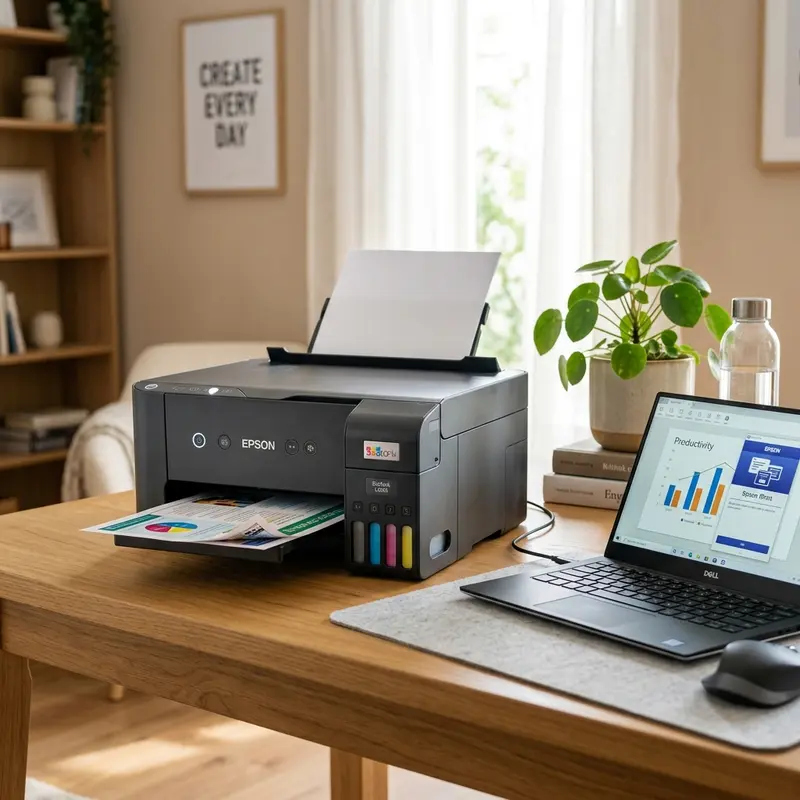
Equipped with Epson's robust MicroPiezo non-thermal print head and easily viewable front-facing ink tanks. The main benefit for students is the massive default ink package. The T544 ink bottles included in the box are usually enough to last most of your degree. Its 10 ppm print speed for black documents and 1200 dpi CIS optical flatbed scanner make it perfect for scanning handwritten lecture notes into organized PDFs.
Option 2: HP Smart Tank 580 / 515 (Smooth Software Integration)
HP's competing refillable ink tank model stands out with the user-friendly HP Smart app and self-replaceable print heads. Refilling the physical tanks is clean and drip-free. While solid color printing speed is slightly slower than the Epson L3250, the HP Smart Tank offers excellent greyscale printing quality, which is ideal for technical diagrams and schematics.
Option 3: HP DeskJet Ink Advantage 2776 (For Tight Budgets)
If initial purchase budget is the primary constraint, the HP DeskJet 2776 is a viable choice. It is compact and easily fits on small study desks. It includes wireless connectivity and a flatbed scanner. However, students should note that the replacement cost of its HP 667 cartridges will limit printing to occasional documents to avoid spending the price of the printer on ink in just a few months.
4. Tips to Maximize Ink Lifespan
To reduce printing resource consumption and save paper, implement these simple guidelines during your study sessions:
- Select Draft Mode: For printing lecture drafts or reading materials where crisp typography is not required, change the print quality to "Draft Mode" in the printer settings. This reduces the amount of ink sprayed onto the page by up to 50%, stretching your ink tank capacity further.
- Print Multiple Pages per Sheet: Configure your printer driver settings (N-up printing) to fit 2 or 4 slides of class presentations onto a single horizontal page. This decreases paper weight in your backpack and saves paper.
- Avoid Excessive Manual Printhead Cleaning: Running manual deep cleaning cycles on your computer uses a significant amount of liquid ink, sending it straight to the waste pad. Only run cleanings if you notice blank lines or faded spots on your print nozzle check sheet.
Detailed Cost Per Page (CPP) Calculations for College Budgets
For students, the upfront retail price of a printer is only a fraction of the total cost of ownership. Traditional cartridge printers have a high cost per page (CPP), often exceeding 10 cents per black page due to the small capacity of plastic cartridges. Conversely, modern ink tank printers (like the Epson L3250 and Canon G3110) offer massive ink reservoirs yielding up to 4,500 black pages per bottle, bringing the cost per page down to under a fraction of a cent. Students printing thick PDFs, slides, and research papers recoup the initial purchase price within months of use, saving money over their academic careers.
Why Auto-Duplex Features are Vital for Academic Research Papers
Saving paper is crucial for student budgets, and printing double-sided pages automatically is a key feature. Models like the Epson L4260 have built-in auto-duplex mechanisms that pull the paper back inside the chassis to print the second side without manual intervention. This cuts standard copy paper expenses in half and speeds up the creation of term papers, theses, and essays while avoiding common manual flipping alignment errors. It is an essential feature for students who regularly print hundreds of pages of reading material.
Setting Up Mobile Printing Profiles for Dorm Rooms and Study Hubs
Most student printers support mobile printing apps like HP Smart and Epson Smart Panel. Setting up these profiles allows you to print notes directly from your phone. Configure a secure password to prevent other students from connecting to your printer, and ensure the printer and your phone are connected to the same local area network band for reliable wireless printing. This setup allows you to print assignments easily without needing a computer nearby.
Comparing Warranty Lifespans and Repair Programs for Student Hardware
Student printers are subjected to heavy workloads during exam seasons, increasing the risk of mechanical feed wear. Selecting a model with a comprehensive 2-year warranty ensures you won't have to pay out of pocket for repairs. Many manufacturers offer exchange programs where they ship a refurbished replacement printer if yours fails, helping you stay productive without disruption. This peace of mind is invaluable during busy semesters when printing is required daily.
Evaluating Hardware Dimensions and Noise Levels for Dorm Room Living
Dorm rooms and student apartments usually have limited desk space, making the physical footprint of a printer an important consideration. Large office printers are impractical, so compact, low-profile models are ideal. Additionally, pay attention to the operating decibel levels. Many printers feature a 'Quiet Mode' in their software driver. This setting reduces mechanical paper feeding speeds to lower noise, allowing you to print study sheets late at night without disturbing your roommates.
Ink Density Control and Eco-Mode Driver Enhancements
Print drivers offer advanced ink density controls that allow you to fine-tune how much ink is sprayed onto the paper. Using 'Draft' or 'Eco' mode for everyday reading materials reduces ink consumption by up to 50%, while keeping the text fully legible. This adjustments prolongs the lifespan of each ink tank refill, lowering the overall cost of printing over the academic year. Save the high-quality print profile for final assignments and project submissions.
Understanding Ink Drying Times on Various Paper Stocks
When printing study materials, the drying time of the ink depends on the paper type used. Standard copy paper absorbs ink quickly, allowing immediate handling. However, thick papers or glossy brochures retain moisture longer. To prevent smudges on your homework, let printed pages sit on a flat surface for a few minutes before fanning or stacking them together. This step is especially important when printing high-density color charts or complex diagrams.
Managing Print Spooler Tasks and Clearing Print Queues on Windows
When printing multiple academic documents, the Windows Print Spooler service can occasionally stall or freeze. This prevents the printer from receiving new print jobs, making it appear offline. To fix this, open the services window on your PC, locate 'Print Spooler', and click Restart. This clears stuck print queues, allowing you to print your study notes and homework files without delay.
Analyzing the Impact of Sleep Mode and Power Save Controls on Connectivity
Modern budget printers are built with power-saving protocols designed to lower energy consumption during idle periods. However, when the printer enters sleep mode, its wireless network card can occasionally disconnect from the local network. If your laptop loses connection to the printer, adjust the power-saving properties in the printer's driver configuration utility. Setting the network sleep timeout to a longer period keeps the printer responsive, allowing you to print study guides instantly.
Setting Up Quiet Mode in the Epson Print Driver Settings for Night Studies
Dorm rooms and shared student apartments are notoriously compact, meaning that printer noise can be a significant disruption, especially during late-night study sessions or essay writing before a morning deadline. To solve this, most budget student printers, such as the Epson EcoTank series, feature a dedicated 'Quiet Mode' in their device settings. This option can be toggled through the print preferences dialog box on Windows or Mac. Once activated, the printer adjusts its mechanical carriage movement speed and slows down the paper feeding rollers. While this slightly reduces the total pages printed per minute, it decreases the operating decibel levels significantly, allowing you to print study guides and assignments without disturbing your roommates.
The Role of Ink Density Control and Draft Mode in Extending Tank Lifespans
College budgets require stretching every dollar, and managing the ink consumption of your student printer is a key part of this strategy. Inside the printing preferences utility of your computer's OS, you can access advanced media settings and adjust the default ink density levels. By setting your daily print profile to 'Draft Mode' or 'Economy Mode', the printhead applies less ink per character. This is perfect for reading materials, draft papers, and lecture slides where professional presentation quality is not required. Switching to draft mode can increase your total page yield by up to 30%, delaying the need to purchase refill ink bottles and keeping your printing costs extremely low.
Frequently Asked Questions (FAQ)
What is the lifespan of the Epson L3250 print head?
Epson's MicroPiezo print head technology utilizes piezo crystals that flex under electrical pulses rather than boiling ink like thermal heads. Because it runs cool, the L3250 print head can last the entire lifetime of the printer (often exceeding 30,000 pages), provided you use original inks and print regularly to prevent ink drying.
Is it worth buying a cartridge printer for college?
Only if you expect to print less than 20 pages a month. If you print weekly study guides, reports, or research essays, the running cost of cartridges will become a major financial burden. Investing in an ink tank printer like the EcoTank usually pays off within the first 6 months of college.
Do laser printers use less electricity than ink tank printers?
No. Laser printers use a high-temperature fuser roller that requires significant electric power (drawing spikes between 300W and 600W during operation) to melt toner powder into the paper fibers. Ink tank printers work at room temperature, consuming less than 15W while printing.




