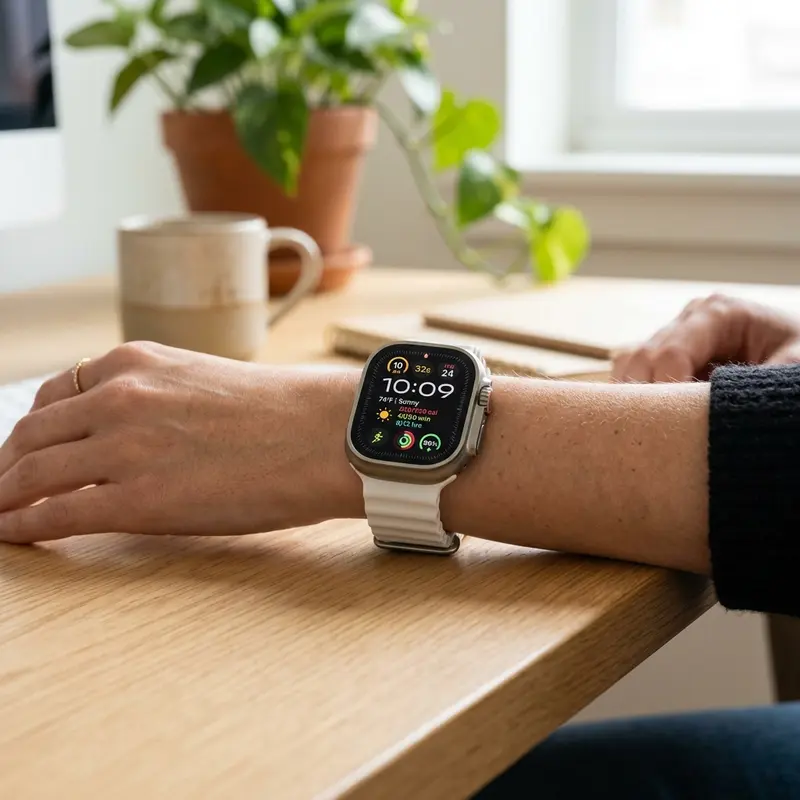
Apple Watch vs Samsung Galaxy Watch: A Technical Smartwatch Comparison
The premium wearable device market is largely led by two technology giants: Apple and Samsung. With their flagship lineups, the Apple Watch and Samsung Galaxy Watch, both manufacturers offer vibrant displays, medical-grade health monitoring features, and deep integration with their respective smartphone systems. However, choosing the right smartwatch goes far beyond cosmetic styling, involving OS compatibility barriers and battery life limits.
To evaluate the apple-watch-vs-samsung-galaxy-watch showdown and pick the best smartwatch, check which phone you use: the Apple Watch is the ideal choice (and the only compatible one) for iPhone users due to watchOS integration; whereas the Samsung Galaxy Watch is the best choice for Android users, running Wear OS with complete health sensors. Knowing these connection boundaries prevents buying an expensive device you cannot pair.
If you want to read more about updating smartwatch systems or cleaning silicone straps on similar wearables, read our troubleshooting articles on how to update amazfit gts firmware and discover how to clean white silicone watch band to prevent skin irritation and keep your bands clean.
1. Operating System Compatibility and Ecosystem Locks
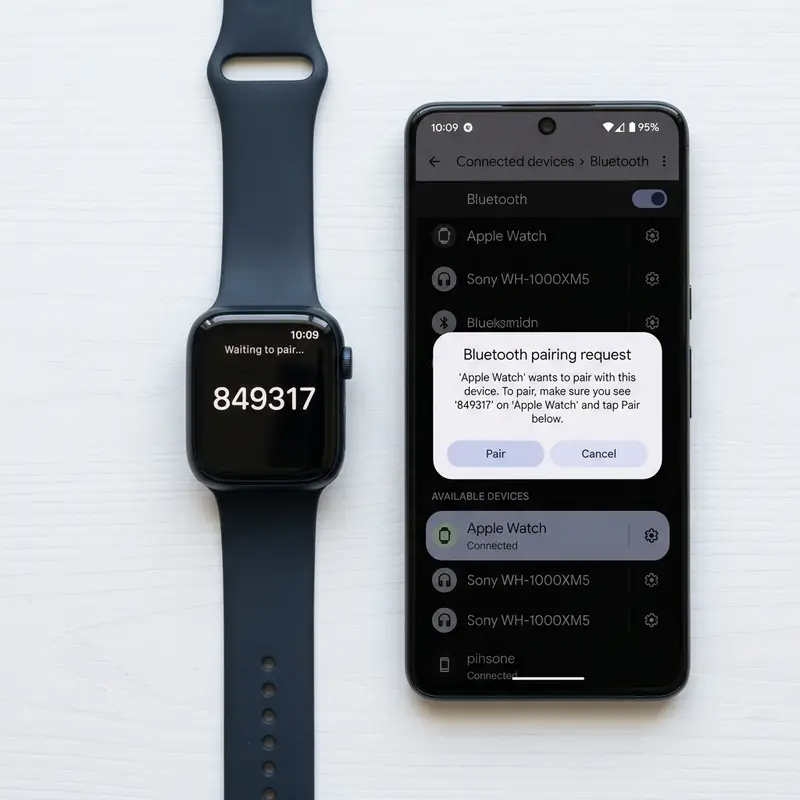
The first and most critical technical factor to consider is operating system compatibility. Apple enforces a strict walled garden policy for its smartwatches. The Apple Watch does not support synchronization with Android phones. You must own an iPhone to activate, set up, and receive notifications or health telemetry on the watch.
Conversely, the Samsung Galaxy Watch runs on Wear OS (jointly developed by Samsung and Google). It is fully compatible with any modern Android smartphone. However, some advanced health features, such as Electrocardiogram (ECG) and Blood Pressure monitoring, require the Samsung Health Monitor app, which is exclusive to Samsung Galaxy phones. Using a Galaxy Watch with a non-Samsung Android phone disables these two features by default.
2. Design Philosophy and Materials
Design aesthetics differ significantly between the two lines. Apple favors a rounded rectangular watch body. The Apple Watch Series uses lightweight aluminum or polished titanium frames. System navigation is managed via the Digital Crown, which provides subtle haptic feedback during use.
Samsung maintains a circular watch design that resembles a traditional mechanical watch. The Galaxy Watch features a round screen made of aluminum or titanium (on Ultra/Pro models) and is known for its physical rotating bezel or touch-sensitive display edge. The table below lists the physical and software specs for both ecosystems in 2026:
| Feature | Apple Watch (Series 11 / Ultra) | Samsung Galaxy Watch (Wear OS Models) |
|---|---|---|
| Display Shape | Rectangular (Always-On LTPO AMOLED) | Circular (Super AMOLED) |
| OS Platform | watchOS (Darwin-based) | Wear OS (Android-based) |
| Compatibility | iOS only (iPhone required) | Android only (Optimized for Galaxy) |
| Navigation Control | Digital Crown & Side Button | Rotating Bezel & 2 Side Buttons |
| Battery Life | 18 to 36 hours (Ultra) | 40 to 80 hours (Pro/Ultra) |
3. Health Telemetry and Bio-Sensors
Both devices function as portable health clinics on your wrist, but they process biometric data differently. The Apple Watch uses electrical and optical heart sensors to provide certified ECG readings, fall detection, and high-sensitivity crash alerts. A built-in skin temperature sensor also tracks thermal fluctuations during sleep.
The Galaxy Watch features Samsung's 3-in-1 BioActive sensor, which combines Optical Heart Rate, Electrical Heart Signal, and Bioelectrical Impedance Analysis (BIA). The BIA sensor sends small electrical currents through your body to measure skeletal muscle mass, body fat percentage, and body water metrics in seconds. The watch can also measure blood pressure, though it requires monthly calibration with a traditional cuff.
4. Battery Life Comparison: Staying Powered
Battery performance is a major consideration for active users. The standard Apple Watch Series is designed for 18 hours of mixed-use, meaning most users will need to charge it daily. The rugged Apple Watch Ultra extends this duration to 36 hours in standard mode, which is still relatively brief for long outdoor trips.
The Samsung Galaxy Watch performs better in battery tests. The base model lasts between 30 and 40 hours. The rugged Galaxy Watch Ultra and Pro models feature a large 590 mAh battery that provides 60 to 80 hours of use on a single charge, allowing you to track multi-day sleep cycles without needing a charging cable.
5. Voice Assistants: Siri vs. Google Assistant
Hands-free tasks depend on the voice assistant configured on your watch. On watchOS, Siri handles commands locally on newer Apple Watch models, allowing you to set timers, start workouts, or send messages without needing a network connection.
On the Galaxy Watch, you can choose between Samsung Bixby and Google Assistant. Google Assistant offers excellent voice recognition in multiple languages and integrates with the Google Home app, allowing you to control smart bulbs, cameras, and robot vacuums directly from your wrist.
6. App Stores: watchOS App Store vs. Wear OS Play Store
The app store on watchOS is highly mature, with many major apps offering dedicated watch clients. Third-party developers provide polished apps for fitness (Strava), productivity (Todoist), and offline music playback (Spotify) that run smoothly on the S-series chipset.
The Wear OS platform utilizes the Google Play Store. While it has fewer total apps than the Apple Watch store, it is growing fast, letting you download utilities directly to the watch, manage mobile payments via Google Wallet, and type messages using the virtual Gboard keyboard.
7. Sports Tracking and GPS Accuracy
For runners and hikers, the dual-frequency GPS on premium models (Apple Watch Ultra and Galaxy Watch Ultra) provides highly accurate route mapping in challenging environments like dense forests or downtown areas. The Apple Watch includes advanced running power and vertical oscillation metrics, while the Galaxy Watch lets you import GPX navigation files for offline route tracking.
8. Water Resistance and Scuba Diving Certification
Both entry-level smartwatches have an IP68 dust and water rating along with a 5 ATM (50 meters) depth rating, making them suitable for swimming pools or open-water swims. The Ultra editions increase water resistance to 10 ATM (100 meters), allowing for recreational scuba diving down to 40 meters with an active depth gauge app.
9. Sensor Fusion and Artificial Intelligence in Health Analytics
Artificial intelligence has become a core component of how modern smartwatches process biometric data. The Apple Watch utilizes machine learning models to analyze heart rate variability (HRV) and identify early signs of atrial fibrillation. The Galaxy Watch uses advanced algorithms to build personalized sleep profiles and daily health scores. The accuracy of these AI insights increases the longer you wear the device, allowing the software to establish a personalized biometric baseline for heart rate and body temperature.
10. Software Update Lifecycle and Long-term System Support
Technical support lifecycles are crucial for determining the return on investment of a smartwatch. Apple is known for supporting older Apple Watches with watchOS updates for 4 to 5 years, ensuring older hardware receives new system interfaces and security patches. Samsung offers up to 4 years of Wear OS system updates for its Galaxy Watch series, protecting the device from software obsolescence and maintaining compatibility with new Android API releases.
11. Inductive Charging Safety and Thermal Limits
Both Apple and Samsung devices support quick inductive charging, restoring up to 80% of battery capacity in about 45 minutes. While fast charging is convenient, the magnetic coils generate heat that can degrade the lithium battery over time. To protect the hardware, both smartwatches feature thermal protection circuits that slow down or stop the charging process if internal device temperatures exceed 45°C (113°F).
12. Ecosystem Lock-In and Smart Home Integration
Choosing between these two smartwatches also influences how you interact with your smart home. The Apple Watch integrates with Apple Home, allowing you to use Siri voice commands to control HomeKit accessories or unlock compatible smart doors via Apple Home Key. The Galaxy Watch runs the SmartThings dashboard, letting you control appliances, adjust light bulbs, or receive doorbell camera alerts directly on your wrist using the Google Home or Samsung SmartThings framework.
13. Dual-Frequency GPS Receiver Architecture (L1+L5)
Tracking precision in urban areas depends on the GPS receiver configuration inside the smartwatch. Modern Apple Watches and Galaxy Watches use dual-frequency GPS receivers that monitor L1 and L5 satellite frequencies. The L1 frequency handles initial orbital coordinates, but it is prone to signal bounce in dense cities. The L5 frequency provides a stronger signal that filters out reflections from skyscrapers and trees, allowing the watch to plot running routes and calculations with minimal deviation.
14. Chassis Metallurgy: Aerospace Aluminum vs. Grade 5 Titanium
Chassis durability differs across model ranges. Entry-level smartwatches use aerospace aluminum, which keeps production costs low and yields a lightweight casing. However, aluminum is soft and prone to denting upon hard impacts. Premium watches utilize Grade 5 Titanium, an alloy with superior yield strength and density characteristics. Titanium resists corrosion from salt water and sweat, and offers outstanding structural integrity to protect internal circuits from crush damage.
15. Bluetooth Coexistence Protocols and Audio Streaming Architecture
Both Apple and Samsung watches feature advanced Bluetooth coexistence algorithms that manage simultaneous connections. When you track a workout using GPS, sync data to your phone, and stream music to wireless earbuds, the watch must manage three separate wireless streams on the 2.4GHz band. To prevent audio stuttering and GPS packet loss, the watch's wireless chip uses Time Division Multiplexing (TDM) to split the transmission slots. This technology ensures that audio streams receive priority bandwidth, preventing drops during active movement.
16. Advanced Biometric Algorithms: ECG and BIA Sensor Systems
The sensor arrays of the Apple Watch and Galaxy Watch differ in how they analyze electrical signals. The Apple Watch uses single-lead electrocardiogram (ECG) electrodes located on the back crystal and the Digital Crown. This records the electrical signals of your heart to detect signs of atrial fibrillation. The Galaxy Watch incorporates a Bioelectrical Impedance Analysis (BIA) sensor. This sensor sends a microcurrent through your body to measure water, fat, and muscle mass. Both systems require clean metal contacts on the watch chassis and proper skin hydration to deliver precise readings.
17. Sleep Tracking Architecture and SpO2 Monitoring Precision
When analyzing sleep quality, both wearables use a mix of actigraphy and heart rate variability to estimate sleep cycles (Deep, Light, and REM). The Apple Watch monitors respiration rates and utilizes machine learning models trained on sleep clinic data to detect sleep apnea indicators. The Galaxy Watch integrates a skin temperature sensor that tracks micro-fluctuations in body heat, helping to pinpoint exact sleep onset. Both watches require a secure fit; a loose band allows external air to cool the optical sensor, leading to false drops in blood oxygen (SpO2) readings during the night.
18. Remote Camera Control and Viewfinder Integration
Another convenient feature of both the Apple Watch and the Samsung Galaxy Watch is remote camera viewfinder integration. This tool allows you to place your smartphone on a tripod far away and use the watch screen as a live preview display. You can frame the shot, adjust the zoom using the rotatable bezel or the digital crown, and trigger the camera shutter remotely. This interaction relies on high-speed peer-to-peer Wi-Fi connections between the phone and watch, making group photos and solo content creation effortless without needing a physical timer.
Frequently Asked Questions (FAQ)
1. Can I use an Apple Watch with a Samsung Galaxy smartphone?
No. Apple does not offer a configuration app on Android, meaning the Apple Watch cannot be paired with a Samsung Galaxy or any other Android phone.
2. Does the Samsung Galaxy Watch work with an iPhone?
No. Modern Galaxy Watches running Wear OS are incompatible with iOS. They can only be paired with Android smartphones running Android 10.0 or higher.
3. Which smartwatch has better sleep tracking insights?
Both are highly accurate, but the Galaxy Watch offers a more comprehensive sleep analysis program, assigning a sleep animal profile and providing coaching programs to improve sleep quality.
4. Can I reply to WhatsApp messages from these watches?
Yes. When paired with a compatible smartphone, both devices allow you to reply to WhatsApp messages using voice-to-text, quick preset replies, or an on-screen keyboard.
5. Are Apple Watch and Galaxy Watch chargers interchangeable?
No. Although both use inductive wireless charging, the magnet placements and wireless charging protocols are proprietary and incompatible between brands.
