Como Criar Prompts Perfeitos no Leonardo AI Usando Prompt Helper
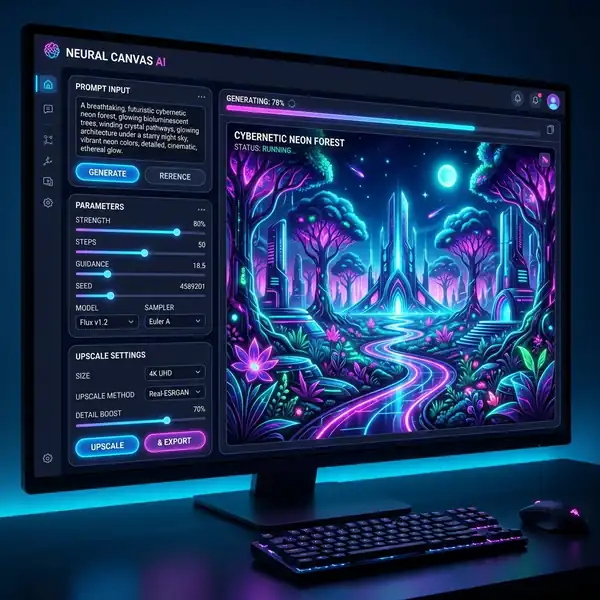
Aprenda como criar prompts no Leonardo AI usando técnicas avançadas e ferramentas de inteligência artificial de forma fácil.
Dica DomineTec: Para melhorar ainda mais suas criações, veja nossos melhores modelos do Leonardo AI para realismo.
A criação de prompts no Leonardo AI envolve um entendimento profundo de como a inteligência artificial interpreta as instruções fornecidas. Vamos detalhar cada aspecto que você precisa considerar ao desenvolver seus prompts, incluindo parâmetros, tokens de peso, configurações de fluxo de trabalho e muito mais.
Compreendendo os Componentes do Prompt
Um prompt é a instrução ou comando que você fornece ao Leonardo AI para gerar uma imagem. Para criar um prompt eficaz, você deve considerar vários componentes:
1. Descrição Detalhada: Quanto mais específica for a sua descrição, melhores serão os resultados. Por exemplo, em vez de simplesmente dizer "uma floresta", você poderia especificar "uma floresta densa com árvores altas e luz do sol filtrando através das folhas".
2. Parâmetros de Estilo: Inclua parâmetros que definem o estilo da imagem, como "estilo impressionista" ou "arte digital", para guiar a AI na criação do visual desejado.
3. Tokens de Peso: Esses tokens ajudam a priorizar certos aspectos do prompt. Por exemplo, se você deseja enfatizar a cor, pode usar um token de peso para "cores vibrantes".
4. Aspect Ratio: Defina a proporção da imagem que você deseja criar, como 16:9 para uma imagem de paisagem ou 1:1 para uma arte de perfil.
5. Paletas de Cores: Se você tem um esquema de cores em mente, inclua isso no seu prompt. Por exemplo, "cores pastel" ou "paleta de cores quentes".
Parâmetros e Configurações de Fluxo de Trabalho
Abaixo está uma tabela que resume alguns dos parâmetros mais comuns que você pode ajustar ao criar seus prompts no Leonardo AI:
| Parâmetro | Descrição | Valor Padrão |
|---|---|---|
| Aspect Ratio | Proporção da imagem (ex: 16:9, 1:1) | 16:9 |
| Peso do Token | Prioridade dos elementos na imagem | 1.0 |
| Estilo | Tipo de arte (ex: digital, realista) | Realista |
Passo a Passo para Criar um Prompt no Leonardo AI
1. Acesse o Prompt Helper: Inicie o Leonardo AI e localize a ferramenta de Prompt Helper na interface.
2. Escolha um Tema: Pense sobre o que você deseja criar. Selecione um tema que inspire sua criação.
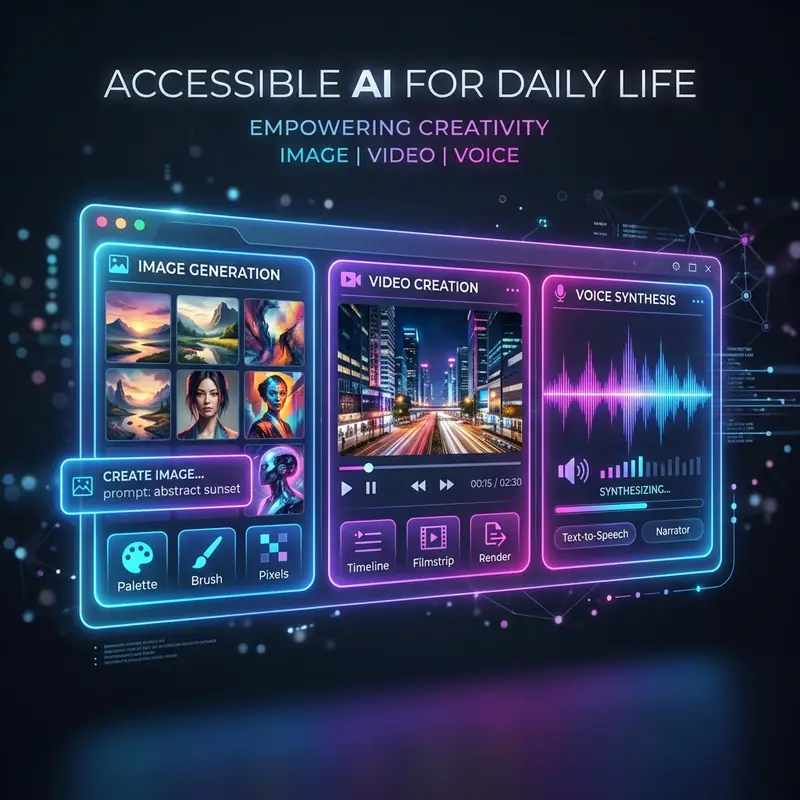
3. Escreva a Descrição: Use o Prompt Helper para elaborar uma descrição detalhada, incluindo todos os componentes mencionados anteriormente.
4. Ajuste os Parâmetros: Utilize os campos disponíveis para ajustar os parâmetros de estilo, peso do token e proporção.
5. Visualize e Exportar: Após finalizar o prompt, visualize a imagem gerada e, se estiver satisfeito, exporte-a na resolução desejada.
Exemplos de Prompts Criativos
Um bom exemplo de prompt poderia ser: "Uma cidade futurista à noite, iluminada por neon, com veículos voadores e pessoas interagindo com hologramas". Essa descrição é rica em detalhes e inclui elementos visuais que a IA pode usar para gerar uma imagem impactante.
Além disso, considere testar diferentes variações do mesmo prompt. Por exemplo, alterando a hora do dia ou o clima pode resultar em interpretações completamente diferentes da mesma cena.
Dicas para Melhorar Seus Prompts
- Experimente: Não tenha medo de alterar seus prompts e testar novas combinações de palavras e estilos. A prática leva à perfeição.

- Use Referências Visuais: Se possível, forneça referências visuais que a IA possa usar como guia. Isso pode melhorar significativamente a qualidade da imagem gerada.
- Feedback: Utilize feedback de outros usuários ou comunitários para entender melhor o que funciona e o que não funciona na criação de prompts.
Para explorar mais sobre o uso do Leonardo AI, confira o nosso comparativo detalhado Leonardo AI vs Midjourney e descubra qual ferramenta pode atender melhor às suas necessidades criativas.
Conclusão
Criar prompts no Leonardo AI pode parecer desafiador à primeira vista, mas com as ferramentas certas e uma compreensão clara dos componentes envolvidos, você pode desbloquear um novo nível de criatividade em suas criações digitais. A experiência de gerar imagens através de inteligência artificial é um campo em constante evolução, e cada novo projeto pode ensinar algo valioso.
Optimizing Workflows for Prompt Iteration in Leonardo AI
Efficient prompt iteration in Leonardo AI hinges on a well-structured workflow that allows users to refine their inputs based on immediate feedback. This iterative process is fundamental for achieving precision in AI-generated designs. To optimize workflows, users should consider integrating a systematic approach to testing and refining prompts. One effective method is the implementation of a version control system that tracks changes in prompts and their respective outputs. This enables users to revert to previous iterations, facilitating the analysis of what aspects of a prompt led to successful or unsuccessful outcomes.
Incorporating a structured feedback loop within the workflow is another critical aspect. By establishing checkpoints during the prompt iteration process, users can evaluate the relevance and quality of the generated results. This can be done through peer reviews or automated evaluations based on predefined metrics. The feedback received at these checkpoints can directly inform subsequent iterations, allowing for a more focused approach to prompt optimization. Additionally, leveraging user-defined criteria for success can help in creating a targeted feedback mechanism that aligns closely with the user's design objectives.
Moreover, automating parts of the workflow can significantly enhance the efficiency of prompt iteration. By employing scripts or tools that can generate variations of a given prompt based on specific parameters, users can quickly explore a wider range of outputs. This automation not only saves time but also introduces a level of randomness that can lead to unexpected and innovative design solutions. The balance between manual refinement and automated generation becomes fundamental in maximizing the potential of Leonardo AI’s capabilities while minimizing redundancy in the creative process.
Leveraging UI Features for Enhanced Prompt Customization
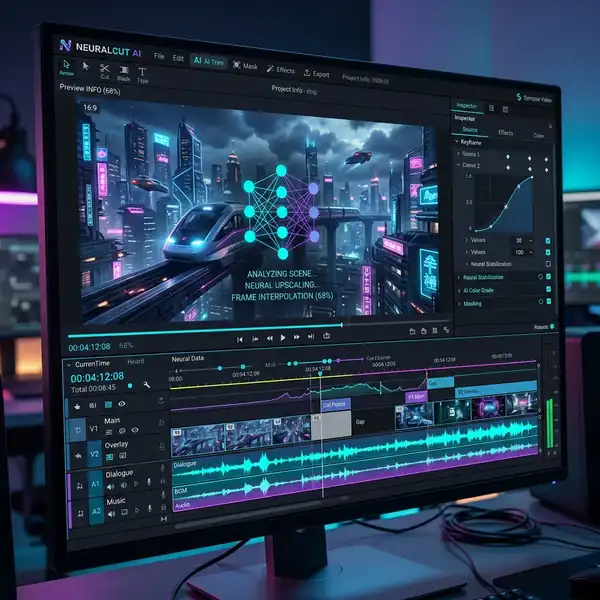
The user interface (UI) of Leonardo AI is designed to facilitate a seamless interaction between users and the AI engine, making it imperative to understand its features for enhanced prompt customization. One of the standout elements of the UI is the prompt helper, which provides real-time suggestions and adjustments based on user input. This feature allows users to see the potential impact of specific words or phrases on the AI’s output, enabling a more informed approach to crafting prompts. Understanding how to navigate and utilize these suggestions can lead to significantly improved results.
Furthermore, the UI includes tools for adjusting key parameters such as style, color palettes, and composition settings. Mastery of these tools can empower users to create highly tailored prompts that align with their specific design vision. For instance, the ability to tweak aspect ratios within the UI can drastically alter the final output, affecting both the aesthetic and functional components of the design. Users should experiment with these settings to discover the nuances of how different configurations influence the AI's generative results.
Finally, the integration of visual aids within the UI can enhance the user's ability to conceptualize their prompts. Tools such as mood boards, reference images, and style sliders provide a visual context that can inform and inspire prompt creation. By using these features, designers can bridge the gap between textual descriptions and visual output, ensuring that the AI generates designs that resonate with their intended message. This comprehensive understanding of UI features not only streamlines the prompt creation process but also enhances the overall user experience in leveraging Leonardo AI for complex design challenges.
Optimizing Workflows for Efficient Prompt Iteration in Leonardo AI
In the realm of AI-assisted design, establishing a streamlined workflow is paramount for maximizing productivity and achieving desired outcomes. A well-structured workflow not only enhances the speed at which prompts can be iterated but also allows for a more nuanced exploration of creative possibilities. To optimize workflows within Leonardo AI, it is essential to integrate a series of systematic steps that balance creativity with computational efficiency.
One effective approach is to implement a modular prompt structure that allows for rapid adjustments. By breaking down prompts into interchangeable components—such as themes, styles, and specific attributes—designers can quickly swap elements to generate variations without starting from scratch. This method not only saves time but also encourages a more experimental mindset, allowing designers to explore multiple avenues of creativity in a single session. Each component can be saved within the Prompt Helper, facilitating easy retrieval and adaptation for future projects.
Moreover, leveraging the built-in feedback mechanisms within Leonardo AI can significantly enhance the iterative process. Designers can utilize the AI’s output as a feedback loop, informing subsequent prompts with insights gained from previous iterations. For instance, analyzing which prompt variations yield the most desirable results can help refine future inputs, thereby honing the efficacy of the creative process. This feedback-driven approach necessitates a keen analytical mindset, as designers must critically assess the AI's outputs and adjust their strategies accordingly.
Finally, the integration of collaborative tools can transform individual workflows into collective creative experiences. By enabling multiple users to contribute to the prompt generation process in real-time, teams can harness diverse perspectives and expertise. This collaborative environment not only fosters innovation but also allows for rapid prototyping of ideas, as team members can build upon each other’s contributions. Utilizing cloud-based platforms for prompt sharing ensures that all iterations are easily accessible and can be revisited or refined, creating a dynamic repository of creative potential.
Leveraging UI Features for Enhanced Creative Control in Leonardo AI
The user interface (UI) of Leonardo AI plays a critical role in how effectively designers can harness the power of AI for their creative endeavors. Understanding and utilizing the various UI features can greatly enhance a designer's ability to control the output and refine prompts to meet specific requirements. This section delves into the critical UI components that facilitate a more intuitive interaction with the AI, thereby enabling designers to exert greater control over their creative outputs.

One of the standout features of Leonardo AI's UI is the adjustable sliders that allow for real-time modifications of key parameters such as style, detail level, and color palette. These sliders provide a tactile interface for designers, enabling them to experiment with different settings interactively. For example, adjusting the detail level slider can yield vastly different outcomes, from highly intricate designs to minimalist representations. This level of control allows designers to iteratively refine their prompts, observing immediate effects and making informed adjustments based on visual feedback.
Moreover, the UI includes a comprehensive history panel that tracks all previous inputs and outputs. This feature is invaluable for designers who wish to revisit earlier iterations of a prompt or compare different outputs side by side. By storing a chronological record of prompt adjustments, designers can easily identify which modifications led to successful outcomes and which did not. This historical context is essential for understanding the evolution of a design and for strategizing future prompts, as it enables a cycle of continuous improvement grounded in empirical evidence.
Finally, the incorporation of visual guides and tooltips within the UI can significantly enhance the learning curve for designers unfamiliar with AI prompt generation. By providing contextual information about each feature and its potential applications, Leonardo AI empowers users to make more informed decisions about their creative strategies. This educational aspect of the UI is fundamental for maximizing the potential of the AI, as it encourages users to experiment and innovate without the fear of missteps. By fostering a user-friendly environment that prioritizes accessibility and understanding, Leonardo AI positions itself as a powerful ally in the design process.



