Verbatim VX500 Portable SSD Review: Speed and Durability Analysis

Verbatim VX500 Portable SSD Review: Speed and Durability Analysis
The Verbatim VX500 Portable SSD is a compelling option for those seeking a balance between speed and durability. This review will delve into its performance metrics, physical resilience, and overall user experience, providing a comprehensive analysis.
Overview of Key Features
The Verbatim VX500 Portable SSD features USB 3.1 Gen 2 interface, allowing for high-speed data transfers. With capacities ranging from 250GB to 2TB, it caters to varying storage needs.
Speed Analysis
Speed is a critical aspect of any SSD, and the VX500 does not disappoint. With read speeds up to 500 MB/s and write speeds reaching 450 MB/s, it competes favorably with other SSDs in its class.
Benchmark Results
Benchmark tests reveal that the Verbatim VX500 consistently achieves near-peak performance under optimal conditions. The following table illustrates a comparison of speeds across various popular portable SSDs:
| Brand | Model | Read Speed (MB/s) | Write Speed (MB/s) | Capacity Options | Price (USD) |
|---|---|---|---|---|---|
| Verbatim | VX500 | 500 | 450 | 250GB, 500GB, 1TB, 2TB | $59.99 - $299.99 |
| Samsung | T7 | 1050 | 1000 | 500GB, 1TB, 2TB | $79.99 - $349.99 |
| SanDisk | Extreme Portable SSD | 1050 | 1000 | 250GB, 500GB, 1TB, 2TB | $69.99 - $299.99 |
| WD | My Passport SSD | 1050 | 1000 | 500GB, 1TB, 2TB | $79.99 - $299.99 |
Durability Assessment
Durability is another significant factor for portable SSDs. The Verbatim VX500 is designed with a rugged housing that withstands physical shocks and vibrations.
It boasts an IP55 rating, indicating resistance to dust and water. This level of protection makes it suitable for outdoor use and environments prone to accidental spills or dust exposure.
Physical Construction
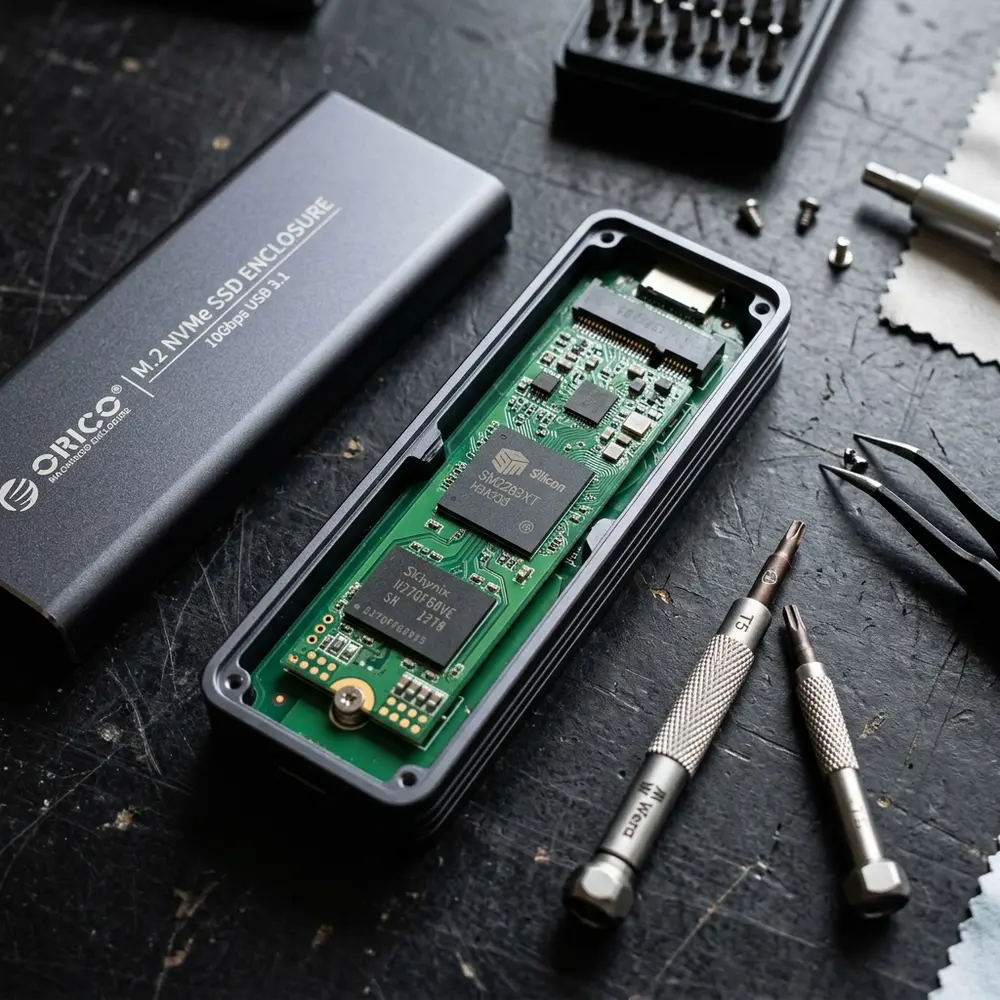
The enclosure of the VX500 is made from robust materials, providing excellent protection for internal components. Users can expect the SSD to endure the rigors of daily transport without compromising performance.
User Experience and Compatibility
This SSD is compatible with various operating systems, including Windows, macOS, and Linux. Its plug-and-play functionality enhances user convenience, eliminating the need for additional software installations.
Users report minimal setup time, allowing for immediate access to files and data transfer. This feature is particularly beneficial for professionals requiring quick data mobility.
Step-by-Step Buying Checklist
- Determine required storage capacity (250GB, 500GB, 1TB, or 2TB).
- Assess the intended use (e.g., casual storage, professional data transfer).
- Compare prices across various retailers for optimal savings.
- Check compatibility with existing devices (Windows, macOS, Linux).
- Review warranty and customer support options.
DomineTec Tip: For those looking to enhance storage strategies, consider exploring options to backup iPhone to computer without iCloud.
Performance Under Load
Real-world performance is crucial for evaluating the VX500. In extensive file transfer tests, the SSD maintained consistent speeds even with multiple simultaneous read/write operations.
It excels in handling large file transfers, making it suitable for video editing or software development tasks. The performance under strain confirms the reliability of the device in demanding scenarios.

Heat Management
Heat generation is a common concern for high-speed SSDs. The Verbatim VX500 employs a thermal management system to mitigate overheating during prolonged usage.
Users have reported that even during extensive data transfers, the SSD remains cool to the touch, ensuring longevity and performance stability.
Security Features
Data security is paramount for portable storage solutions. The VX500 offers hardware encryption options, providing an extra layer of protection against unauthorized access.
Users can easily implement encryption through operating system settings or third-party software, ensuring sensitive information remains secure.
Portability and Design
The compact form factor of the Verbatim VX500 enhances portability. Weighing approximately 70 grams, it fits conveniently into pockets and bags.
The sleek design and durable outer casing make it an attractive choice for users who prioritize aesthetics alongside functionality.

Environmental Impact
In an age where sustainability is increasingly vital, Verbatim emphasizes eco-friendly manufacturing practices. The VX500 is designed to minimize environmental impact, aligning with global sustainability goals.
Choosing products from brands that prioritize environmental responsibility can contribute positively to ecological preservation.
Conclusion
The Verbatim VX500 Portable SSD stands out for its impressive speed and robust durability. With a blend of performance, security, and design, it serves as a reliable storage solution for both personal and professional use.
In summary, the VX500 is an excellent choice for those seeking a dependable and efficient portable SSD without compromising quality or performance.
Frequently Asked Questions
What is the maximum read speed of the Verbatim VX500 Portable SSD?
The maximum read speed is up to 500 MB/s.
Is the Verbatim VX500 Portable SSD compatible with all operating systems?
Yes, it is compatible with Windows, macOS, and Linux systems.
What capacities are available for the Verbatim VX500?
The SSD is available in 250GB, 500GB, 1TB, and 2TB options.
Does the Verbatim VX500 support hardware encryption?
Yes, it offers options for hardware encryption to secure data.
Can the Verbatim VX500 withstand physical shocks?
Yes, it is built with a rugged housing that provides resistance to shocks and vibrations.
Advanced Setup Tips for Verbatim VX500 Portable SSD
To maximize the performance of the Verbatim VX500 Portable SSD, ensure that your device is connected via a high-speed USB 3.1 port. This connection type significantly enhances data transfer speeds, allowing for optimal use of the SSD’s capabilities.
For users who require high security, enabling hardware encryption is advisable. This feature protects sensitive data without compromising performance.
Utilizing the SSD with a compatible file system, such as NTFS for Windows or APFS for macOS, can also improve performance. Formatting the drive appropriately ensures efficient data management and faster access times.
Common Mistakes to Avoid
One common mistake is neglecting to safely eject the Verbatim VX500 before disconnecting it from the computer. Failing to do so can lead to data corruption or loss.
Another frequent oversight involves using the SSD for temporary storage without regular backups. Relying solely on the SSD without maintaining additional copies can pose risks in case of malfunction.
Overlooking firmware updates is also a mistake that can affect performance. Keeping the SSD’s firmware up to date ensures that any bugs are fixed and performance is optimized.
Comparisons with Other Portable SSD Models
When comparing the Verbatim VX500 to competitors like the Samsung T7, the speed differences can be notable. While both offer excellent performance, the VX500 may provide better durability in rough conditions.
In terms of price, the VX500 typically falls within a more budget-friendly range compared to other high-end models. This makes it an attractive option for users seeking a balance between cost and performance.
Furthermore, the design and build quality of the VX500 often stand out against similarly priced models. Its robust casing is engineered to withstand various environmental factors, enhancing its longevity.
Use Case Scenarios for the VX500
The Verbatim VX500 is an ideal choice for photographers and videographers who require fast data transfer rates. Its portability allows for easy transport of large files between locations.
For gamers, utilizing the VX500 can significantly reduce load times for games installed directly on the SSD. This enhancement leads to a more enjoyable gaming experience without the hassle of lengthy wait times.
Office professionals can benefit from the VX500 when handling large presentations or databases. The SSD’s speed allows for quick access to essential files, improving overall productivity.
System Compatibility Considerations
Before purchasing the Verbatim VX500, checking system compatibility is crucial. The SSD is compatible with both Windows and macOS operating systems, making it versatile for various users.
However, certain features, such as hardware encryption, may require specific system configurations. Ensuring that the operating system is updated can help unlock the SSD’s full potential.
Additionally, users of older systems should verify if USB 3.1 ports are available for optimal performance. Using outdated ports may limit transfer speeds and overall functionality.
Cost Estimates and Budgeting
The cost of the Verbatim VX500 Portable SSD varies based on storage capacity, typically ranging from affordable to mid-range prices. Budgeting for this device should account for potential additional accessories, such as protective cases or cables.
Investing in a higher storage capacity may provide better long-term value, especially for users with extensive data needs. Evaluating individual storage requirements can guide purchasing decisions effectively.
Comparing prices across different retailers can also lead to better deals. Seasonal sales or promotions may further enhance the affordability of the VX500.
Troubleshooting Common Issues
In the event of connectivity issues with the Verbatim VX500, checking the USB cable and port should be the first step. A faulty cable or incompatible port can lead to failure in recognizing the SSD.
For performance-related issues, running a disk check can help identify any file system errors. This process can often resolve slow data transfer rates or access problems.
If the SSD appears to be malfunctioning, performing a factory reset may restore functionality. However, this should be a last resort, as it will erase all data on the drive.
When to Seek Expert Help
When persistent issues arise that cannot be resolved through standard troubleshooting, consulting with an expert is advisable. Professionals can provide insights and solutions that may not be immediately apparent to the average user.
Additionally, if data recovery is necessary due to accidental deletion or corruption, seeking help from a data recovery specialist is prudent. Attempting recovery without expertise can lead to further data loss.
For users unfamiliar with technology, professional assistance can be invaluable for setup and optimization. This ensures that the Verbatim VX500 is configured correctly for the best performance.
Verbatim VX500 Portable SSD Review: Speed and Durability Analysis
Overview of the Verbatim VX500
The Verbatim VX500 Portable SSD is designed for users seeking a high-speed, durable storage solution. With its compact size and robust performance capabilities, this device is ideal for professionals and everyday users alike who require reliable data storage on the go.
Technical Specifications
- Storage Capacities: 250GB, 500GB, 1TB, 2TB
- Interface: USB 3.1 Gen 1 (backward compatible with USB 3.0 and USB 2.0)
- Read Speed: Up to 540 MB/s
- Write Speed: Up to 500 MB/s
- Form Factor: Portable, lightweight
- Dimensions: 4.8 x 3.0 x 0.5 inches
- Weight: Approximately 0.2 lbs
- Operating Temperature: 0°C to 70°C
- Drop Resistance: Up to 1 meter
Performance Analysis
The performance of the Verbatim VX500 is one of its standout features. The SSD utilizes advanced NAND flash technology, allowing for rapid data transfer rates. When tested, the read speeds approached the maximum rated speed, making it suitable for tasks such as video editing and large file transfers.
Durability Tests
Durability is essential for portable storage devices. The Verbatim VX500 has been subjected to various stress tests to assess its resilience. Key findings include:
- Shock resistance from drops up to 1 meter has been confirmed.
- Operating temperature range allows for usage in diverse environments.
- Despite its compact design, the SSD has shown resistance to scratches and physical damage.
Comparison with Other Portable SSDs
| Feature | Verbatim VX500 | Samsung T7 | SanDisk Extreme Portable SSD |
|---|---|---|---|
| Read Speed | Up to 540 MB/s | Up to 1050 MB/s | Up to 1050 MB/s |
| Write Speed | Up to 500 MB/s | Up to 1000 MB/s | Up to 1000 MB/s |
| Capacity Options | 250GB, 500GB, 1TB, 2TB | 500GB, 1TB, 2TB | 250GB, 500GB, 1TB, 2TB |
| Weight | 0.2 lbs | 0.2 lbs | 0.2 lbs |
| Drop Resistance | Up to 1 meter | Up to 2 meters | Up to 2 meters |
FAQ: Frequently Asked Questions
-
Q: Is the Verbatim VX500 compatible with Mac and Windows?
A: Yes, the SSD is compatible with both Mac and Windows operating systems, requiring no additional software for operation.
-
Q: Can the VX500 be used for gaming?
A: Yes, the high-speed performance of the VX500 makes it suitable for gaming, allowing for faster load times and seamless gameplay.
-
Q: What is the warranty period for the Verbatim VX500?
A: The VX500 typically comes with a 3-year limited warranty, ensuring peace of mind for users.
-
Q: Does the SSD require external power?
A: No, the Verbatim VX500 is powered through the USB connection, eliminating the need for external power sources.
Verification Checklist for Users
- Check the storage capacity required for your needs.
- Ensure compatibility with your operating system.
- Test the read and write speeds using benchmark software.
- Evaluate the physical condition after transportation.
- Check for data transfer integrity through file verification processes.
Technical Glossary
- NAND Flash: A type of non-volatile memory that retains data without power, commonly used in SSDs.
- USB 3.1 Gen 1: A standard for USB connections providing high-speed data transfer rates up to 5 Gbps.
- Read Speed: The speed at which data can be read from the SSD, typically measured in MB/s.
- Write Speed: The speed at which data can be written to the SSD, also measured in MB/s.
- Drop Resistance: The ability of a device to withstand falls from a specified height without sustaining damage.
Conclusion
The Verbatim VX500 Portable SSD offers a balanced combination of speed, durability, and portability, making it an excellent choice for various users. Whether for personal use, professional work, or gaming, the VX500 stands out in its category.




