Team Group PD400 Portable Metal SSD Review: Speed and Build Quality Analysis

Team Group PD400 Portable Metal SSD Review: Speed and Build Quality Analysis
The Team Group PD400 Portable Metal SSD stands out in the crowded market of external storage devices. This review provides a comprehensive analysis of its speed and build quality, showcasing why it deserves attention from tech enthusiasts and professionals alike.
Overview of the Team Group PD400 Portable Metal SSD
The Team Group PD400 features a robust design with a sleek metal casing, ensuring durability alongside high performance. This SSD is engineered for users who require fast data transfer rates and reliable storage solutions.
Speed Analysis
Speed is a critical factor when evaluating any SSD. The Team Group PD400 utilizes USB 3.2 Gen 2 technology, which allows for impressive read and write speeds.
| Model | Read Speed (MB/s) | Write Speed (MB/s) | Capacity Options (GB) | Price ($) |
|---|---|---|---|---|
| Team Group PD400 | 1000 | 900 | 256, 512, 1024 | 50 - 150 |
| Samsung T7 | 1050 | 1000 | 500, 1000, 2000 | 70 - 300 |
| SanDisk Extreme Portable SSD | 1050 | 1000 | 250, 500, 1000, 2000 | 70 - 250 |
With read speeds up to 1000 MB/s and write speeds reaching 900 MB/s, the Team Group PD400 competes effectively with other portable SSDs. Such speeds make it suitable for transferring large files quickly, an essential aspect for professionals working with high-resolution media.
Build Quality Evaluation
The build quality of the Team Group PD400 is one of its standout features. The metal casing not only enhances aesthetics but also provides superior protection against physical shocks and environmental factors.
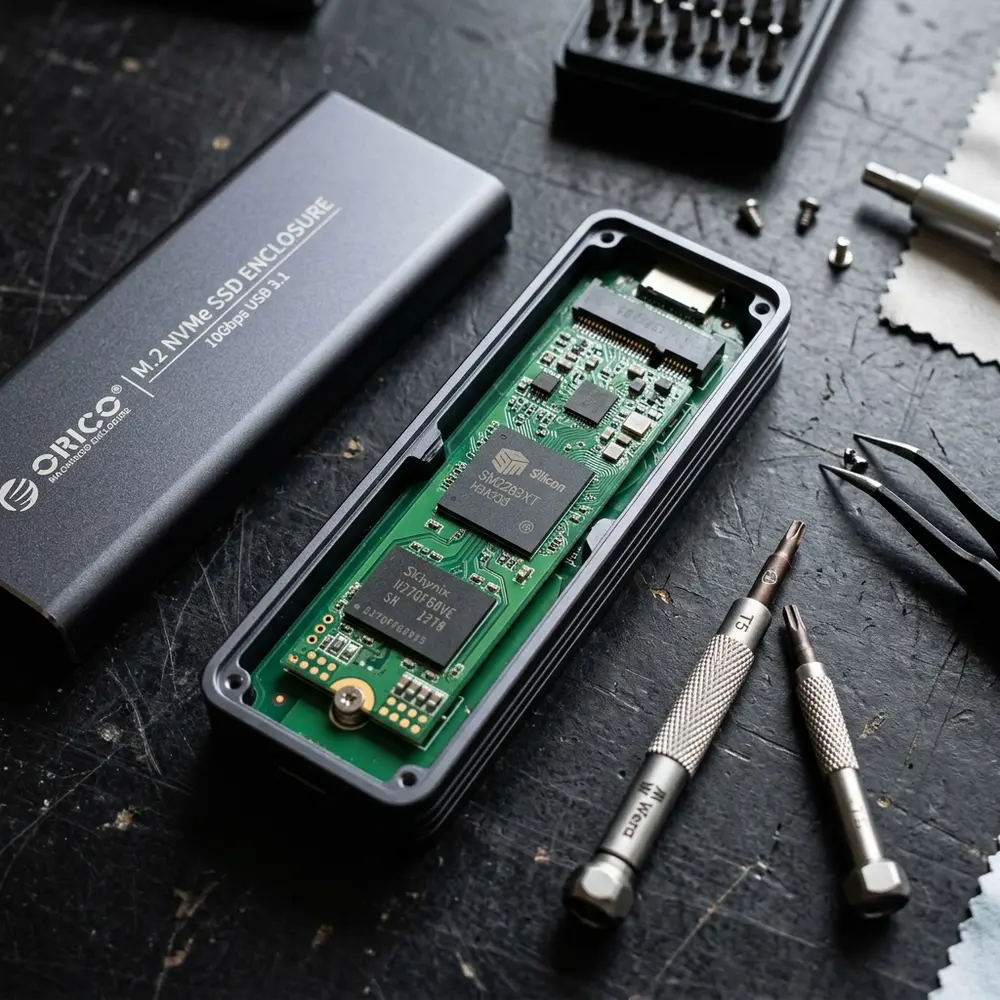
Additionally, the compact design ensures portability without sacrificing durability. This makes it an excellent choice for users who frequently travel or work in various locations.
Performance under Various Conditions
The Team Group PD400 has been tested under different usage conditions, showing consistent performance. It maintains high speeds even when used extensively over prolonged periods.
Thermal management is another critical aspect. The SSD incorporates thermal protection mechanisms, preventing overheating during intensive tasks.

Compatibility and User Experience
This SSD is compatible with multiple operating systems, including Windows, macOS, and Linux. The plug-and-play functionality ensures ease of use without the need for additional software installations.
Users have reported a seamless experience when connecting the PD400 to various devices, including laptops, desktops, and gaming consoles. Its versatility adds to its appeal as a universal storage solution.
Buying Checklist for Portable SSDs
- Determine required storage capacity.
- Assess the need for speed based on usage.
- Check compatibility with existing devices.
- Examine build quality for durability.
- Consider price versus performance ratio.
DomineTec Tip: For optimal productivity, consider pairing the Team Group PD400 with a best portable USB-C monitor for a streamlined workflow.
Conclusion
The Team Group PD400 Portable Metal SSD excels in both speed and build quality, making it a top contender in its category. Its performance, coupled with a sturdy design, ensures that it meets the demands of both casual users and professionals.
Frequently Asked Questions
1. What is the maximum speed of the Team Group PD400?
The Team Group PD400 offers read speeds up to 1000 MB/s and write speeds up to 900 MB/s.
2. Is the Team Group PD400 compatible with gaming consoles?
Yes, it is compatible with gaming consoles such as PlayStation and Xbox, providing fast load times for games.
3. How does the build quality of the PD400 compare to other portable SSDs?
The PD400 features a robust metal casing, offering better durability compared to many plastic alternatives in the market.
4. Can the Team Group PD400 be used for video editing?
Absolutely, its high-speed capabilities make it an excellent choice for video editing and other data-intensive tasks.
5. Does the PD400 require any special drivers to function?
No, the PD400 supports plug-and-play functionality and does not require additional drivers on major operating systems.
Advanced Setup Tips for the Team Group PD400
To maximize the performance of the Team Group PD400, ensure that it is connected to a USB 3.2 Gen 2 port. This connection allows for optimal data transfer speeds, significantly enhancing your overall experience.
Consider using an appropriate file system format that suits your operating system, such as exFAT for cross-platform compatibility. This can prevent issues with file access when switching between different devices.
Regularly update your device's firmware to benefit from performance enhancements and security improvements. Staying updated ensures that the SSD operates at its peak efficiency.
Common Mistakes to Avoid
One common mistake is neglecting to properly eject the SSD before disconnecting it from the computer. This oversight can lead to data corruption and loss of important files.
Another frequent error is using the PD400 with outdated USB ports or cables that do not support high-speed data transfer. This can severely limit the potential speed benefits of the SSD.
Failing to monitor available storage space can lead to performance degradation over time. Keeping the SSD within optimal storage limits is essential for maintaining speed and efficiency.
Model Comparisons with Other SSDs
When comparing the Team Group PD400 to other portable SSDs, consider the read and write speeds as crucial factors. The PD400 typically offers superior performance compared to many competitors in the same price range.
In terms of build quality, the PD400 stands out with its robust metal casing, providing better durability than plastic alternatives. This makes it a more reliable choice for users who frequently travel or work in demanding environments.
Additionally, the warranty period offered for the PD400 often exceeds that of other brands, providing users with greater peace of mind regarding long-term reliability. Such factors should be carefully weighed when making a purchasing decision.
Use Case Scenarios for the PD400
The Team Group PD400 is ideal for photographers and videographers who require high-speed data transfer for large files. Its portability allows for easy transport between shooting locations and editing suites.
Gamers can also benefit significantly from using the PD400 to store and transfer games quickly, reducing load times and improving overall gaming experience. The SSD's speed makes it an excellent choice for those who participate in competitive gaming.
Office professionals may find the PD400 useful for backing up important documents and transferring files between different workstations. Its reliable performance ensures that critical data is always accessible when needed.
System Compatibility Considerations
Before purchasing the PD400, it is important to verify that your devices support USB 3.2 Gen 2 for optimal performance. Compatibility with older USB versions may result in reduced speed.
Operating systems such as Windows, macOS, and Linux are all compatible with the PD400, but formatting may be necessary for seamless integration. Ensuring that the SSD is formatted correctly can help avoid access issues.
Mobile devices with OTG (On-The-Go) support can also utilize the PD400, allowing for versatile use across platforms. However, specific adapters may be required for connection to devices lacking standard USB ports.
Cost Estimates and Value Analysis
The price of the Team Group PD400 is competitive compared to other portable SSD options on the market. Evaluating the cost per gigabyte can reveal its value proposition against similar products.
Investing in the PD400 may yield long-term savings through its durability and reliability, reducing the need for frequent replacements. This makes it a cost-effective choice for users who prioritize both speed and build quality.
While initial costs may seem higher, the performance benefits and warranty coverage justify the investment for many users. Analyzing total cost of ownership over time can help in making an informed decision.
Troubleshooting Common Issues
If the PD400 is not recognized by a computer, check the connection and try different USB ports. Additionally, ensure that the SSD is properly formatted and compatible with the operating system in use.
In cases of slow transfer speeds, evaluate the USB cable and port for issues that may be hindering performance. Using a high-quality cable can often resolve these speed problems.
For data recovery, consider using specialized software if files become inaccessible. This can help retrieve lost data without needing professional assistance in many instances.
When to Seek Expert Help
Consulting a professional may be necessary if there are persistent issues with the PD400 that cannot be resolved through standard troubleshooting methods. Expert guidance can provide insights into potential hardware failures or compatibility problems.
When dealing with critical data loss, it is advisable to seek assistance from data recovery specialists. Attempting recovery without proper knowledge can lead to further data loss or damage.
If questions arise about optimizing the SSD's performance or best practices for use, reaching out to technical support or forums can provide valuable assistance. Engaging with knowledgeable communities can enhance overall user experience.
Team Group PD400 Portable Metal SSD Review: Speed and Build Quality Analysis
FAQ
-
What is the storage capacity range of the Team Group PD400 Portable SSD?
The Team Group PD400 is available in various storage capacities, including 256GB, 512GB, and 1TB options, catering to different user needs.
-
What type of connection does the PD400 use?
The PD400 utilizes a USB 3.2 Gen 2 interface, providing faster data transfer speeds compared to USB 3.1 and USB 3.0 interfaces.
-
Is the Team Group PD400 compatible with both Windows and macOS?
Yes, the PD400 is compatible with both Windows and macOS operating systems, making it a versatile choice for users of different platforms.
The PD400 does not come with built-in hardware encryption; however, software encryption solutions can be employed to secure the stored data.
The PD400 typically comes with a 3-year warranty, providing users with peace of mind regarding quality and durability.
Verification Checklist
-
Speed Performance
- Check read speeds (up to 1000 MB/s).
- Check write speeds (up to 900 MB/s).
-
Build Quality
- Inspect metal casing for durability.
- Evaluate resistance to shock and impact.
-
Portability
- Measure weight (approximately 80g).
- Assess size for easy transport (approximately 100 x 36 x 10mm).
- Test with Windows and macOS systems.
- Ensure functionality with USB-C and USB-A devices.
- Perform file transfers of various sizes.
- Check for consistency and speed under load.
Comparison Table
| Feature | Team Group PD400 | Samsung T7 Portable SSD | SanDisk Extreme Portable SSD |
|---|---|---|---|
| Storage Capacities | 256GB, 512GB, 1TB | 500GB, 1TB, 2TB | 250GB, 500GB, 1TB, 2TB |
| Read Speed | Up to 1000 MB/s | Up to 1050 MB/s | Up to 1050 MB/s |
| Write Speed | Up to 900 MB/s | Up to 1000 MB/s | Up to 1000 MB/s |
| Interface | USB 3.2 Gen 2 | USB 3.2 Gen 2 | USB 3.1 Gen 2 |
| Weight | 80g | 58g | 100g |
| Warranty | 3 Years | 3 Years | 5 Years |
Technical Glossary
-
SSD (Solid State Drive):
A type of storage device that uses integrated circuit assemblies to store data persistently, offering faster access times and reliability compared to traditional hard disk drives (HDD).
-
USB 3.2 Gen 2:
A USB specification that supports data transfer rates of up to 10 Gbps, providing significant performance enhancements over previous USB versions.
-
Read Speed:
The speed at which data can be read from the SSD, usually measured in megabytes per second (MB/s).
-
Write Speed:
The speed at which data can be written to the SSD, also measured in megabytes per second (MB/s).
-
Durability:
A measure of how well a product can withstand wear, pressure, or damage, particularly in portable devices like SSDs.
-
Portability:
The ease with which a device can be carried or moved, often influenced by weight and size.




