
How to Transfer Pix using Phone Number or Email Keys
In today's fast-paced digital world, seamless and efficient financial transactions are more important than ever. With the advent of Pix, the Brazilian instant payment system, transferring money has become significantly easier and more accessible. This method allows users to send and receive funds quickly, securely, and without the need for traditional banking intermediaries. Whether you are settling a debt with a friend or making a purchase, Pix offers a streamlined solution to your payment needs.
To transfer Pix using a phone number or email, simply register the information as your Pix key in your bank app. This innovation underscores the evolution of financial technology, making transactions as simple as sending a message. With the convenience of using a phone number or email as a Pix key, users can bypass cumbersome account details. However, as with any digital system, it is crucial to ensure the security of your network, similar to how one might know if someone is using your wifi without permission.
Understanding Pix: The Revolution in Instant Payments
Pix was launched by the Central Bank of Brazil in November 2020, marking a significant shift in the country's payment landscape. Before its introduction, financial transactions were often burdened by delays and high fees, especially for those relying on traditional banking methods. Pix, however, disrupted this status quo by offering a service that is not only free for individuals but also operates 24/7, including weekends and holidays. This availability ensures that users can transfer money anytime, without the constraints of banking hours.
The mechanics of Pix are relatively simple yet revolutionary. Users can register various types of keys, such as CPF, CNPJ, phone number, email address, or a random key generated by the system. These keys serve as unique identifiers, linking directly to a user's bank account. By using these keys, users can easily initiate and receive payments without needing to share sensitive banking information. The ease of use and security measures embedded within Pix make it a preferred option for millions of Brazilians.
Moreover, the adoption of Pix has propelled Brazil into a leading position in the global fintech arena. The system's rapid success can be attributed to its user-centric design and the Central Bank's strategic push for digital financial inclusion. By reducing transactional friction and fostering a cashless economy, Pix has not only enhanced the consumer experience but also driven competition and innovation within the banking sector. This context is crucial for understanding why Pix, with its utilization of phone numbers and emails as keys, has become a cornerstone of everyday financial transactions in Brazil.
Transferring Pix Using a Phone Number on Mobile Apps
Transferring Pix using a phone number is a straightforward process. However, the steps may vary slightly depending on whether you are using an Android or iOS device. This guide will walk you through the process on both platforms, ensuring you can complete the transfer smoothly.
- Open Your Banking App:
- Android: Navigate to your app drawer and tap on your banking app icon.
- iOS: Find your banking app on the home screen or use the search feature to locate it quickly.
- Access the Pix Transfer Section:
- Once inside the app, look for the Pix option, often found under 'Payments' or 'Transfers'. It might be represented by a unique Pix symbol.
- Select 'Phone Number' as the Key:
- Choose the option to send money via Pix, and select 'Phone Number' as your key type. This is typically a drop-down menu or a button selection.
- Enter the Recipient's Phone Number:
- Input the phone number of the person you wish to send money to. Double-check to ensure accuracy.
- Confirm the Recipient's Details:
- Most apps will display the recipient's name or initials for confirmation. Verify these to prevent sending to the wrong person.
- Input the amount you wish to transfer. Review the details and confirm the transfer. You might need to authenticate using a fingerprint, face recognition, or a password.
- After the transaction, both you and the recipient should receive a confirmation notification or message within the app.

Transferring Pix Using an Email Key via Web Interface
For those who prefer using a desktop or laptop, transferring Pix using an email key through a web interface is equally efficient. Here’s a detailed guide to help you perform this task:
- Log into Your Online Banking Portal:
- Open your preferred web browser and navigate to your bank’s official website. Use your credentials to log in. If you use two-factor authentication, be ready to verify your identity.
- Once logged in, locate the 'Pix' section. This can usually be found under the 'Transfers' or 'Payments' tab. It might also have a dedicated menu item due to its popularity.
- Choose the option to initiate a Pix transfer and select 'Email' as the transfer key. This is often a selectable option in a list of key types.
- Carefully type the recipient's email address. Verify its accuracy to ensure it corresponds to the correct Pix key.
- Specify the amount you wish to transfer through Pix. Make sure it matches the intended transaction amount to avoid errors.
- Go through all details including the recipient’s email and the amount. Confirm the transaction once you’re assured everything is correct. The process might require an additional authentication step.
- Upon successful transfer, you should see an on-screen confirmation. Additionally, an email or notification will typically be sent to both parties.

Technical Parameters, Comparison, and Safety Considerations
In the realm of digital transactions, transferring money using Pix through phone numbers or email keys is becoming increasingly popular due to its convenience and speed. However, understanding the technical parameters, comparing different methods, and ensuring safety are critical to leveraging this technology effectively.Technical Specifications and Comparison
To properly utilize Pix for money transfers, it's essential to comprehend the technical specifications and limits of this system. Below is a comparative table that outlines different aspects of using phone numbers and email keys for Pix transfers:| Parameter | Phone Number Key | Email Key |
|---|---|---|
| Security Level | High, requires two-factor authentication | Moderate, enhanced by secure email practices |
| Transaction Limit | Up to $1,000 daily | Up to $500 daily |
| Fees | Zero for personal transfers | Zero for personal transfers |
| Setup Requirements | Phone number must be linked to bank account | Email must be verified by financial institution |
Ensuring Safety within Pix Transactions

Dica DomineTec: Always verify the recipient's contact information before initiating a Pix transfer. A simple mistake in the phone number or email address can lead to funds being sent to the wrong recipient, with little chance of recovery. Double-check these details and use your financial institution's app for direct verification whenever possible.
Advanced Scenarios and Error Handling
When transferring Pix using a phone number or email key, you may encounter several advanced scenarios that require additional troubleshooting steps. Here’s how to manage some common issues: 1. **Invalid Key Format**: If your phone number or email key is rejected, ensure it is correctly formatted. Phone numbers should include the country code, and emails must be valid with no typos. 2. **Key Not Registered**: If the key is not recognized, it might not be registered with your bank. Check with your financial institution to ensure the key is linked to your account. 3. **Network Connectivity Issues**: Pix transactions require a stable internet connection. If you encounter connectivity issues, try switching to a more reliable network. You might see the following image which demonstrates final validation steps you should take when facing connectivity issues: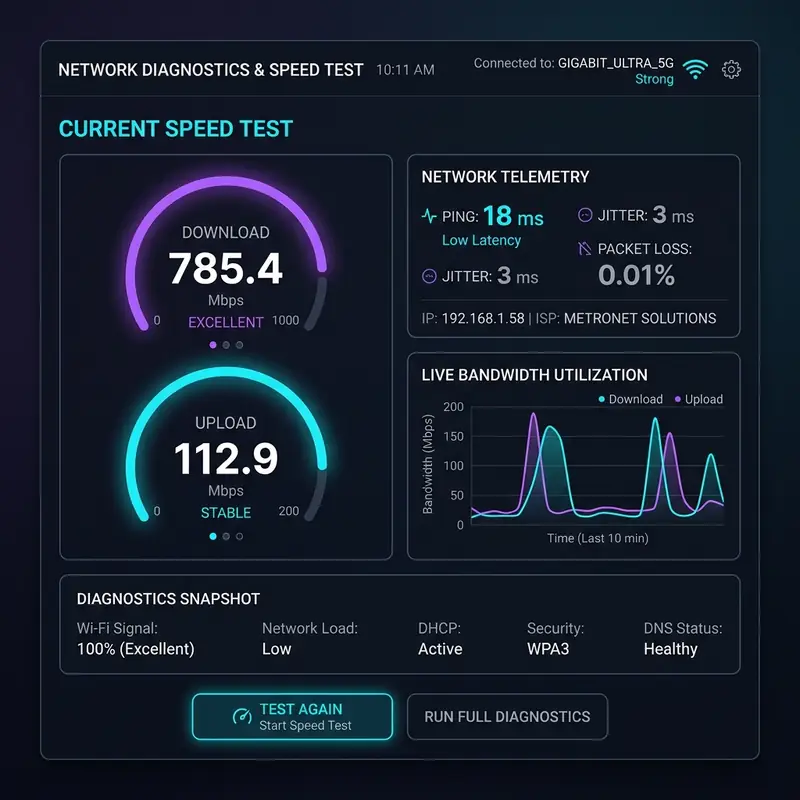
Advanced Technical Tips and Best Practices for Pix Transactions
As Pix continues to revolutionize digital transactions in Brazil, advanced users and newcomers alike can benefit from understanding deeper technical nuances and best practices associated with its operation. By focusing on these areas, users can enhance their transaction experience, ensure greater security, and avoid potential pitfalls.
Optimizing Transaction Speed and Reliability
While Pix is designed for instant payments, network issues or server downtime can occasionally impact transaction speed. To optimize performance, ensure that you are connected to a stable and secure internet connection. For mobile users, switching to a Wi-Fi network rather than mobile data can offer more consistent speeds. Additionally, clearing your app cache regularly can help maintain optimal app performance, preventing sluggishness during critical transactions.
Enhancing Security with Multi-Factor Authentication
Security remains a top priority in digital financial transactions. Multi-factor authentication (MFA) is a highly recommended security measure for users engaging with Pix. Beyond the standard password, MFA requires an additional verification step, such as a one-time code sent to your phone or email. This added layer of security significantly reduces the likelihood of unauthorized access to your banking app and financial information.
Regularly Reviewing Transaction Histories
Keeping a close eye on your transaction history is crucial for identifying any unauthorized transactions early. Regularly reviewing your Pix transaction logs can help you spot discrepancies, allowing you to take swift action if necessary. Most banking apps provide detailed transaction histories that are easy to access and review. Set reminders to check these logs periodically to ensure all transactions are legitimate.
Leveraging Encryption for Data Protection
Understanding the role of encryption in protecting your data is essential. Pix transactions are safeguarded by encryption protocols that ensure information is securely transmitted between parties. Users should verify that their banking apps use up-to-date encryption standards, such as TLS (Transport Layer Security), which provide robust protection against data breaches. Staying informed about the type of encryption your bank employs can give you peace of mind regarding your data's safety.
Utilizing Secure Networks for Transactions
Performing Pix transactions over secure networks is critical. Avoid using public Wi-Fi networks when initiating or managing financial transactions, as these networks can be vulnerable to interception and data theft. Instead, use a private, password-protected Wi-Fi network or a virtual private network (VPN) to add an additional layer of security. A VPN encrypts your internet traffic, making it more difficult for malicious actors to access your sensitive information.
Implementing Strong Password Policies
The foundation of digital security lies in strong passwords. When setting up your banking app, create complex passwords that include a mix of uppercase and lowercase letters, numbers, and special characters. Avoid using easily guessed information, such as birthdays or common words. Moreover, it's advisable to change your passwords regularly and not reuse passwords across multiple accounts to minimize risk exposure.
Staying Updated on Regulatory Changes
The regulatory environment surrounding digital transactions is dynamic. Stay informed about any changes in regulations that may impact Pix usage. Regulatory bodies often implement new guidelines to enhance security and user protection. By staying updated, you can adjust your practices to comply with new standards, ensuring that your transactions remain secure and in line with current regulations.
By adhering to these technical tips and best practices, Pix users can maximize the system's benefits while minimizing potential security risks. As digital financial transactions continue to evolve, staying informed and proactive in your approach to security is paramount.
Perguntas Frequentes / Frequently Asked Questions
1. What should I do if my Pix transaction fails?
If a Pix transaction fails, first check for error messages that may indicate the issue. Common problems include incorrect key entry, insufficient funds, or connectivity issues. Verify your details and try again. If the issue persists, contact your bank for support.
2. Can I cancel a Pix transaction after it has been sent?
Pix transactions are processed almost instantly, making cancellations difficult. If you sent a payment to the wrong recipient, contact your bank immediately to see if a reversal is possible, but be aware that there is no guarantee of recovery.
3. How do I verify that my Pix transaction was successful?
After completing a Pix transaction, you should receive a confirmation notification from your bank. Additionally, check your transaction history in your banking app to see if the transaction is listed as completed. If necessary, verify with the recipient to ensure they received the funds.
4. Is it safe to use phone numbers or email keys for Pix transactions?
Yes, using phone numbers or email keys for Pix transactions is secure, provided you follow best practices. Ensure your banking app is up-to-date, use strong passwords, and never share your keys publicly. Banks use encryption and other security measures to protect your data.




