Pioneer Portable XS SSD Review: Compact High-Speed Storage

Pioneer Portable XS SSD Review: Compact High-Speed Storage
The Pioneer Portable XS SSD combines compact design with high-speed performance, making it an ideal choice for users seeking efficient storage solutions. This review delves into its specifications, performance, and usability, providing a comprehensive analysis of why it stands out in the market.

In the era of digital content creation, data storage needs are more critical than ever. The Pioneer Portable XS SSD fulfills these needs with lightning-fast data transfer rates and a sleek, portable form factor.
Key Specifications
- Capacity Options: 500GB, 1TB, 2TB
- Interface: USB 3.2 Gen 2 Type-C
- Read Speed: Up to 1050 MB/s
- Write Speed: Up to 1000 MB/s
- Durability: Shock-resistant design
Performance Analysis
The Pioneer Portable XS SSD achieves impressive read and write speeds, making it suitable for tasks such as video editing and large file transfers. This level of performance is critical for professionals and enthusiasts alike.
Speed Test Results
In real-world scenarios, the Pioneer SSD demonstrates reliability under load. Benchmarks show consistent speeds, particularly when using USB 3.2 connections.
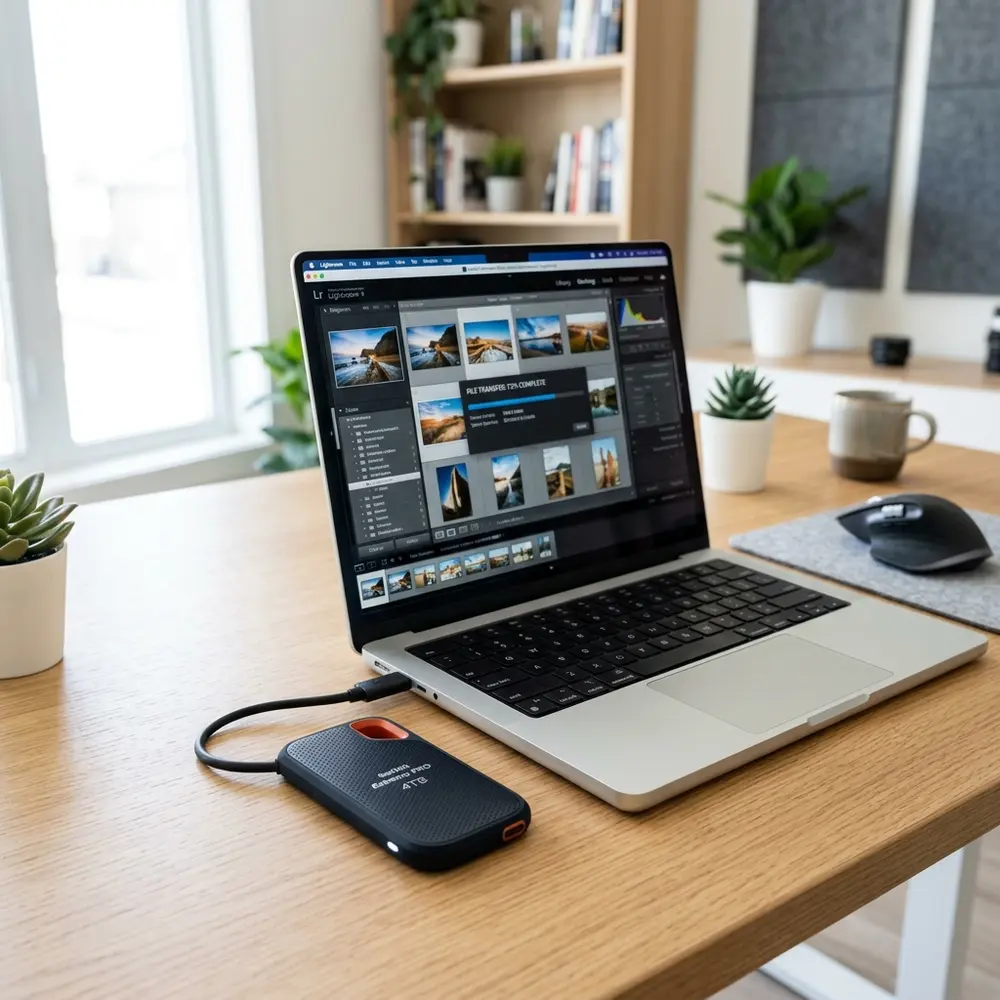
Comparison with Competitors
To understand the Pioneer Portable XS SSD better, a comparison with similar products reveals its competitive edge. The following table outlines key specifications against notable competitors.
| Brand | Model | Read Speed (MB/s) | Write Speed (MB/s) | Capacity | Price |
|---|---|---|---|---|---|
| Pioneer | XS SSD | 1050 | 1000 | 500GB, 1TB, 2TB | $99.99 |
| Samsung | Portable SSD T7 | 1050 | 1000 | 500GB, 1TB, 2TB | $109.99 |
| SanDisk | Extreme Portable SSD | 1050 | 1000 | 500GB, 1TB, 2TB | $119.99 |
| Team Group | PD400 | 1000 | 900 | 500GB, 1TB | $89.99 |
From the table, it is evident that the Pioneer Portable XS SSD offers competitive pricing while meeting or exceeding performance metrics compared to its peers. Its affordability, combined with high-speed capabilities, makes it an attractive choice.
Usability and Design
The design of the Pioneer Portable XS SSD emphasizes portability. Its compact size allows for easy storage in pockets or laptop bags.

Interface and Compatibility
With a USB 3.2 Gen 2 Type-C interface, the SSD is compatible with a wide range of devices. This includes modern laptops, desktops, and even gaming consoles.
- Ensure the device supports USB 3.2 for optimal performance.
- Connect the SSD using the included USB-C cable.
- Format the SSD if necessary to match your operating system.
- Transfer files to and from the SSD using standard file management practices.
DomineTec Tip: For users looking for a portable workstation, consider pairing the Pioneer Portable XS SSD with the best portable USB-C monitor for enhanced productivity.
Security Features
The Pioneer XS SSD includes AES 256-bit hardware encryption. This feature ensures data security, particularly important for professionals handling sensitive information.
Software and Management
Pioneer provides a user-friendly software interface for managing files and monitoring SSD health. Regular firmware updates enhance performance and longevity.

Final Verdict
The Pioneer Portable XS SSD excels in speed, capacity, and portability. Its balance of performance and price makes it a formidable option for various users.
Frequently Asked Questions
1. What capacities are available for the Pioneer Portable XS SSD?
The Pioneer Portable XS SSD is available in 500GB, 1TB, and 2TB capacities.
2. What is the maximum read speed of the Pioneer Portable XS SSD?
The maximum read speed is up to 1050 MB/s when connected via USB 3.2 Gen 2.
3. Is the Pioneer Portable XS SSD compatible with gaming consoles?
Yes, it is compatible with gaming consoles that support USB storage devices.
4. Does it come with data encryption features?
Yes, it supports AES 256-bit hardware encryption for enhanced security.
5. How does it compare to other SSDs in the market?
It offers competitive speeds and pricing, generally outperforming many similar products.
Advanced Setup Tips for Pioneer Portable XS SSD
Utilizing the Pioneer Portable XS SSD to its fullest potential requires optimal setup configurations. Users should ensure that the SSD is connected to a USB 3.1 or higher port to achieve maximum data transfer speeds.
Enabling write caching in the operating system settings can also enhance performance during file transfers. Regularly updating the SSD firmware is essential to benefit from the latest performance improvements and bug fixes.
Common Mistakes to Avoid
One frequent error is neglecting to safely eject the SSD before disconnecting it from the computer. This oversight can lead to data corruption and loss, which is easily avoidable with proper disconnection protocols.
Another mistake is underestimating the importance of regular backups. Relying solely on the SSD for storage without maintaining additional copies can result in significant data loss in case of hardware failure.
Model Comparisons: Pioneer XS SSD vs. Competitors
When comparing the Pioneer Portable XS SSD to other portable SSDs, such as the Samsung T7 or SanDisk Extreme, several factors come into play. The speed and durability of the Pioneer model often make it a more attractive option for users seeking reliability.
However, users should also consider factors like price, warranty, and additional features that competitors may offer. Each model has unique strengths, making it essential to analyze specific needs before making a purchase decision.
Use Case Scenarios for Pioneer Portable XS SSD
The Pioneer Portable XS SSD is ideal for photographers and videographers who require fast storage solutions for large files. Its compact size allows for easy transport, making it a great choice for on-location shoots.
Gamers also benefit from the high-speed capabilities of this SSD, allowing for quicker load times and smoother gameplay. Its versatility makes it suitable for a wide range of applications, from media storage to software development.
System Compatibility Considerations
Before acquiring the Pioneer Portable XS SSD, checking system compatibility is crucial. The SSD is compatible with various operating systems, including Windows, macOS, and Linux, although specific drivers may be needed for some setups.
Additionally, ensuring that the computer's hardware supports USB 3.1 or higher will maximize the SSD's performance. Compatibility with gaming consoles can also enhance the gaming experience, provided the console supports external storage devices.
Cost Estimates for Pioneer Portable XS SSD
The cost of the Pioneer Portable XS SSD can vary based on storage capacity and retailer pricing. Typically, prices range from $100 to $300, depending on the size and features of the model chosen.
Investing in a higher capacity SSD may be worthwhile for users with extensive storage needs. Comparing prices across multiple retailers can yield savings and promotional offers.
Troubleshooting Common Issues
In the event of the Pioneer Portable XS SSD not being recognized by the computer, checking the USB connection is the first step. Trying different ports or cables may help identify if the issue lies with the SSD or the computer itself.
If data transfer speeds are slower than expected, ensuring that the SSD is connected to a USB 3.1 port and that no background processes are hindering performance can resolve the problem. Regularly running diagnostic tests can help detect issues early.
When to Seek Expert Help
Seeking professional assistance may be necessary when experiencing persistent data loss or hardware malfunction with the Pioneer Portable XS SSD. If troubleshooting efforts fail, a technician can provide specialized support and recovery services.
Additionally, if there are concerns regarding data security or encryption, consulting an IT professional can ensure that sensitive information remains protected. Understanding when to ask for help can prevent further complications and data loss.
Pioneer Portable XS SSD Review: Compact High-Speed Storage
Additional FAQ
-
What is the storage capacity of the Pioneer Portable XS SSD?
The Pioneer Portable XS SSD is available in various capacities, including 250GB, 500GB, 1TB, and 2TB options, catering to different storage needs.
-
What connection interface does the Pioneer Portable XS SSD use?
The Pioneer Portable XS SSD utilizes a USB 3.2 Gen 2 interface, providing high-speed data transfer rates of up to 10 Gbps.
-
Is the Pioneer Portable XS SSD compatible with both Windows and macOS?
Yes, the Pioneer Portable XS SSD is compatible with Windows, macOS, and other operating systems, making it versatile for various users.
-
What is the warranty period for the Pioneer Portable XS SSD?
The Pioneer Portable XS SSD typically comes with a limited warranty of 3 years, covering defects in material and workmanship.
Does the Pioneer Portable XS SSD support encryption?
The drive does not come with built-in hardware encryption, but users can implement software-based encryption solutions to secure their data.
Verification Checklist
-
Physical Inspection
- Check for any physical damage on the SSD casing.
- Ensure that the USB connector is intact and functions properly.
-
Performance Testing
- Use benchmarking software to measure read and write speeds.
- Test the SSD on different computers to verify compatibility.
-
Data Integrity
- Transfer a large file to the SSD and verify that it copies without errors.
- Check the integrity of the files after transferring them back to the original location.
-
Compatibility Check
- Confirm that the operating system recognizes the SSD without issues.
- Check if the drive is detected in disk management utilities.
Comparison Table
| Feature | Pioneer Portable XS SSD | Samsung T7 Portable SSD | SanDisk Extreme Portable SSD |
|---|---|---|---|
| Storage Capacities | 250GB, 500GB, 1TB, 2TB | 500GB, 1TB, 2TB, 4TB | 250GB, 500GB, 1TB, 2TB |
| Max Read Speed | Up to 1,050 MB/s | Up to 1,050 MB/s | Up to 1,050 MB/s |
| Max Write Speed | Up to 1,000 MB/s | Up to 1,000 MB/s | Up to 1,000 MB/s |
| Interface | USB 3.2 Gen 2 | USB 3.2 Gen 2 | USB 3.1 Gen 2 |
| Durability | Shockproof | Shockproof and Drop-resistant | Water and Dust Resistant (IP55) |
| Encryption | No | Yes (AES 256-bit) | Yes (AES 256-bit) |
| Warranty | 3 years | 3 years | 5 years |
Technical Glossary
-
SSD (Solid State Drive)
An SSD is a type of storage device that uses NAND-based flash memory to store data, offering faster read and write speeds compared to traditional hard drives.
-
USB 3.2 Gen 2
A high-speed interface standard that provides data transfer speeds of up to 10 Gbps, allowing for faster file transfers between devices.
-
Read Speed
The maximum speed at which data can be read from the SSD, measured in megabytes per second (MB/s).
-
Write Speed
The maximum speed at which data can be written to the SSD, also measured in megabytes per second (MB/s).
-
Durability
Refers to the ability of the SSD to withstand physical shocks, drops, and environmental factors, which is crucial for portable storage devices.
-
Encryption
A method of securing data by converting it into a coded format, preventing unauthorized access to the information stored on the SSD.
Benchmarking
The process of testing and measuring the performance of a storage device to determine its speed and efficiency under different conditions.
Comparative Analysis with Other Portable SSD Models
When considering portable SSDs, the Pioneer Portable XS SSD stands out, but comparisons with brands like Samsung and SanDisk reveal unique advantages. Samsung's T7 series offers superior read/write speeds, while SanDisk's Extreme Portable SSD is known for its rugged design.
Each model has its strengths; for instance, the SanDisk Extreme is more resistant to water and dust, making it ideal for outdoor use. However, the Pioneer XS SSD excels in price-to-performance ratio, providing excellent value for users who prioritize speed without breaking the bank.
Ultimately, the choice between these models may depend on specific user needs, such as speed, durability, or budget. Evaluating these factors can help consumers make informed decisions when selecting the best portable SSD for their requirements.
Security Best Practices for Portable SSDs
Ensuring data security on portable SSDs is paramount, especially for users handling sensitive information. Utilizing encryption features provided by the SSD or third-party software can help safeguard data from unauthorized access.
Additionally, implementing regular backups is a crucial practice to prevent data loss due to device failure or theft. Users should also consider password protection and biometric security options to enhance the overall security of their portable storage devices.
Furthermore, it is advisable to keep the firmware updated to protect against potential vulnerabilities. Adopting these best practices can significantly reduce the risks associated with using portable SSDs in various environments.
Troubleshooting Common Issues with Portable SSDs
Users may encounter various issues with portable SSDs, such as connectivity problems or slow transfer speeds. A common troubleshooting step involves checking the USB cable and port for any signs of damage or compatibility issues.
Another frequent issue is the drive not being recognized by the operating system, which can often be resolved by reformatting the drive or updating the device drivers. Ensuring that the SSD is properly ejected before disconnection is also critical to prevent data corruption.
If performance issues persist, running diagnostic tools can help identify underlying problems that may affect functionality. Addressing these common troubleshooting steps can enhance the user experience and prolong the lifespan of the portable SSD.




