Lexar SL200 Portable SSD Review: Budget Storage Option Analysis
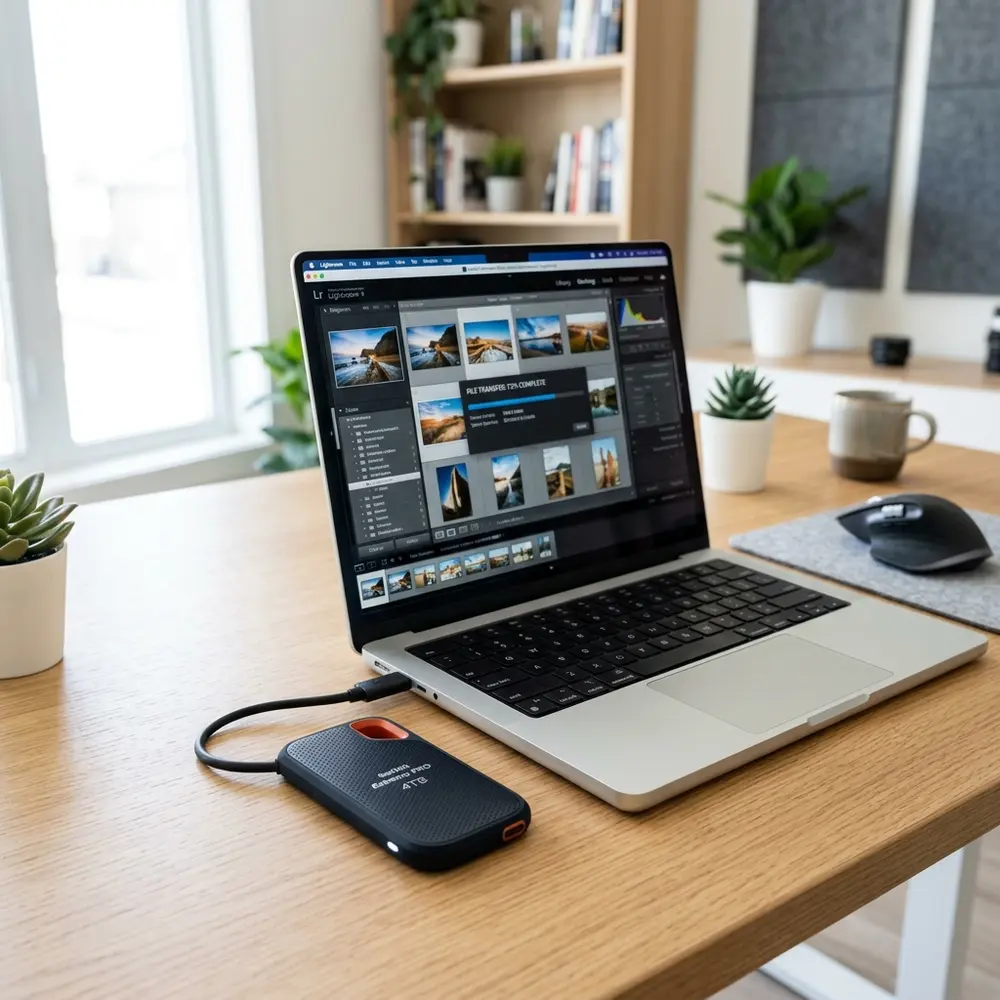
Lexar SL200 Portable SSD Review: Budget Storage Option Analysis
The Lexar SL200 Portable SSD emerges as a favorable budget storage option for users seeking reliable, high-speed external storage. This review delves into its specifications, performance, and overall value, providing a comprehensive analysis of its suitability for various use cases.
Overview of Lexar SL200
The Lexar SL200 is a compact, portable solid-state drive designed for users needing quick and efficient data transfer. With a sleek and durable design, it is built to withstand daily use while offering a range of storage capacities to meet diverse storage needs.
Specifications
Key specifications of the Lexar SL200 include:
- Interface: USB 3.1 Gen 2
- Transfer Speed: Up to 550 MB/s
- Capacity Options: 256GB, 512GB, 1TB
- Form Factor: Portable, lightweight design
- Compatibility: Windows, macOS, and various gaming consoles
Performance Analysis
Performance is a critical aspect of any storage device. The Lexar SL200 boasts read speeds of up to 550 MB/s, making it suitable for tasks that require quick data access. Write speeds typically hover around 400 MB/s, which is competitive within the budget SSD market.
In practical applications, the SL200 performs admirably. It handles large file transfers, including 4K video and high-resolution images, with minimal delays. This makes it an excellent choice for photographers and videographers on a budget.
Comparison with Competitors
When evaluating the Lexar SL200, it is essential to compare it with other budget-friendly SSDs. The table below highlights key features and performance metrics against competitors in the same price range.
| Brand | Model | Read Speed (MB/s) | Write Speed (MB/s) | Capacity Options | Price Range |
|---|---|---|---|---|---|
| Lexar | SL200 | Up to 550 | Up to 400 | 256GB, 512GB, 1TB | $49.99 - $149.99 |
| Crucial | X6 | Up to 540 | Up to 500 | 500GB, 1TB, 2TB | $59.99 - $229.99 |
| Samsung | T7 | Up to 1050 | Up to 1000 | 500GB, 1TB, 2TB | $99.99 - $299.99 |
| SanDisk | Extreme Portable SSD | Up to 1050 | Up to 1000 | 250GB, 500GB, 1TB, 2TB | $79.99 - $299.99 |
Physical Design
The Lexar SL200 features a robust yet lightweight design, ensuring portability without compromising durability. The aluminum housing not only enhances aesthetic appeal but also provides resistance against shocks and drops.

Ease of Use
Utilizing the Lexar SL200 is straightforward. It requires no external power supply and operates via USB connection, ensuring compatibility with a wide range of devices, including laptops, desktops, and gaming consoles.
Set up involves simply connecting the drive and formatting it if necessary. Cross-platform compatibility ensures that users can easily switch between Windows and macOS environments without issues.
Use Cases
The versatility of the Lexar SL200 makes it suitable for various use cases:
- Data Backup: Ideal for backing up essential files quickly.
- Media Storage: Perfect for storing photos and videos from cameras or smartphones.
- Gaming: Excellent for expanding storage on gaming consoles.
DomineTec Tip: Ensure data security by regularly backing up your files. For optimal backup methods, refer to this guide on how to backup iPhone to computer without iCloud.
Pricing and Value Proposition
Pricing for the Lexar SL200 ranges from approximately $49.99 for the 256GB model to $149.99 for the 1TB variant. Given its performance and durability, the drive presents significant value for money.
Compared to alternatives like the Samsung T7 and SanDisk Extreme, the SL200 offers competitive pricing without sacrificing essential features. This positions the SL200 as a strong contender in the budget SSD market.
Potential Drawbacks
No product is without its flaws. The Lexar SL200, while impressive, does have some limitations. Its write speeds, although decent, may fall short in scenarios requiring rapid data transfer.
Additionally, the drive lacks advanced features such as hardware encryption, which some users may consider essential for sensitive data. This could be a deciding factor for professionals handling confidential information.
Conclusion
The Lexar SL200 Portable SSD stands out as a reliable budget storage option for users seeking efficient performance and portability. Despite some limitations, its overall value makes it a recommended choice for a wide range of applications.
For those considering alternatives, the Crucial X6 Portable SSD review: compact entry-level storage analysis may offer insights into other options in the budget segment.
Frequently Asked Questions
1. What is the maximum read speed of the Lexar SL200?
The Lexar SL200 offers a maximum read speed of up to 550 MB/s, making it suitable for quick data access.
2. Is the Lexar SL200 compatible with gaming consoles?
Yes, the Lexar SL200 is compatible with various gaming consoles, providing an easy way to expand storage capacity.
3. Does the Lexar SL200 offer encryption for data security?
No, the Lexar SL200 does not include hardware encryption options, which may not be suitable for sensitive data storage.
4. What capacities are available for the Lexar SL200?
The Lexar SL200 is available in 256GB, 512GB, and 1TB capacities, catering to different storage needs.
5. How does the Lexar SL200 compare to other SSDs?
While the SL200 offers strong performance and value, alternatives like the Samsung T7 provide higher write speeds and additional features at a higher price point.
Advanced Setup Tips for Lexar SL200
To maximize the performance of the Lexar SL200 Portable SSD, it is advisable to format the drive to exFAT for compatibility across different operating systems. This ensures that the SSD can be used seamlessly with both Windows and macOS without the limitations of other file systems.
Utilizing USB 3.1 or higher connections can significantly enhance data transfer speeds. Ensuring that the cables and ports used are of high quality will also contribute to optimal performance.
Consider enabling disk encryption to safeguard sensitive data stored on the SSD. This adds an extra layer of security, especially important when the device is used for portable storage.
Common Mistakes with Lexar SL200
One frequent error is neglecting to back up data before formatting the SSD, which can lead to permanent data loss. Always ensure important files are stored elsewhere before making any changes to the drive.
Another mistake is failing to safely eject the SSD after use, which may cause data corruption. Properly disconnecting the device protects the data integrity and prevents potential issues with future use.
Using the SSD without adequate cooling can also lead to overheating and performance degradation. Ensuring that the device is used in well-ventilated areas can help maintain its optimal operating temperature.
Model Comparisons: Lexar SL200 vs. Competitors
When comparing the Lexar SL200 to similar models like the Samsung T5, it's essential to evaluate speed and durability. While the SL200 offers competitive read/write speeds, the T5 is often noted for its robust build quality.
In terms of price, the Lexar SL200 typically comes in at a lower cost compared to some competitors, making it an attractive budget option. However, some users may find that spending a bit more on a premium model yields additional features and reliability.
Battery life should also be considered, as some models may offer longer usage times on battery-powered devices. The Lexar SL200 performs adequately, but it is prudent to research specific use cases to determine which model may best suit individual needs.
Use Case Scenarios for Lexar SL200
The Lexar SL200 Portable SSD is ideal for photographers who need to offload images quickly during shoots. Its compact size and fast transfer speeds allow for efficient workflow management in the field.
Students may also find the SL200 beneficial for storing research materials and presentations, providing a reliable backup solution. The lightweight design makes it easy to transport between classes or study sessions.
For gamers, using the Lexar SL200 as an external storage option can help expand console memory without the need for more expensive upgrades. This allows for convenient access to a library of games while on the go.
System Compatibility of Lexar SL200
The Lexar SL200 Portable SSD is compatible with a wide range of operating systems, including Windows, macOS, and Linux. This versatility allows users to seamlessly switch between different devices without compatibility issues.
Mobile devices can also utilize the SL200 when connected via appropriate adapters. However, it is recommended to verify compatibility with specific devices to ensure optimal performance.
For gaming consoles, the SSD works with both PlayStation and Xbox systems, providing a quick solution for expanding storage. Users should check for any firmware updates that may enhance compatibility and performance.
Cost Estimates for Lexar SL200
The Lexar SL200 Portable SSD typically retails at a budget-friendly price point, making it accessible for a range of users. Prices can vary based on storage capacity, with higher capacities generally costing more.
Considering additional costs such as protective cases or backup software may also be wise when budgeting for this SSD. These extras can enhance the overall experience and longevity of the device.
Promotions and discounts are often available, allowing for potential savings on the purchase. Keeping an eye on sales events can yield significant savings on this storage option.
Troubleshooting Lexar SL200 Issues
Common issues with the Lexar SL200 may include connection problems, which can often be resolved by trying different USB ports or cables. Ensuring that the latest drivers are installed can also mitigate connectivity issues.
If the SSD is not recognized by the system, it may require a simple reformatting or updating of the computer's operating system. Checking for disk management settings can help identify if the drive is detected but not accessible.
In some cases, data recovery software may be needed if files become corrupted or inaccessible. Utilizing trusted software can aid in retrieving lost data without causing further damage to the SSD.
When to Seek Expert Help for Lexar SL200
If persistent issues arise that cannot be resolved through standard troubleshooting methods, it may be time to consult a professional. Experts can provide insights and solutions that may not be apparent to the average user.
When there is a risk of data loss due to hardware failure, seeking expert assistance promptly is crucial. Professionals can utilize specialized tools and techniques for data recovery that may save important files.
For users unfamiliar with advanced configurations or security settings, professional guidance can ensure that the SSD is set up correctly. This can prevent potential issues and enhance the overall user experience.
Lexar SL200 Portable SSD Review: Budget Storage Option Analysis
Additional FAQs
-
What is the storage capacity of the Lexar SL200?
The Lexar SL200 is available in multiple storage capacities including 250GB, 500GB, and 1TB options, which cater to various storage needs.
-
What type of connection does the Lexar SL200 use?
The Lexar SL200 utilizes a USB 3.1 Gen 1 Type-C interface, providing fast data transfer speeds and compatibility with a variety of devices.
-
Is the Lexar SL200 compatible with both Mac and Windows?
Yes, the Lexar SL200 is compatible with both Mac and Windows operating systems, making it a versatile choice for users of different platforms.
-
What is the read and write speed of the Lexar SL200?
The Lexar SL200 offers read speeds of up to 400MB/s and write speeds of up to 300MB/s, which is suitable for most data transfer tasks.
-
Does the Lexar SL200 come with any software?
Yes, the Lexar SL200 includes Lexar's management software, which allows users to manage files and perform backups easily.
Verification Checklist
- Check compatibility: Ensure that the device supports USB 3.1 Gen 1 Type-C.
- Confirm storage capacity: Verify the required storage space and select the appropriate SL200 model.
- Test transfer speeds: Conduct a benchmark test to check if the SSD meets the advertised speeds.
- Assess build quality: Inspect the physical durability and portability of the SSD.
- Check for software installation: Ensure that Lexar's management software is installed and functioning correctly.
Comparison Table
| Feature | Lexar SL200 | Samsung T5 | SanDisk Extreme Portable SSD |
|---|---|---|---|
| Storage Capacities | 250GB, 500GB, 1TB | 250GB, 500GB, 1TB, 2TB | 250GB, 500GB, 1TB, 2TB |
| Connection Type | USB 3.1 Gen 1 Type-C | USB 3.1 Gen 2 Type-C | USB 3.1 Gen 2 Type-C |
| Read Speed | Up to 400MB/s | Up to 540MB/s | Up to 550MB/s |
| Write Speed | Up to 300MB/s | Up to 515MB/s | Up to 500MB/s |
| Durability | Shock and vibration resistant | Shock resistant (aluminum casing) | IP55 rated for water and dust resistance |
| Software Included | Lexar management software | Samsung Portable SSD Software | SanDisk SecureAccess software |
| Price Range | Budget-friendly | Mid-range | Mid to high range |
Technical Glossary
- SSD (Solid State Drive): A type of storage device that uses integrated circuit assemblies to store data persistently, typically much faster than traditional hard drives.
- USB (Universal Serial Bus): A standard connection interface for peripherals and data transfer that allows multiple devices to connect and communicate with computers.
- Read Speed: The speed at which data can be read from the SSD, typically measured in megabytes per second (MB/s).
- Write Speed: The speed at which data can be written to the SSD, also measured in megabytes per second (MB/s).
- Shock Resistance: A measure of how well a device can withstand physical shocks or drops without sustaining damage.
- IP Rating (Ingress Protection Rating): A standard that classifies the degree of protection provided against intrusion from solid objects (like dust) and moisture (like water).
- Benchmark Testing: A method of measuring the performance of a device by comparing its speed and efficiency against a set standard or other devices.




