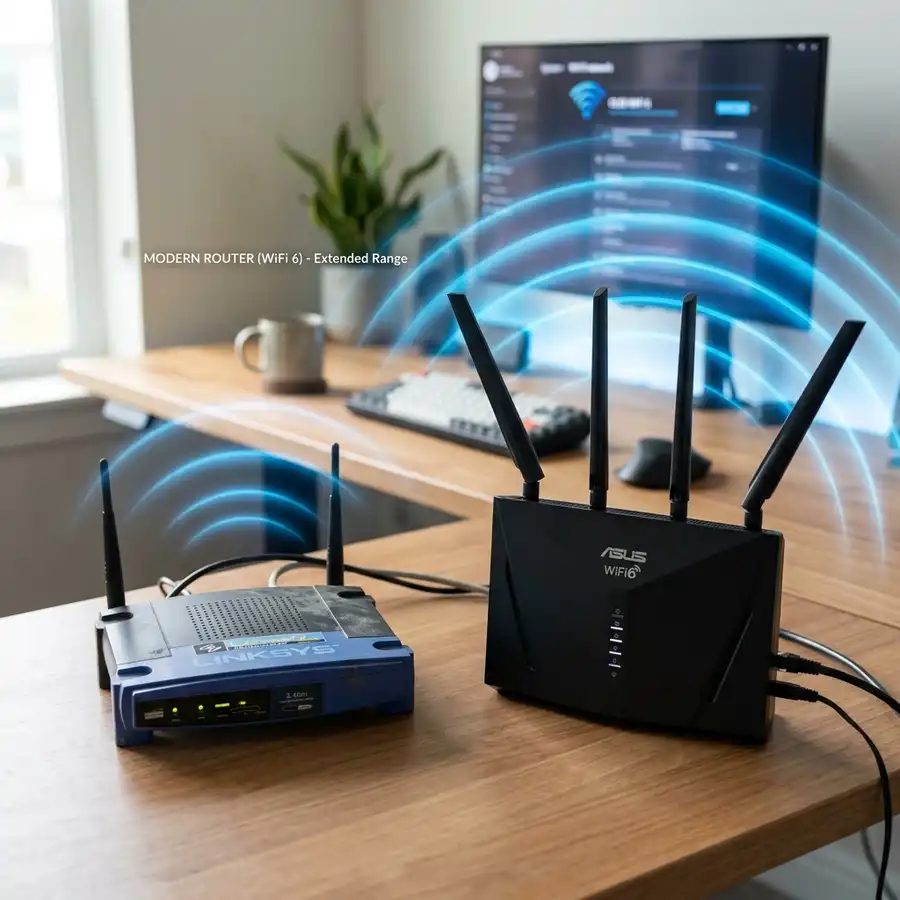
Configuring VLANs on a TP-Link Easy Smart Switch enhances network segmentation and security.
Understanding VLANs
Virtual Local Area Networks (VLANs) provide a method to segment networks for improved performance and security. Each VLAN acts as a separate network, allowing for controlled access and reduced broadcast domains.
TP-Link Easy Smart Switch Overview
TP-Link Easy Smart Switches offer a user-friendly interface for VLAN configuration. Key features include port-based and 802.1Q VLAN support, allowing for diverse network setups.
Technical Specifications
| Feature | Specification |
|---|---|
| Ports | 8/16/24 10/100Mbps ports |
| Switching Capacity | Up to 48Gbps |
| VLAN Support | 802.1Q, port-based VLAN |
| MAC Address Table | Up to 8K entries |
| Power Supply | AC 100-240V, 50/60Hz |
Step-by-Step Configuration
To configure VLANs on a TP-Link Easy Smart Switch, follow these steps:
- Connect to the switch via a web browser using its IP address.
- Log in with the default credentials.
- Navigate to the VLAN configuration section.
- Select the type of VLAN (port-based or 802.1Q).
- Create new VLANs by assigning IDs and naming them.
- Assign ports to the created VLANs as needed.
- Save the configuration and reboot the switch if required.
Advanced VLAN Features
DomineTec Tip: Consider using 802.1Q tagging for advanced network environments to efficiently manage multiple VLANs on a single switch port.
Best Practices for VLAN Configuration
When configuring VLANs, always document each VLAN's purpose and assigned ports. Regular audits of VLAN configurations can prevent unauthorized access and optimize network performance.

Security Considerations
Implementing VLANs can enhance network security by isolating sensitive data. Ensure proper ACLs (Access Control Lists) are in place to enforce security policies between VLANs.
Monitoring VLAN Performance
Monitoring the performance of VLANs is essential for maintaining optimal network efficiency and troubleshooting potential issues. Tools such as SNMP (Simple Network Management Protocol) can be employed to gather performance metrics from the TP-Link Easy Smart Switch.
These metrics include bandwidth usage, packet loss, and latency for each VLAN. Properly interpreting this data can highlight congested segments of the network that may require further attention.
Configuration of SNMP on the TP-Link Easy Smart Switch involves enabling SNMP in the management interface and specifying the community strings. By setting up an SNMP management tool, network administrators can visualize VLAN performance over time.
Regular monitoring ensures that VLANs are functioning as intended and can help identify misconfigurations or potential security breaches. This proactive approach contributes significantly to maintaining a robust network environment.
Troubleshooting Common VLAN Issues
VLAN issues can arise due to misconfigurations or hardware problems. Identifying whether a VLAN is properly segmented can be done by checking the switch’s VLAN configuration settings.
One common troubleshooting step involves verifying that the appropriate ports are assigned to the correct VLAN. This may involve using the switch’s management interface to ensure that port assignments align with the intended network design.
Another issue may involve communication failures between VLANs. This can often be attributed to incorrect inter-VLAN routing configurations or ACLs that prevent traffic from flowing between VLANs as intended.
Utilizing diagnostic tools such as ping tests or traceroutes can help in pinpointing where connectivity issues exist. Establishing a consistent method for troubleshooting can streamline the resolution process.
Integrating VLANs with Network Management Systems
Integrating VLANs with network management systems (NMS) enhances overall network visibility and control. A well-structured NMS can monitor VLAN traffic, manage configurations, and log events across the network.
Compatibility between the TP-Link Easy Smart Switch and popular NMS software should be verified to ensure seamless integration. Features such as automated alerts for performance thresholds or anomalies can significantly reduce downtime.
Using SNMP for integration allows the NMS to collect data from the switch, making it possible to visualize the health of each VLAN. Administrators can set up dashboards that provide real-time insights into network performance.
Furthermore, centralized management through an NMS simplifies the process of VLAN configuration, allowing for quick adjustments across multiple switches. This approach maximizes network agility and responsiveness.
VLAN Tagging and Protocols
Understanding VLAN tagging is critical for effective VLAN implementation. VLAN tagging involves adding a tag to Ethernet frames to identify the VLAN to which the frame belongs.
IEEE 802.1Q is the most commonly used VLAN tagging protocol, allowing multiple VLANs to coexist on a single physical link. This tagging enables switches to distinguish between different VLAN traffic, ensuring that data packets are routed correctly.
When configuring VLANs on the TP-Link Easy Smart Switch, it is essential to ensure that trunk ports are set up to support VLAN tagging. Misconfigured trunk ports can lead to VLAN leakage, where traffic from one VLAN can be improperly accessed by another.
Utilizing VLAN tagging effectively can improve network segmentation and security. It is crucial to maintain a clear understanding of the network topology and tagging implementation to prevent potential vulnerabilities.
Scaling VLANs in Larger Networks
As network demands grow, scaling VLANs becomes necessary for efficient management. Larger organizations often implement multiple VLANs to separate traffic types, departments, or services.
When scaling VLANs, careful planning is required to avoid excessive broadcast traffic. Implementing a hierarchical VLAN design can help maintain performance as the network expands.
Utilizing Dynamic VLANs, where host devices are assigned to VLANs based on predefined policies, can also facilitate scalability. This dynamic assignment can enhance flexibility and reduce administrative overhead.
Regular assessments of VLAN performance and usage are essential in large environments. Adjustments may be needed as user needs evolve or as new applications are introduced into the network.
VLAN Documentation and Change Management
Documenting VLAN configurations is crucial for effective network management. Comprehensive documentation provides a clear reference for current configurations, making it easier to manage and troubleshoot the network.
Change management processes should accompany VLAN documentation to track modifications over time. This practice helps identify the impact of changes and ensures that all configurations stay aligned with organizational policies.
Using a version control system for VLAN documentation can help maintain historical records. This approach allows network administrators to revert to previous configurations if a new change leads to unforeseen issues.
Regular reviews of VLAN documentation ensure that the information remains accurate and relevant. Maintaining up-to-date records supports efficient management and enhances overall network reliability.
Future Trends in VLAN Management
The future of VLAN management is likely to be influenced by advancements in networking technologies and practices. Software-defined networking (SDN) is emerging as a key driver for more agile and flexible VLAN configurations.
SDN allows for centralized control of network resources, making it easier to manage and adjust VLANs dynamically based on real-time network demands. This flexibility can lead to improved resource utilization and enhanced network performance.
Another trend is the increasing integration of automation and artificial intelligence in network management. Automated VLAN configuration and monitoring can significantly reduce the burden on network administrators.
As organizations continue to adopt more advanced networking solutions, staying informed about these trends will be crucial for effective VLAN management. Embracing innovation will ensure that networks remain robust and scalable.
VLAN Routing and Inter-VLAN Communication
VLAN routing, often referred to as inter-VLAN routing, is essential for allowing communication between different VLANs within a network. This process typically requires a Layer 3 device such as a router or a Layer 3 switch to facilitate the traffic passing between VLANs.
In the context of a TP-Link Easy Smart Switch, inter-VLAN communication can be achieved by configuring VLAN interfaces. Each VLAN is assigned a unique IP subnet, allowing devices on different VLANs to communicate through their respective interfaces while maintaining a logical separation of traffic.
To implement this configuration, first ensure that the VLANs are properly defined on the switch. Next, the router or Layer 3 switch must be configured to recognize these VLANs and provide routing capabilities, often through static routes or dynamic routing protocols.
It is crucial to monitor and manage inter-VLAN traffic to prevent bottlenecks and maintain optimal performance. Employing Quality of Service (QoS) policies can prioritize critical traffic and enhance the overall network efficiency.
VLANs and Quality of Service (QoS)
Quality of Service (QoS) is a critical feature in modern networks, enabling the prioritization of certain types of traffic over others. In VLAN configurations, QoS can be applied to ensure that high-priority applications, such as VoIP or video conferencing, receive the necessary bandwidth and low latency.
TP-Link Easy Smart Switches offer several QoS settings that can be applied to individual VLANs. By assigning different priority levels to VLAN traffic, network administrators can effectively manage bandwidth allocation based on the needs of the organization.
To configure QoS on a TP-Link Easy Smart Switch, access the switch's management interface and navigate to the QoS settings. Here, specific VLAN IDs can be associated with priority levels, allowing granular control over the data flow within the network.
Regularly reviewing and adjusting QoS settings is essential as network demands change. Monitoring traffic patterns can help identify any adjustments needed to enhance performance and ensure that critical applications function optimally.
VLANs in Wireless Networks
Integrating VLANs into wireless networks is vital for managing traffic and enhancing security. By segmenting wireless users into different VLANs, organizations can ensure that sensitive data is protected while providing appropriate access levels to various user groups.
TP-Link Easy Smart Switches can work seamlessly with wireless access points that support VLAN tagging, allowing for effective separation of traffic. Each access point can be configured to assign users to specific VLANs based on SSID or user authentication.
To set up VLANs in a wireless environment, first configure the access points to support VLAN tagging. Then, on the TP-Link Easy Smart Switch, define the VLANs and assign the appropriate ports that connect to the access points.
Continuous assessment of wireless performance is vital, especially in environments with high user density. Utilizing network management tools can help monitor wireless VLAN traffic and identify potential issues before they impact user experience.
Additional Tuning and Diagnostics
After configuring VLANs on a TP-Link Easy Smart Switch, it is essential to fine-tune the settings for optimal performance and to execute diagnostics to identify potential issues.
Tuning VLAN settings may involve adjusting parameters such as Port VLAN ID (PVID) for untagged traffic and ensuring that the correct VLANs are associated with the appropriate ports. This can enhance traffic management and ensure that devices connected to the switch operate within the correct broadcast domains.
Using the switch's web interface, administrators can access the VLAN configuration page to monitor the status of each VLAN and the associated ports. This includes checking which ports are assigned as tagged or untagged for each VLAN, helping to confirm that traffic flows as expected.
In addition to basic tuning, diagnostics tools provided by the switch, such as ping tests or traffic monitoring, can help in assessing the health of VLAN configurations. These tools can be instrumental in identifying misconfigurations or network bottlenecks, ensuring a stable and efficient network environment.
Implementing VLAN Access Control Lists (ACLs)
Implementing VLAN Access Control Lists (ACLs) on a TP-Link Easy Smart Switch adds an additional layer of security by controlling traffic flow between VLANs. ACLs can be configured to permit or deny traffic based on various criteria, thus enhancing security posture across the network.
These ACLs can be set up to filter traffic based on IP addresses, protocols, and port numbers, allowing for granular control over which devices can communicate with each other. This is particularly useful in environments where sensitive data is transmitted, as it helps prevent unauthorized access to critical resources.
To configure VLAN ACLs, access the security settings through the web interface of the switch and select the appropriate VLAN. Administrators can then define rules that specify the conditions under which traffic is allowed or denied, ensuring that only authorized devices can interact with specific VLANs.
Regularly reviewing and updating the ACL configurations is crucial to adapt to changes in the network, such as the addition of new devices or changes in user roles. This proactive approach helps maintain a secure and efficient network environment, safeguarding against potential vulnerabilities.
Implementing Private VLANs (PVLANs)
Private VLANs (PVLANs) are a powerful feature that enhances the security and isolation of devices within the same VLAN. In environments where multiple customers or users share the same network infrastructure, PVLANs prevent unauthorized communication between devices that are not meant to interact.
PVLANs achieve this by subdividing a standard VLAN into multiple sub-VLANs. The primary VLAN remains accessible to all members, while isolated and community VLANs restrict communication based on specific roles or permissions.
To configure PVLANs on a TP-Link Easy Smart Switch, access the management interface and navigate to the VLAN configuration section. Here, administrators can define primary VLANs and specify which secondary VLANs will be associated with each primary VLAN.
After configuration, monitoring tools can be utilized to analyze traffic and ensure that the PVLANs are functioning correctly. Regular audits and updates to PVLAN settings may be necessary to adapt to changing user requirements or security threats.
VLAN Load Balancing and Traffic Engineering
VLAN load balancing is essential for optimizing network performance and ensuring that no single VLAN becomes a bottleneck. This process involves distributing traffic evenly across multiple VLANs to enhance throughput and reduce latency.
Traffic engineering techniques can be implemented to analyze patterns of data flow within the network. By understanding where traffic is concentrated, network administrators can reconfigure VLAN assignments or implement additional switches to balance the load effectively.
On a TP-Link Easy Smart Switch, VLAN load balancing can be facilitated by properly configuring trunk ports and ensuring that VLAN tagging is accurately applied. This allows traffic from different VLANs to coexist on the same physical link without interference.
Additionally, utilizing network monitoring tools to track VLAN utilization can provide insights into when and where adjustments are needed. This proactive approach to traffic management leads to improved network reliability and user satisfaction.
Frequently Asked Questions
What is a VLAN?
A VLAN is a logical grouping of devices on a network, allowing them to communicate as if they are on the same physical network. This segmentation improves security and performance.
How do VLANs improve network performance?
By reducing the size of broadcast domains, VLANs decrease unnecessary traffic and improve overall network efficiency. This results in faster communication between devices within the same VLAN.
Can multiple VLANs share the same physical switch?
Yes, multiple VLANs can exist on the same physical switch using either port-based or 802.1Q tagging methods. This allows for efficient resource utilization.
What are the common VLAN types?
Common VLAN types include port-based VLANs, which assign VLANs to specific ports, and tagged VLANs (802.1Q), which allow multiple VLANs to share a single link.
How can VLANs enhance security?
VLANs enhance security by isolating sensitive data and limiting access to specific groups of users or devices. Properly configured VLANs can prevent unauthorized access between segments.