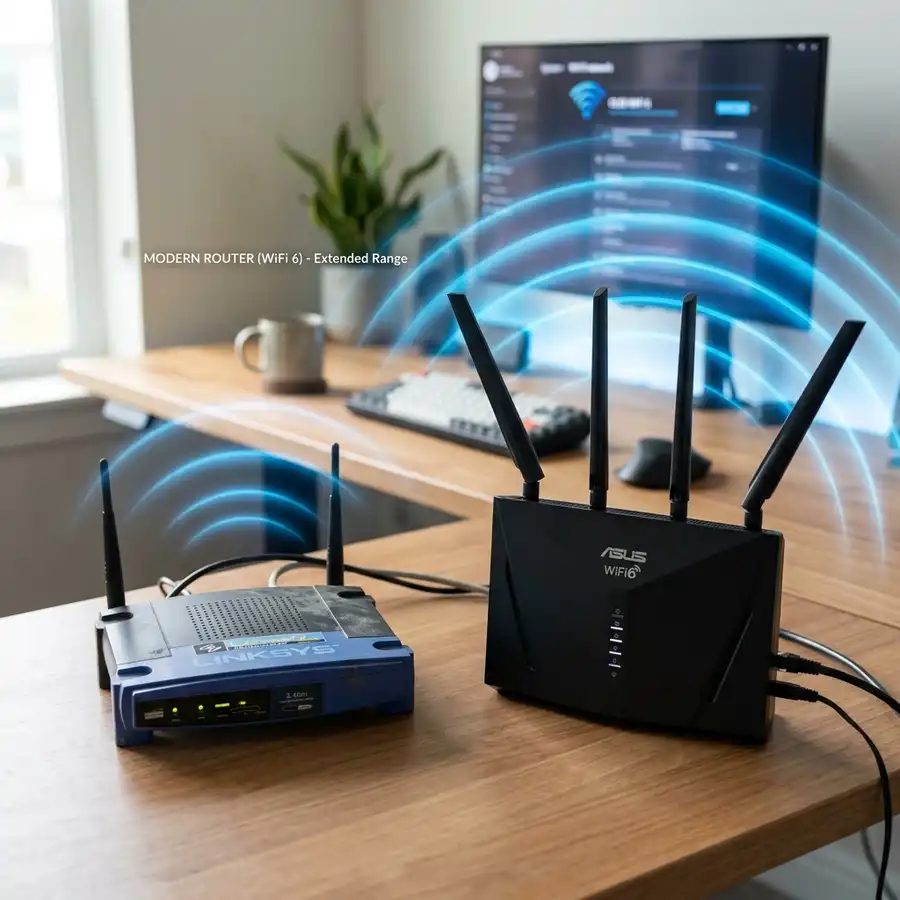
Configuring a Vivo or Claro modem to bridge mode enhances network performance by allowing external routers to manage traffic.
Understanding Bridge Mode
Bridge mode disables the router functionality of the modem, allowing it to act purely as a modem. This configuration is essential when using a separate router for advanced features or performance.
Requirements for Configuration
Ensure that the following items are available before proceeding with the configuration: a computer, Ethernet cable, and access credentials for the modem's interface.
Common default credentials for Vivo and Claro modems are often found on the device label or in the user manual.
Accessing the Modem Interface
- Connect your computer to the modem via an Ethernet cable.
- Open a web browser and enter the modem's IP address, typically
192.168.1.1or192.168.0.1. - Log in using the default username and password.
Configuring Bridge Mode
Once logged in, locate the WAN settings in the modem’s web interface. Select the option to enable bridge mode.
Save the settings and restart the modem for changes to take effect.
Testing the Configuration
After the modem reboots, connect your router to the modem's LAN port. Verify the WAN IP address on the router to ensure it receives a public IP address.
If configured correctly, the router should manage all network traffic without issues.

Technical Specifications
| Modem Model | WAN Interface | Bridge Mode Support | Max Throughput |
|---|---|---|---|
| Vivo Modem | Ethernet | Yes | 200 Mbps |
| Claro Modem | Ethernet | Yes | 300 Mbps |
DomineTec Tip: Consider disabling Wi-Fi on the modem to reduce interference when using a dedicated router.
Ensuring Connection Security
After setting the modem to bridge mode, configure the external router’s security settings. Enabling WPA3 encryption is recommended for enhanced security.

Troubleshooting Common Issues
Despite following the necessary steps for setting the carrier modem to bridge mode, issues may still arise that can disrupt connectivity. Common problems include inability to access the modem interface, loss of internet connection, or devices not obtaining IP addresses.
To address access issues, ensure that the modem’s IP address is correctly entered in the web browser. It is also advisable to check if the device is connected to the correct network, as using an incorrect SSID can lead to access failures.
If the internet connection is lost after switching to bridge mode, verify that the primary router is configured correctly to handle the WAN connection. Ensuring that the router is set to obtain its IP address automatically can prevent connectivity interruptions.
For devices not receiving IP addresses, checking the DHCP settings on the primary router is essential. Configuring the DHCP range properly can ensure that all devices connected to the network can obtain the necessary IP addresses for internet access.
Understanding IP Addressing in Bridge Mode
When a modem is set to bridge mode, it effectively disables its routing capabilities and passes the public IP address directly to the connected router. This transition necessitates a clear understanding of how IP addressing operates in this configuration.
In a standard router setup, the modem assigns private IP addresses to devices on the local network through Network Address Translation (NAT). However, in bridge mode, the router assumes the task of assigning these addresses, which can affect how devices communicate within the network.
Properly configuring the router to handle DHCP is crucial in bridge mode. The router must be set to manage the IP address allocation to ensure that devices receive addresses within the correct range and can communicate effectively.
Network administrators should also consider the implications of having a single public IP address when multiple devices are connected. Understanding the limitations and potential conflicts that may arise from this setup is essential for maintaining a stable network environment.
Enhancing Network Performance
Setting a modem to bridge mode can significantly enhance network performance by reducing latency and improving speed. However, additional steps can be taken to further optimize the network experience.
Utilizing Quality of Service (QoS) settings on the primary router can prioritize bandwidth for critical applications or devices. This ensures that essential services, such as video conferencing or online gaming, receive the necessary resources to function smoothly.
Regularly updating the firmware of both the modem and the router is another aspect of maintaining optimal performance. Firmware updates often include enhancements that can improve system stability and security.
Additionally, monitoring the network for potential bottlenecks or interference can lead to performance improvements. Tools for network analysis can identify devices that are consuming excessive bandwidth, allowing for appropriate adjustments to be made.
Alternative Configuration Options
While bridge mode is a popular choice for optimizing network performance, there are alternative configurations that may suit specific needs. One such option is using the modem in a router mode with selective features disabled.
In this configuration, some routing functions can still be utilized while avoiding the complete bypass of the modem's capabilities. Configuring pass-through for certain devices can maintain functionality while still allowing a primary router to manage most network tasks.
Another alternative is to use static IP addressing instead of DHCP. This can provide consistent IP address assignment for critical devices, ensuring reliability in network connectivity.
Ultimately, the choice of configuration depends on the specific requirements of the network and the devices connected. Evaluating the pros and cons of each method can lead to a tailored approach to network management.
Understanding Network Topologies
Comprehending network topologies is fundamental when configuring devices like modems and routers. A clear understanding of how devices interact within a network can influence decisions regarding bridge mode and overall network architecture.
The most common topologies include star, bus, and ring configurations, each with distinct advantages and disadvantages. A star topology, for instance, allows for easy troubleshooting and isolation of devices, making it suitable for larger networks.
In contrast, bus topologies can be more cost-effective for smaller setups but are prone to performance issues as more devices are added. Understanding these dynamics can assist in designing a network that remains efficient as it scales.
Network administrators should regularly assess their topology to ensure it aligns with the evolving needs of their infrastructure. This assessment can lead to necessary adjustments that enhance overall network performance and reliability.
Monitoring Network Traffic
Monitoring network traffic is essential for maintaining a healthy network environment, especially after configuring a modem to bridge mode. Understanding traffic patterns can help identify issues before they escalate.
Employing network monitoring tools can provide insights into bandwidth usage, latency, and packet loss. These metrics are crucial for diagnosing performance issues and ensuring that the network operates efficiently.
Additionally, regularly reviewing logs and reports can highlight unusual activities that may indicate potential security threats. This proactive approach to monitoring helps in safeguarding the network from possible intrusions or malfunctions.
Setting alerts for specific traffic thresholds can further enhance monitoring capabilities. This allows for immediate response to traffic spikes or unusual patterns, ensuring that the network remains functional and secure.
Future-Proofing Network Infrastructure
Future-proofing a network infrastructure is critical in an era of rapid technological advancements. This involves planning and implementing configurations that can adapt to changing demands and technologies.
Investing in scalable hardware solutions such as routers and switches that can accommodate increased bandwidth and device counts is essential. These components should be selected based on their ability to support emerging technologies like Wi-Fi 6 or future iterations.
Regularly assessing and upgrading network components ensures that the infrastructure remains capable of supporting new applications and services. This proactive approach minimizes the risk of obsolescence.
Furthermore, adopting a flexible network management strategy allows for easy integration of new devices and technologies. Emphasizing compatibility and adaptability can create a resilient network capable of evolving with technological trends.
Additional Tuning and Diagnostics
After configuring a carrier modem to bridge mode, additional tuning and diagnostics can significantly enhance the overall network performance. Advanced users often engage in fine-tuning their configurations to optimize throughput and reduce latency.
One essential aspect of tuning involves adjusting the Quality of Service (QoS) settings. QoS can prioritize certain types of traffic, ensuring that critical applications, such as video conferencing or online gaming, receive the necessary bandwidth while less critical services are deprioritized.
Monitoring tools can also be employed to diagnose network performance issues. Tools such as Wireshark or PRTG Network Monitor allow users to capture and analyze traffic patterns, identify bottlenecks, and troubleshoot connectivity issues effectively.
Furthermore, regular firmware updates for the modem are crucial. Keeping the modem's firmware up to date can enhance security, improve performance, and introduce new features that can optimize the network environment.
Integrating with External Network Devices
Integrating the carrier modem in bridge mode with external network devices is pivotal for creating a robust network infrastructure. In bridge mode, the modem acts solely as a pass-through, delegating routing responsibilities to a dedicated router.
Connecting a high-performance router can significantly enhance the network’s capabilities, providing advanced features such as dual-band Wi-Fi, better security protocols, and enhanced signal strength. These routers often support additional functionalities such as guest networks and parental controls.
It is also advisable to consider the placement of the router for optimal coverage. Strategically locating the router can eliminate dead zones and ensure a more reliable wireless connection throughout the premises.
Moreover, VLAN (Virtual Local Area Network) configurations can be implemented on the router to segregate traffic types. This setup can improve security and performance by isolating different network segments based on their function or user group.
Performance Monitoring and Analytics
Performance monitoring and analytics are essential for maintaining a high-functioning network after setting the carrier modem to bridge mode. This process involves continuous tracking of network metrics to ensure optimal performance and rapid identification of issues.
Utilizing SNMP (Simple Network Management Protocol) can facilitate real-time monitoring of network devices. SNMP allows network administrators to collect data about bandwidth usage, device status, and error rates, which can aid in proactive management and troubleshooting.
Implementing network analytics software can further enhance visibility into user behaviors and traffic patterns. These insights can help identify underutilized resources or areas that require additional investment to meet user demands.
Regularly reviewing these analytics is vital for capacity planning and future upgrades. Understanding current usage trends can guide informed decisions about expanding bandwidth or upgrading equipment to accommodate growing needs.
Understanding NAT and Its Role in Bridge Mode
Network Address Translation (NAT) is a critical component of networking that allows multiple devices on a local network to share a single public IP address. When a modem is set to bridge mode, NAT functionalities are typically disabled, allowing the connected router to manage IP addresses and provide direct access to the internet for each device.
In standard configurations, a modem uses NAT to assign local IP addresses to devices within a private network. This translates public IP addresses to local addresses for outbound traffic, while managing incoming requests, ensuring that data reaches the correct device.
By disabling NAT in bridge mode, the modem essentially acts as a conduit, passing all traffic to the connected router without interference. This allows for more sophisticated routing features, such as advanced firewall settings or custom quality of service (QoS) configurations, to be handled by the router.
Understanding the implications of NAT when configuring a modem in bridge mode is essential for optimizing network performance. Properly managing IP assignment and ensuring that the router is equipped to handle traffic efficiently can significantly enhance overall network functionality.
Advanced Firewall Configuration for Enhanced Security
When a modem is set to bridge mode, the responsibility for firewall protection shifts to the connected router, necessitating a thorough understanding of advanced firewall configurations. This transition requires careful planning to ensure that the network remains secure against potential threats.
Modern routers come equipped with various firewall features, including stateful packet inspection (SPI), intrusion detection systems (IDS), and application layer filtering. Configuring these features effectively is crucial for protecting the network from unauthorized access and potential cyber threats.
In addition to standard firewall settings, implementing rules for port forwarding and blocking specific traffic types can further optimize security. It is essential to regularly review and update these configurations to adapt to evolving security threats and protect sensitive data.
Advanced firewall configurations can significantly enhance a network's security posture while operating in bridge mode. By leveraging the robust features available in modern routers, users can create a secure environment that mitigates risks associated with open internet access.
Optimizing Wireless Performance in Bridge Mode
When a modem is set to bridge mode, the responsibility for routing and wireless management transfers to an external router. This shift necessitates ensuring that the wireless settings on the external router are optimized for maximum performance.
Wireless performance can be significantly influenced by factors such as channel selection, bandwidth allocation, and the configuration of wireless standards (e.g., 802.11ac or 802.11n). It is crucial to utilize a wireless analysis tool to identify less congested channels, as this can enhance the overall throughput and reduce latency.
Additionally, configuring the external router to leverage dual-band capabilities can further improve wireless performance. By utilizing both the 2.4 GHz and 5 GHz bands, devices can connect to the most appropriate frequency according to their distance from the router and bandwidth requirements.
Finally, implementing Quality of Service (QoS) settings on the external router will prioritize critical applications such as video conferencing and online gaming. This ensures that high-priority traffic is managed effectively, reducing interruptions and enhancing the user experience.
Advanced Network Monitoring Techniques
After configuring the modem to bridge mode, continuous network monitoring becomes essential for maintaining optimal performance and security. Implementing advanced network monitoring techniques allows for real-time insights into network activity and potential issues.
Utilizing software tools such as SNMP (Simple Network Management Protocol) can help in tracking the performance of network devices and gathering valuable statistics. These tools can monitor bandwidth usage, device connectivity, and even alert administrators to unusual patterns that may indicate security breaches or performance bottlenecks.
Incorporating packet analysis tools, like Wireshark, can provide deeper insights into the types of traffic traversing the network. This analysis can help identify non-essential traffic that may be consuming bandwidth and provide data needed to optimize routing rules or QoS settings.
Establishing a logging system on the external router can also enhance visibility into network events. Logs can provide detailed information about connections, disconnections, and any errors that occur, facilitating proactive maintenance and troubleshooting of network issues.
Frequently Asked Questions
What is the purpose of bridge mode?
Bridge mode allows a modem to function solely as a modem, enabling a separate router to handle all routing tasks.
Can all Vivo and Claro modems be set to bridge mode?
Most Vivo and Claro modems support bridge mode, but it is advisable to check the specific model's user manual.
Will bridge mode affect internet speed?
No, setting the modem to bridge mode should not reduce internet speed; it may enhance it by offloading routing tasks to a dedicated router.
How to revert back from bridge mode?
Access the modem’s web interface and disable bridge mode, then restart the modem to restore its routing functionality.
Is a static IP required for bridge mode?
A static IP is not required for bridge mode; however, it may be beneficial for specific network configurations.