
Introduction
In today's rapidly evolving digital landscape, financial inclusion has become a critical aspect of empowering communities, especially in remote regions where traditional infrastructure is scarce. With the advent of technologies like Pix payments, accessible banking has become a reality even in areas without cellular data coverage. Offline Pix payments can be executed on platforms like Sicoob and Banestes using USSD and SMS protocols. These methods provide seamless, digital transaction capabilities, ensuring that users in rural and underserved areas can participate in the digital economy.
In regions lacking robust internet connectivity, offline Pix payments offer a lifeline by leveraging basic cellular networks. This approach not only enables financial transactions but also promotes economic stability and growth by integrating these communities into the broader financial system. This comprehensive guide will delve deeply into the technical aspects and procedural steps necessary to execute offline Pix payments through Sicoob and Banestes, ensuring you have all the knowledge required to navigate these innovative systems.
Understanding USSD & SMS Protocols in Digital Banking
Unstructured Supplementary Service Data (USSD) is a protocol used by GSM cellular phones to communicate with the service provider's computers. Unlike applications that rely on internet connectivity, USSD operates over the GSM network's signaling channel, making it viable for areas with limited or no internet access. This characteristic makes USSD an ideal platform for executing financial transactions in rural areas.
USSD operates via shortcodes, which are sequences of numbers that begin with an asterisk (*) and end with a hash (#). When a user dials a USSD code, the request is transported to the cellular network's Home Location Register (HLR), which processes it and returns a response. This real-time interaction allows users to perform bank transactions such as checking balances, transferring funds, and making payments without needing an internet connection.
SMS banking, on the other hand, uses the Short Message Service to send commands to the bank's server. Users send specific text commands to a designated number, and the bank responds with the requested information. While SMS banking is slightly slower than USSD due to the nature of text messaging, it provides a reliable alternative for conducting transactions in areas with limited connectivity.
Step-by-Step for Sicoob Users
Executing offline Pix payments on Sicoob requires familiarity with their USSD interface. Here is a detailed guide to assist users with the process:
1. Accessing the USSD Menu: Begin by dialing the Sicoob USSD code on your mobile device. This code is typically a sequence like *123# that connects you directly to the interactive banking menu.
2. Navigating the Menu: Once connected, you will receive a menu with various options. Use the numeric keypad to select the option related to Pix payments.
3. Keying in Target Values and Pix Keys: When prompted, enter the Pix key of the recipient. This could be a phone number, email, or a randomly generated code. Enter the amount you wish to transfer and confirm the transaction.
4. Transaction Limits: Be aware of the daily transaction limits set by Sicoob. These limits are in place to prevent fraud and ensure secure transactions. It's essential to know these limits to avoid transaction failures.
Step-by-Step for Banestes Users
Banestes offers a similar yet distinct approach to executing offline Pix payments. Here's a comprehensive guide to navigate their system:
1. Utilizing USSD Codes: Initiate the process by dialing the Banestes USSD code, which could be something like *456#. This code connects you to their banking services menu.
2. Features and Navigation: Once connected, a menu will display options for different banking services. Select the option for Pix payments using your phone's keypad.
3. Authorization Channels: Banestes may utilize additional security measures, such as requiring a personal identification number (PIN) to authorize transactions. Enter the necessary credentials when prompted.
4. Limitations: Similar to Sicoob, Banestes imposes transaction limits to ensure security. Familiarize yourself with these limits to plan your transactions accordingly.
Comparison Table: Sicoob vs Banestes
| Feature | Sicoob | Banestes |
|---|---|---|
| USSD Shortcodes | *123# | *456# |
| SMS Commands | Available | Available |
| Daily Limits | Variable | Variable |
| Supported Mobile Operators | Vivo, Claro, Tim | Vivo, Claro, Tim |
| Cost Per Request | Minimal | Minimal |
DomineTec Tip: USSD requests communicate directly with the cellular network's Home Location Register (HLR), meaning they can be executed even if you have zero credit or no data plan, as long as you have a basic cell reception signal.
Network Protocols, Encryption, and Cybersecurity
The use of USSD and SMS protocols for banking transactions raises important considerations in terms of network protocols, encryption, and cybersecurity. USSD transactions occur in real-time, and while they do not require internet connectivity, they must adhere to stringent security measures to protect user data. Encryption is crucial in securing these transactions, ensuring that user information and transaction details are not intercepted by malicious entities.
Both Sicoob and Banestes implement advanced encryption protocols to safeguard their users' transactions. These measures are designed to protect against unauthorized access and ensure data integrity. Understanding the importance of encryption in these transactions is vital for users, as it reassures them of the safety of their financial dealings.
Cybersecurity remains a critical aspect of digital banking. As technology evolves, so do the tactics of cybercriminals. It's essential for users to remain vigilant and informed about potential threats. For more information on network reliability and security, you can explore topics such as how to tell if your router is broken or dead or find the best budget mesh wifi router to ensure a secure home network.



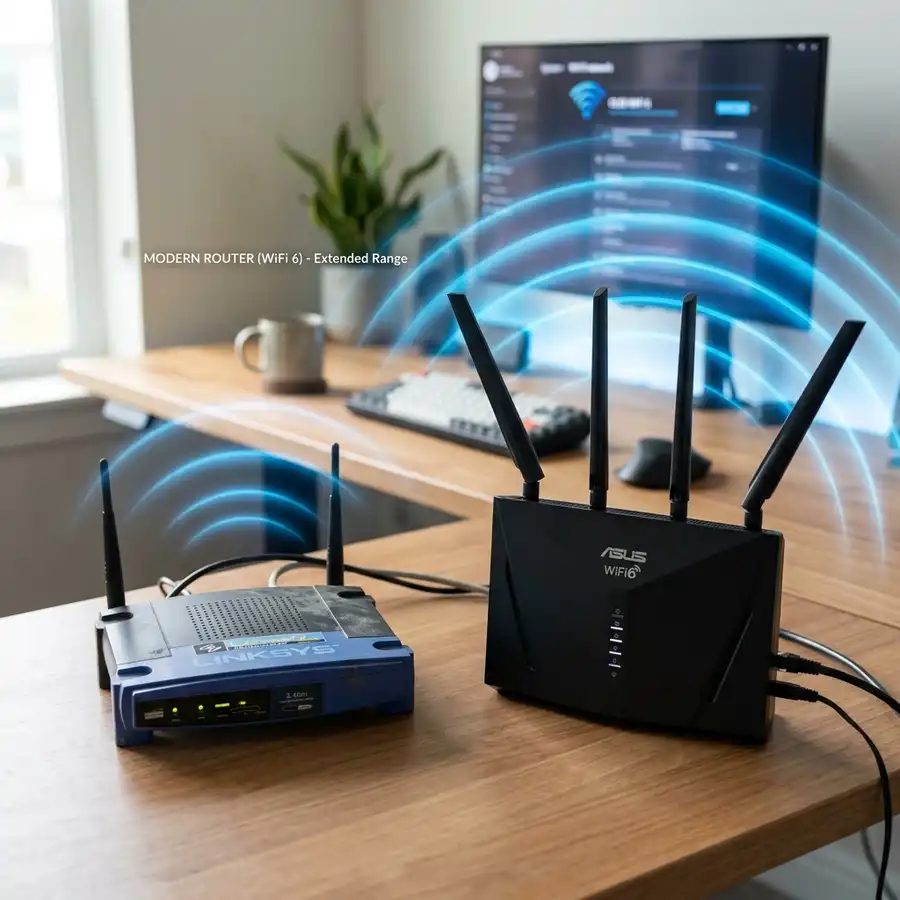
Understanding the Network Infrastructure for Offline Pix Transactions
Executing offline Pix transactions on platforms like Sicoob and Banestes requires a robust network infrastructure to ensure data integrity, speed, and security. At its core, the Pix system operates through a decentralized network of financial institutions, which facilitates transaction processing even when the user is offline.
The infrastructure relies heavily on a distributed ledger technology (DLT) that maintains a secure and immutable record of transactions. This system ensures that once a transaction is initiated offline, it can be queued and processed once the device reconnects to the internet. The DLT supports scalability and high throughput, essential for handling the vast number of transactions processed daily.
Key Components of the Network Architecture
Several key components are vital in supporting the network architecture for offline transactions:
- Local Processing Nodes: These nodes act as intermediaries, temporarily storing transaction data until it can be synchronized with the central server. They are crucial for maintaining transaction continuity and reducing latency.
- Secure Communication Channels: Data is encrypted using advanced cryptographic algorithms during transmission. This ensures that sensitive information remains protected from potential cyber threats.
- Redundancy and Failover Mechanisms: To prevent data loss, the network employs redundancy techniques, such as data replication across multiple nodes, and failover strategies to ensure continuity in the event of a node failure.
Security Protocols in Offline Pix Payments
Security is paramount when executing any financial transaction, especially with offline Pix payments. While offline transactions are inherently secure due to the nature of DLT, additional security measures are implemented to safeguard user data and financial information.
Advanced Encryption Standards
Offline Pix payments utilize Advanced Encryption Standard (AES) protocols to encrypt data both at rest and in transit. AES is a symmetric encryption technique that ensures data is unreadable without the correct decryption key, offering a high level of security against unauthorized access.
Furthermore, the use of Public Key Infrastructure (PKI) ensures that communication between the user's device and the financial institution is authenticated and secure. PKI uses a pair of cryptographic keys (public and private) to encrypt and decrypt data, adding an extra layer of security.
Multi-Factor Authentication
To further enhance security, multi-factor authentication (MFA) is employed during the transaction process. MFA requires users to provide two or more verification factors to gain access to their accounts, reducing the risk of unauthorized transactions. This can include something the user knows (password), something the user has (smartphone), or something the user is (biometric verification).
Regulatory Aspects of Offline Pix Transactions
Regulatory compliance is critical for the successful implementation of offline Pix transactions. Financial institutions like Sicoob and Banestes adhere to strict regulatory frameworks to ensure the safety and legality of transactions.
The Role of the Central Bank
The Central Bank plays a pivotal role in overseeing and regulating Pix transactions. It establishes guidelines for the secure execution of transactions, whether online or offline, to prevent fraud and money laundering activities. Compliance with these guidelines is mandatory for all participating financial institutions.
Data Privacy Regulations
Offline Pix transactions must also comply with data privacy laws, such as the General Data Protection Regulation (GDPR) and the Brazilian General Data Protection Law (LGPD). These regulations mandate the protection of personal and financial data, ensuring that users' information is handled with the utmost care and transparency.
Practical Step-by-Step Configuration for Offline Pix Payments
Setting up offline Pix payments involves several technical steps to ensure seamless transaction processing. Here, we provide a detailed guide to configuring offline Pix payments for users on Sicoob and Banestes platforms.
Device Configuration
To initiate offline Pix payments, users must first ensure their devices are properly configured. This includes:
- Updating Payment Apps: Ensure that the latest version of the payment application is installed on the device to support offline transactions.
- Enabling Offline Mode: Within the app settings, enable offline transaction capabilities, allowing the device to queue transactions until an internet connection is available.
- Secure Device Settings: Activate device security features, such as screen lock and biometric authentication, to prevent unauthorized access.
Bank Account Setup
Users must link their bank accounts with the payment application to enable offline Pix transactions:
- Account Verification: Complete the verification process by providing necessary documentation and confirming account details with the financial institution.
- Transaction Limits: Set transaction limits within the app to manage the amount of funds that can be processed offline, reducing potential risks.
Testing and Validation
Once the configuration is complete, it is crucial to test and validate the offline payment process:
- Initiate Test Transactions: Conduct test transactions in a controlled environment to ensure that the offline payment system functions as expected.
- Monitor Transaction Outcomes: Analyze transaction logs and outcomes to identify any discrepancies or issues that need to be addressed.
Understanding the Network Infrastructure of Offline Pix Payments
Offline Pix payments rely on a robust network infrastructure to ensure seamless transactions, even when internet connectivity is temporarily unavailable. This infrastructure is designed to be resilient, leveraging a combination of distributed systems, local storage capabilities, and synchronization protocols to maintain transaction integrity.
The network architecture typically includes decentralized nodes that facilitate peer-to-peer communication. These nodes are equipped with local caches to store transaction data temporarily. When the network regains connectivity, these caches synchronize with the main servers, ensuring that all transactions are accounted for and recorded accurately in the central ledger.
Moreover, a fail-safe mechanism is integrated within the network to handle discrepancies that may arise during offline periods. This mechanism involves consensus algorithms that verify transaction authenticity once the network is back online, thereby preventing double-spending or fraudulent activities.
Security Protocols in Offline Pix Transactions
Security is a paramount concern in the execution of offline Pix payments. The system employs advanced encryption standards to protect transaction data both at rest and in transit. This includes the use of asymmetric cryptography, where each transaction is signed with a private key and verified with a corresponding public key.
Additionally, multi-factor authentication (MFA) is implemented at the user level to enhance security. Users are required to authenticate their identity through multiple channels, such as biometric verification or a one-time passcode sent to a registered device, before initiating a transaction.
Another critical component of the security framework is the real-time fraud detection system. This system utilizes machine learning algorithms to analyze transaction patterns and identify anomalies that could indicate fraudulent activities. Transactions flagged as suspicious are subjected to additional verification processes before being approved.
Regulatory Compliance and Standards
Offline Pix payments must adhere to stringent regulatory standards to ensure consumer protection and financial stability. Regulatory bodies mandate compliance with data protection laws such as the General Data Protection Regulation (GDPR) and the Payment Card Industry Data Security Standard (PCI DSS).
These regulations require financial institutions to implement comprehensive data privacy policies, ensuring that users' personal and financial information is stored securely and processed lawfully. Regular audits and assessments are conducted to verify compliance, and institutions failing to meet these standards face significant penalties.
Step-by-Step Configuration for Offline Pix Payments
Setting up offline Pix payments involves several technical configurations to ensure smooth operation. Here's a detailed guide to configuring your system for offline Pix transactions:
- System Requirements: Ensure that all devices involved in the transaction process meet the minimum hardware and software requirements. This includes up-to-date operating systems, sufficient processing power, and adequate storage capacity to handle offline data caching.
- Software Installation: Install the latest version of the Pix transaction software on all participating devices. This software is designed to facilitate offline transactions by managing local caches and synchronizing with central servers once connectivity is restored.
- Network Configuration: Configure the local network to support peer-to-peer communication. This involves setting up a secure, encrypted channel for data exchange between devices, ensuring that transaction data remains confidential and tamper-proof.
- Security Settings: Enable all available security features, including encryption protocols, MFA, and firewalls. Regularly update these settings to protect against emerging threats and vulnerabilities.
- Testing and Validation: Conduct comprehensive testing to validate the configuration. Simulate offline scenarios to ensure that transactions are processed correctly and that data synchronization occurs without errors once connectivity is regained.
By following these steps, institutions can ensure that their offline Pix payment systems are configured correctly, providing reliable and secure transaction services to their users.
```Frequently Asked Questions
What is the difference between USSD and SMS banking?
USSD banking uses real-time interactive menus accessed through shortcodes, while SMS banking involves sending text commands to the bank and receiving responses. USSD is generally faster and more interactive, whereas SMS can be slower but more convenient for users familiar with text messaging.
Can I use USSD banking without a data plan?
Yes, USSD operates over the GSM network without requiring internet data. As long as you have a cellular signal, you can perform banking transactions using USSD codes.
Are there any costs associated with using USSD or SMS banking?
While the costs are minimal, users may incur small charges for USSD or SMS transactions depending on their mobile operator's policies. It is advisable to check with your operator for detailed pricing.
What should I do if my USSD transaction fails?
If a USSD transaction fails, ensure you have followed the correct procedure and entered the correct details. If problems persist, contact your bank's customer service for assistance.
How secure are USSD and SMS banking transactions?
Both USSD and SMS banking transactions are secured using encryption and other security protocols to protect user data and prevent unauthorized access. It is important for users to follow security best practices, such as not sharing personal information over unsecured channels.




