How to Monitor Your Solar Inverter Performance on Phone via WiFi
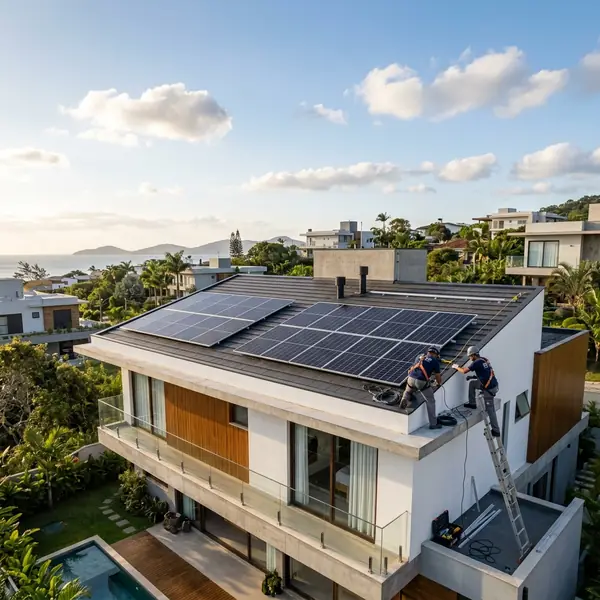
To monitor your solar inverter from your phone, connect the inverter to your local Wi-Fi and install the manufacturer's official app. official NREL website
Understanding Solar Inverter Monitoring
To monitor your solar inverter from your phone, connect the inverter to your local Wi-Fi and install the manufacturer's official app. Choosing and installing the right system ensures energy independence and long-term utility bill reductions.
Monitoring your solar inverter performance via your smartphone is a straightforward process. This capability allows homeowners to track energy production and consumption easily. It provides insights into system efficiency and potential issues.
What is a Solar Inverter?
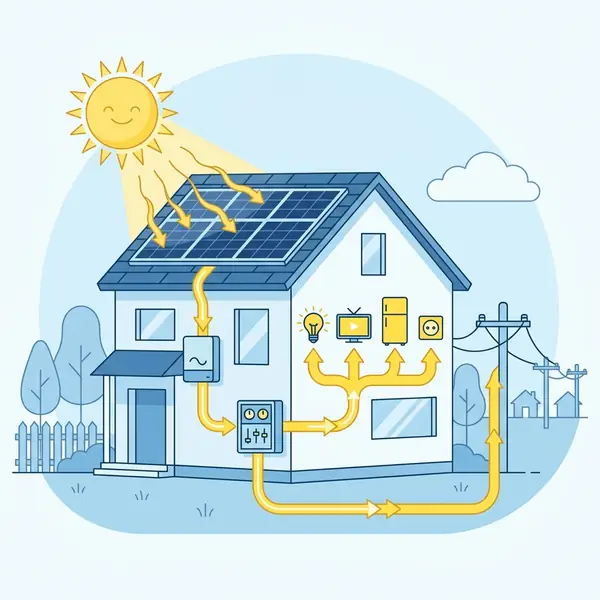
A solar inverter is a key component of your solar energy system. It converts the direct current (DC) produced by solar panels into alternating current (AC) usable by your home. Without an inverter, your solar panels cannot power your home appliances.
Benefits of Monitoring Your Solar Inverter
Monitoring your solar inverter provides real-time data. This data can include energy production, efficiency ratings, and potential faults. Early detection of issues ensures optimal performance and longevity of your system.
How to Connect Your Inverter to Wi-Fi
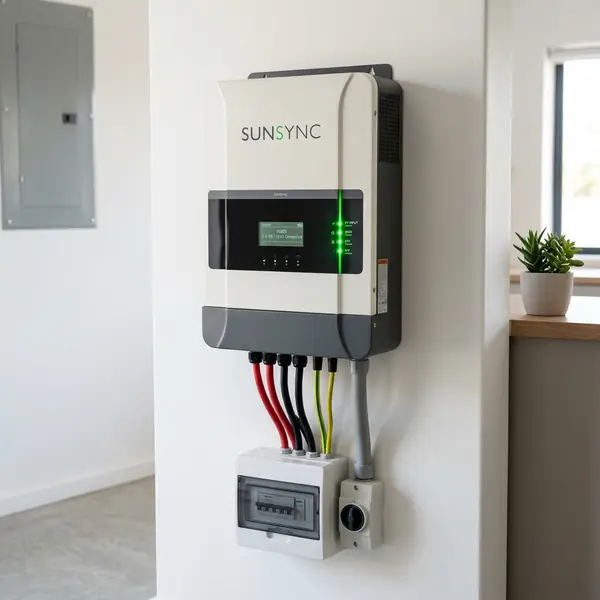
Connecting your solar inverter to your Wi-Fi network is the first step in monitoring its performance. Most modern inverters come with built-in Wi-Fi capability. Here’s how to set it up:
Step-by-Step Connection Guide
1. Locate the inverter’s user manual. This manual will contain specific instructions for your model.
2. Ensure your inverter is powered on and within range of your Wi-Fi router. A stable connection is key for performance monitoring.
3. Access the inverter’s settings, usually via a display screen or a mobile app. Navigate to the Wi-Fi settings section.
4. Select your Wi-Fi network and enter the password. Ensure to use the correct credentials to avoid connection failures.
5. Save the settings. The inverter should now connect to your Wi-Fi network.
Installing the Manufacturer's App
After connecting your inverter to Wi-Fi, the next step is to install the manufacturer's official app on your smartphone. Most manufacturers provide a dedicated application for this purpose.
How to Download the App
1. Open the App Store or Google Play Store on your smartphone. Search for your inverter's brand name followed by "monitoring app."
2. Download and install the app. Ensure it is the official app to avoid security issues.
3. Open the app and create an account if required. You may need to verify your email address or phone number.
Setting Up the App for Monitoring
Once the app is installed, you need to set it up to monitor your inverter. This process usually involves linking your inverter to your account.
Linking Your Inverter
1. Open the app and log into your account.
2. Select the option to add a new device or inverter. You may need to input the inverter's serial number.
3. Follow the prompts in the app to complete the setup. This process usually includes confirming the Wi-Fi connection.
What Information Can You Monitor?
After setting up the app, you can monitor various performance metrics of your solar inverter. Here are some key details you can track:
Energy Production
The app will display real-time energy production in kilowatt-hours (kWh). This metric shows how much electricity your solar panels generate.
For example, if your system produces 30 kWh daily, you can track this production over time. This data helps you understand your system's performance and efficiency.
Energy Consumption
Some apps allow you to monitor your energy consumption. This feature can help you compare production versus consumption. Understanding this balance is important for optimizing your energy usage.
System Performance
Monitoring system performance includes tracking efficiency ratings. Most apps provide historical data, allowing you to see trends over time.
You might notice seasonal variations in production due to weather changes. This information can be vital for evaluating the overall effectiveness of your solar system.
Alerts and Notifications
Many monitoring apps offer alerts for system issues. If your inverter detects a problem, it can send notifications directly to your phone.
This feature allows for quick action, which can prevent further damage or inefficiencies. Being proactive can save you time and money in repairs.
Common Issues and Troubleshooting
While monitoring your solar inverter is generally straightforward, you may encounter some issues. Here are common problems and their solutions:
Inverter Not Connecting to Wi-Fi
If your inverter fails to connect to Wi-Fi, check the following:
- Ensure your Wi-Fi is functioning properly. Try connecting another device to confirm.
- Verify that you have entered the correct Wi-Fi credentials in the inverter settings.
- Check the distance between the inverter and the router; obstacles can weaken signals.
App Not Displaying Data
If the app isn’t displaying data, consider these steps:
- Make sure the app is updated to the latest version.
- Restart your smartphone and the inverter. Sometimes, a simple reboot can resolve issues.
- Contact customer support if problems persist, as they may be able to help troubleshoot further.
Intermittent Data Loss
Intermittent data loss can affect monitoring. This issue can be caused by Wi-Fi disruptions.
Check your Wi-Fi strength in the area where the inverter is located. Consider using a Wi-Fi extender if necessary to improve connectivity.
Advanced Monitoring Features
Many manufacturers now offer advanced features in their monitoring apps. These features can enhance your understanding of your system's performance.
Remote Diagnostics
Some apps include remote diagnostics tools. These tools allow technicians to assess issues without needing a site visit.
This feature can save time and reduce service costs, as problems can be identified quickly.
Energy Forecasting
Advanced apps may provide energy forecasting capabilities. This feature uses historical data to predict future energy production.
Such forecasts help homeowners plan energy usage and may even influence decisions on purchasing additional storage solutions.
Integration with Smart Home Systems
Integration with smart home systems is becoming more common. Many apps can work alongside smart thermostats and energy management systems.
This compatibility allows homeowners to maximize efficiency and manage energy consumption intelligently.
DomineTec Tip: Regularly check for app updates to ensure you have the latest features and security enhancements.
Understanding Energy Production Rates
When monitoring your solar inverter, understanding energy production rates is important. The average residential solar system in the U.S. produces about 10,000 kWh annually.
This figure can vary based on factors like location, system size, and panel efficiency.
Factors Affecting Energy Production
1. **Location:** Solar energy production is higher in sunny regions. States like California and Arizona see more substantial production than those with frequent cloud cover.
2. **Panel Efficiency:** Different solar panel technologies offer varying efficiency ratings. Monocrystalline panels typically have higher efficiency compared to polycrystalline ones.
3. **System Size:** The larger the system, the more energy it can produce. Homeowners should evaluate their energy needs to determine the appropriate system size.
Cost of Solar Inverter Monitoring Systems
The cost of solar inverter monitoring systems can vary significantly. Basic monitoring may come included with the inverter at no additional cost. However, advanced features may require subscription fees.
Typical Costs
The average cost for a residential solar inverter in 2026 is around $1,200 to $3,000. Inverters with advanced monitoring capabilities often fall on the higher end of this range.
Subscription fees for premium monitoring services can range from $5 to $20 per month. Evaluating the value of these features is important for homeowners.
Conclusion
Monitoring your solar inverter from your phone can enhance your energy efficiency and system management. By connecting to Wi-Fi and utilizing the manufacturer's app, you can easily track performance metrics.
Understanding how to set up and troubleshoot your monitoring system is important. This knowledge will help you maximize your solar energy benefits and ensure a reliable power source for your home.
FAQs
2. Can I monitor my solar inverter remotely?
Yes, once connected to Wi-Fi and set up with the app, you can monitor your inverter from anywhere with internet access.
3. What do I do if my monitoring app crashes?
Try restarting the app or your smartphone. If issues persist, consider uninstalling and reinstalling the app.
4. Is there a cost associated with solar inverter monitoring?
Basic monitoring is usually free, but advanced features may require a subscription fee ranging from $5 to $20 monthly.
5. How can I improve my inverter's Wi-Fi connection?
Ensure the inverter is within range of your router. You may also use Wi-Fi extenders to enhance connectivity.
Understanding Your Solar Inverter
Before diving into monitoring your solar inverter performance through your phone, it's important to grasp what an inverter does. A solar inverter converts the DC electricity generated by your solar panels into AC electricity, which is used to power your home appliances.
There are different types of solar inverters, including string inverters, microinverters, and power optimizers. Each type has distinct features and benefits, but they all share the common goal of optimizing energy production.
Understanding this functionality is critical as it allows you to identify potential issues and optimize performance. Regular monitoring can lead to increased energy savings and a more efficient solar energy system.
Setting Up WiFi Connectivity
To monitor your solar inverter's performance on your phone, the first step is ensuring it is connected to your WiFi network. Most modern solar inverters come with built-in WiFi capabilities, allowing them to communicate with your home network.
Begin by locating the WiFi settings within your inverter's interface, usually accessible via a digital display or an app. Follow the instructions provided by the manufacturer to connect your inverter to your WiFi network securely.
If your inverter lacks built-in WiFi, consider purchasing an external WiFi module compatible with your device. This module will allow you to establish a wireless connection, enabling remote monitoring from your smartphone.
Downloading the Monitoring App
Once your inverter is connected to WiFi, the next step is to download the appropriate monitoring app. Most inverter manufacturers offer dedicated apps for both iOS and Android devices to facilitate real-time performance monitoring.
Visit the App Store or Google Play Store and search for your inverter's brand name. Download the official app and follow the prompts to install it on your mobile device.
After installation, you will typically need to create an account or log in using existing credentials. This step ensures that your data is securely stored and easily accessible whenever you wish to check your solar inverter's performance.
Interpreting Performance Data
With your app installed and your inverter connected, you can now begin to monitor performance data. Most apps provide a dashboard featuring metrics such as energy production, efficiency rates, and system health indicators.
Familiarize yourself with these metrics to better understand how your solar system performs. For instance, energy production is often displayed in kilowatt-hours (kWh) and gives you insight into how much energy your system generates over time.
Additionally, look for alerts or notifications regarding system malfunctions or maintenance needs. By interpreting this performance data, you can take proactive measures to ensure your solar inverter operates at peak efficiency.
Frequently Asked Questions
What is the average payback period for home solar?
The average payback period in the US ranges between 5 and 9 years, depending on state incentives and utility rates.
Do solar panels generate electricity without direct sunlight?
Yes, they produce power on cloudy days but at a reduced capacity of 10% to 25%. They do not generate electricity at night.
How much maintenance do home solar panels require?
Maintenance is minimal, typically involving cleaning the panels twice a year and performing a system health check.
Do I need battery storage for my solar energy system?
It is not required for grid-tied systems, but batteries are vital for off-grid operations or backup power during grid blackouts.
Can I completely eliminate my monthly electricity bill?
You cannot reach absolute zero because most utilities charge a basic monthly grid connection fee regardless of production.




