Experiencing static noise or audio cutting out on your Bluetooth speakers can be frustrating, but fortunately, there are several methods to troubleshoot and correct these issues. This comprehensive guide will provide you with a structured approach to identifying and resolving the root causes of audio problems in Bluetooth speakers. Whether the issue lies in signal interference, codec mismatches, or hardware malfunctions, this article is designed to help you restore your audio experience.
Understanding Bluetooth Audio
Bluetooth technology enables wireless audio transmission from a source device, such as a smartphone or tablet, to a Bluetooth speaker. The audio quality can be influenced by various factors including the Bluetooth version, codecs used, and environmental conditions. It’s essential to understand these factors to effectively troubleshoot audio issues.
The Role of Bluetooth Codecs
Bluetooth codecs are algorithms that compress and decompress audio data during transmission. The main codecs used in Bluetooth audio are:
- SBC (Subband Coding): The default codec for Bluetooth audio, SBC offers basic quality but can sometimes result in audio artifacts.
- AAC (Advanced Audio Codec): More efficient than SBC, AAC provides better sound quality, especially for Apple devices.
- LDAC (Low Latency Audio Codec): Developed by Sony, LDAC allows for higher resolution audio streaming but requires compatible devices.
Common Causes of Static Noise and Audio Cutouts
Identifying the underlying causes of static noise or audio cutouts is crucial for effective troubleshooting. Aqui estão alguns culpados comuns:
Interference from Other Devices
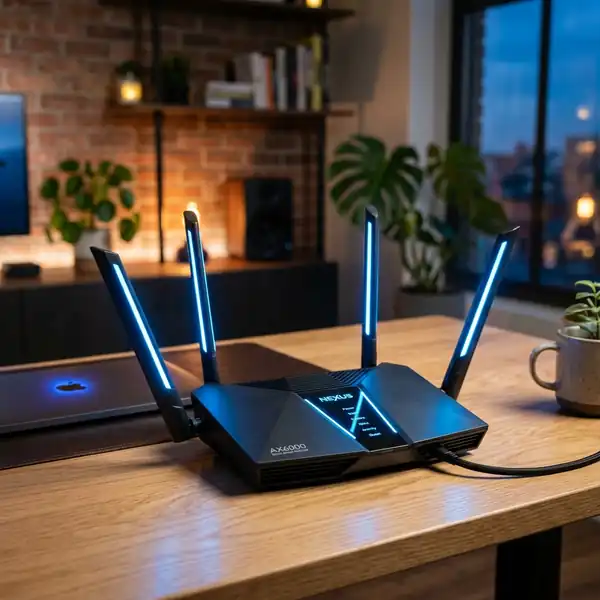
Bluetooth operates on the 2.4GHz frequency band, which is also used by many Wi-Fi networks and other electronic devices. This can lead to signal interference, causing static or interruptions in audio playback.
Codec Mismatch
Using incompatible codecs between your audio source and Bluetooth speaker can lead to audio degradation. Ensuring that both devices support the same codec is essential.
Low Battery Levels
As battery levels deplete, audio performance can diminish. A low battery can cause fluctuations in power, leading to audio dropouts.
Physical Damage
Damaged speaker drivers or internal components can cause audio distortion. Inspecting hardware for any signs of wear or damage is important.
Environmental Factors
Distance from the source device and physical obstructions can impede Bluetooth signals, leading to audio issues. Walls and furniture can degrade the signal quality.
Step-by-Step Troubleshooting Guide
Follow this comprehensive troubleshooting guide to fix static noise or audio cutouts on your Bluetooth speakers.
1. Check the Bluetooth Connection
Ensure your Bluetooth speaker is properly connected to your device:
- Go to your device's Settings.
- Select Bluetooth.
- Ensure Bluetooth is turned on.
- Find your Bluetooth speaker in the list and confirm that it is connected.
2. Minimize Interference
To reduce interference, follow these steps:
- Move the Bluetooth speaker closer to the audio source.
- Avoid using multiple devices that operate on the 2.4GHz band simultaneously.
- Switch off any unused Bluetooth devices nearby.
3. Check Codec Compatibility
Verify the codec settings:
- On Android devices, go to Settings > Developer options > Bluetooth audio codec.
- Select a compatible codec (SBC, AAC, LDAC) that both the speaker and source device support.
4. Charge Your Device
Ensure that your Bluetooth speaker has sufficient battery life:
- Connect your speaker to a power source using the appropriate charger.
- Allow the speaker to charge fully before attempting to use it again.
5. Inspect for Physical Damage
Carefully examine your Bluetooth speaker for any signs of damage:
- Check the speaker grill and drivers for any visible cracks or dents.
- Test the speaker with different audio sources to identify if the issue persists.
6. Perform a Factory Reset
If the issue persists, consider performing a factory reset:
- Refer to the user manual for specific instructions on how to reset your model.
- Typically, this involves holding down the power button or a combination of buttons for a specified duration.
7. Re-pair the Device
After resetting, re-pair your Bluetooth speaker with your audio source:
- Go to the Bluetooth settings on your device and remove the paired speaker.
- Put the speaker in pairing mode (refer to the manual).
- Select the speaker from the list of available devices to establish a new connection.
Advanced Troubleshooting Techniques
If basic troubleshooting doesn't resolve the audio issues, consider these advanced techniques:
1. Update Firmware
Keeping your Bluetooth speaker’s firmware up-to-date can resolve known issues:
- Visit the manufacturer's website to check for firmware updates.
- Follow the instructions provided to install any available updates.
2. Change Audio Source Settings
Experiment with audio settings on your source device:
- Adjust the audio quality settings to see if it impacts performance.
- Ensure that no audio enhancements are enabled that may cause distortion.
3. Use a Different Device
Test the Bluetooth speaker with another device to determine if the issue lies with the speaker or the original source:
- Pair the speaker with a different smartphone, tablet, or computer.
- Observe if the audio issues persist.
4. Evaluate Signal Strength
Utilize an app to assess Bluetooth signal strength and quality:
- Download a Bluetooth signal analyzer application.
- Check for signal strength and interference levels.
5. Consult Technical Support
If all else fails, reach out to the manufacturer's technical support:
- Provide a detailed description of the issue and troubleshooting steps already taken.
- Follow their guidance for any additional troubleshooting or repairs.
Firmware Specifications
Understanding the firmware specifications of your Bluetooth speaker is crucial for maintaining optimal performance. Firmware is the software programmed into the hardware of the speaker, and it can greatly influence not just audio quality but also connectivity and battery life.
Importance of Regular Updates
Manufacturers frequently release firmware updates to address bugs, enhance performance, and add new features. Keeping your firmware updated ensures you benefit from the latest improvements and fixes.
How to Check Firmware Version
To check the current firmware version of your Bluetooth speaker:
- Refer to the user manual for specific instructions.
- Some models allow you to check the firmware version through a companion app.
- Visit the manufacturer's website for details on the latest firmware versions available.
Connection Diagnostics
Connection diagnostics involve a systematic approach to identify and resolve issues related to Bluetooth connectivity. This can help pinpoint the source of audio problems, ensuring a seamless listening experience.
Using Diagnostic Tools
There are various applications available that can help diagnose Bluetooth connection issues:
- Bluetooth Analyzer: This tool can assess the quality of your Bluetooth connection, reporting on signal strength and potential interference sources.
- Device Compatibility Check: Some apps can analyze if the devices are compatible with each other in terms of codecs and profiles.
Interpreting Diagnostic Results
Once you have diagnostic results, look for common issues such as:
- Low signal strength, which may require proximity adjustments.
- Incompatibility between device codecs, prompting a review of supported audio formats.
Compatibility Matrix
Understanding the compatibility matrix of your Bluetooth speaker can help you choose the right devices for optimal performance.
Supported Codecs and Profiles
Different Bluetooth speakers support various audio codecs and profiles, which dictate how audio is transmitted:
- A2DP (Advanced Audio Distribution Profile): Essential for stereo audio streaming.
- AVRCP (Audio/Video Remote Control Profile): Enables remote control features for audio playback.
Device Pairing Considerations
When pairing devices, ensure they both support the same codec and profile. This can significantly enhance audio quality and connectivity reliability.
Signal Interference Fixes
Signal interference is a common issue in Bluetooth audio transmission, resulting in static noise or interruptions. Here are some fixes to mitigate interference:
Identifying Interference Sources
Common sources of interference include:
- Wi-Fi routers operating on the same 2.4GHz frequency.
- Microwave ovens and cordless phones.
- Other Bluetooth devices in close proximity.
Fixing Interference Issues
To minimize interference, consider the following strategies:
- Reposition your Bluetooth speaker and the audio source to reduce obstructions.
- Change the Wi-Fi router's channel to reduce overlap with Bluetooth frequencies.
- Limit the number of active Bluetooth devices in the vicinity.
Maintenance Guide
Regular maintenance of your Bluetooth speaker can help prolong its lifespan and enhance performance.
Cleaning Your Speaker
Keep your speaker clean by:
- Using a soft, dry cloth to wipe down the exterior.
- Avoiding the use of harsh chemicals that can damage the casing.
Battery Care
To maintain battery health:
- Avoid leaving the speaker plugged in continuously after a full charge.
- Store the speaker in a cool, dry place when not in use for extended periods.
Comparison of Common Bluetooth Speakers
| Speaker Model | Battery Life | Audio Codec Support | Water Resistance | Price |
|---|---|---|---|---|
| JBL Charge 4 | 20 hours | SBC, AAC | IPX7 | $149.95 |
| Ultimate Ears BOOM 3 | 15 hours | SBC | IP67 | $149.99 |
| Sonos Roam | 10 hours | SBC, AAC, LDAC | IP67 | $169.00 |
| Bose SoundLink Revolve+ | 17 hours | SBC, AAC | IP55 | $199.00 |
| Sony SRS-XB43 | 24 hours | SBC, AAC, LDAC | IP67 | $248.00 |
Frequently Asked Questions (FAQ)
1. Why does my Bluetooth speaker crackle when playing audio?
Crackling audio is typically caused by interference from other wireless devices, a poor Bluetooth connection, or a codec mismatch. Check the proximity of your speaker to the source device and ensure there are no obstructions. Additionally, verify that both devices are using compatible audio codecs.
2. How can I improve the Bluetooth range of my speaker?
The effective range of most Bluetooth speakers is about 30 feet (10 meters). To improve range, minimize physical obstructions between the speaker and the audio source. Avoid using the speaker in crowded environments with many other wireless devices, as these can cause interference.
3. What should I do if my Bluetooth speaker won’t connect to my device?
If your speaker won’t connect, ensure that it is in pairing mode. Remove the speaker from the Bluetooth settings on your device and then try to reconnect. Restart both devices to reset the Bluetooth connection.
4. Can I use my Bluetooth speaker while charging?
Most Bluetooth speakers can be used while charging. However, some models may restrict features or audio quality during charging. Consult the user manual for your specific speaker to confirm.
5. How often should I update my Bluetooth speaker’s firmware?
It is advisable to check for firmware updates periodically, especially if you experience issues with connectivity or performance. Manufacturers may release updates to fix bugs or improve overall functionality.