How to Fix Bad Overhangs on PETG Prints: Cooling Fan and Speed Settings

To fix bad overhangs on PETG prints, adjust cooling fan settings and print speeds for optimal results.
Understanding Overhangs in 3D Printing
Overhangs are sections of a print that extend outward without any immediate support beneath them. Estas áreas podem resultar em deformações se não forem gerenciadas adequadamente.
Quando se imprime com PETG, características específicas do material podem agravar os desafios relacionados aos overhangs. Compreender como mitigar esses problemas é essencial para alcançar impressões de alta qualidade.
Why Cooling Fans Matter for PETG
Cooling fans play a critical role in the printing process, especially when working with materials like PETG. O resfriamento adequado ajuda a manter a integridade dos overhangs.
Without proper cooling, PETG can become too soft, leading to deformation during the print process. Estratégias de resfriamento eficazes podem prevenir esses problemas.

Optimal Cooling Fan Settings
The ideal cooling fan settings can vary based on printer configuration and the specific PETG filament used. Contudo, diretrizes gerais podem ser seguidas para melhorar o desempenho dos overhangs.
Typically, a cooling fan speed of around 50% is recommended for PETG prints. Isso fornece resfriamento suficiente sem fazer o material solidificar muito rapidamente.
Adjusting the fan speed during the print can also be beneficial. Aumentar a velocidade do ventilador durante os overhangs pode melhorar a adesão das camadas e a qualidade geral da impressão.
Speed Settings for Improved Overhang Performance
Print speed significantly impacts the quality of overhangs in PETG prints. Velocidades de impressão mais lentas podem melhorar a adesão das camadas e reduzir o sagging.
When attempting to print overhangs, a speed reduction of approximately 20-30% can yield better results. Isso permite mais tempo para o resfriamento e solidificação de cada camada.
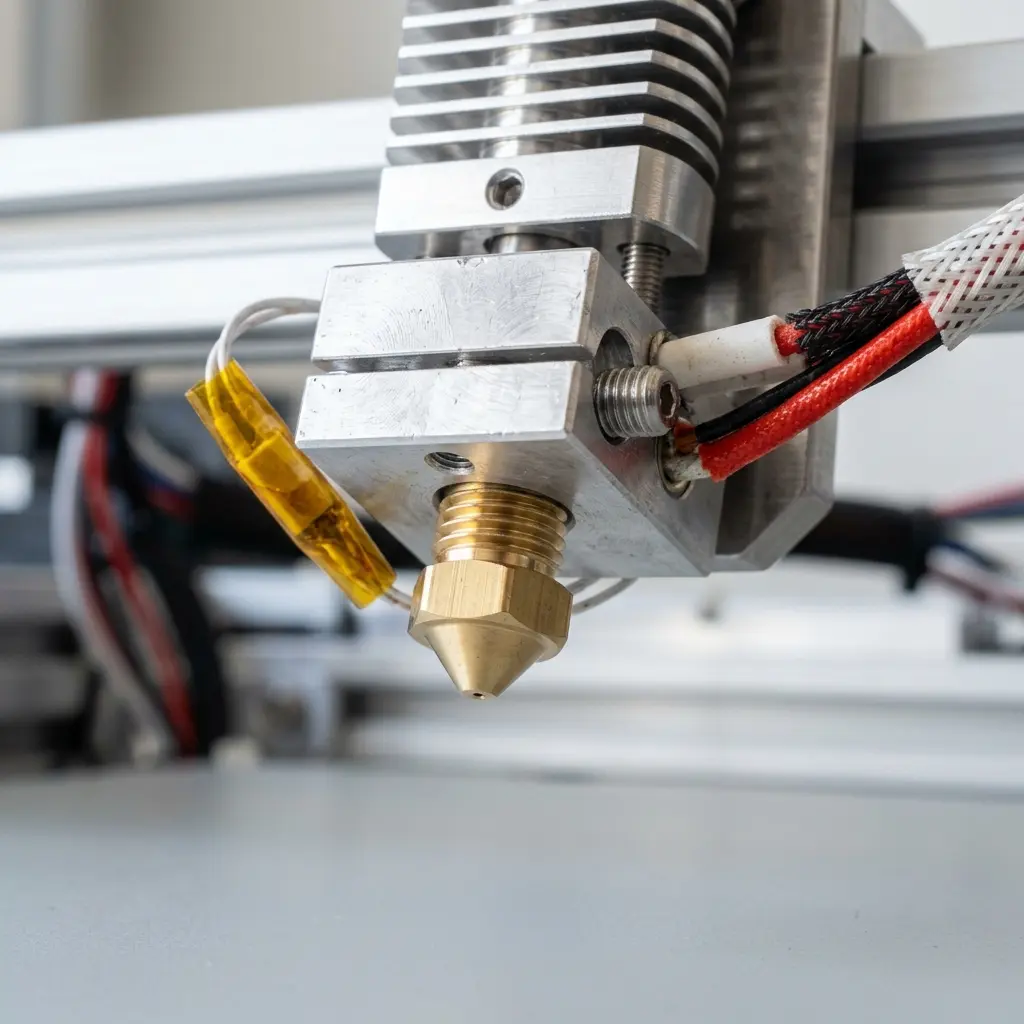
Step-by-Step Guide to Adjusting Settings
To effectively adjust cooling fan and speed settings for PETG prints, follow these steps:
- Access the slicer software of choice, such as Cura.
- Select the PETG filament profile or create a new one if necessary.
- Locate the cooling settings section and set the initial fan speed to 50%.
- Adjust the minimum layer time settings to ensure sufficient cooling.
- Reduce print speed by 20-30% for overhang sections.
- Save the settings and slice the model.
- Proceed to print and monitor the results for further adjustments.
DomineTec Tip: Experiment with cooling settings by performing test prints that include overhangs to find the best combination for your specific printer and filament.
Impact of Layer Height on Overhangs
Layer height also influences the quality of overhangs in PETG prints. Camadas mais grossas podem levar a uma melhor integridade estrutural, mas também podem aumentar a probabilidade de sagging.
For optimal results, a layer height between 0.2mm and 0.4mm is advisable when printing overhangs. Essa altura permite um equilíbrio entre velocidade e qualidade da impressão.

Comparative Overview of Cooling Options
Different cooling methods can affect PETG print quality. A tabela a seguir resume várias opções de resfriamento e seus benefícios:
| Método de Resfriamento | Prós | Contras |
|---|---|---|
| Ventilador Padrão | Fácil de implementar; velocidades ajustáveis | Pode não fornecer resfriamento suficiente para overhangs grandes |
| Sistemas de Resfriamento Ativo | Melhor eficiência de resfriamento; melhora os overhangs | Configuração mais complexa; custo mais alto |
| Dutos de Resfriamento | Fluxo de ar direto para áreas específicas | Requer calibração precisa; pode obstruir a área de impressão |
Common Issues When Printing PETG Overhangs
Despite optimal settings, issues may still arise when printing overhangs with PETG. Alguns problemas comuns incluem:
1. Stringing: Ocorre quando excesso de filamento é puxado durante os movimentos de viagem.
2. Poor adherence: As camadas podem se separar devido ao resfriamento inadequado ou configurações de velocidade incorretas.
3. Warping: Pode acontecer se a primeira camada não estiver adequadamente aderida à superfície de impressão.
Best Practices for Printing Overhangs with PETG
To achieve the best results when printing overhangs with PETG, it is essential to follow best practices. Algumas recomendações incluem:
- Utilizar uma superfície de impressão adequada, como vidro ou tape, que ofereça boa adesão.
- Imprimir com uma temperatura do bico em torno de 230-250°C para garantir um bom fluxo de filamento.
- Considerar o uso de suporte para overhangs que excedam 45 graus.
- Realizar testes de impressão para descobrir a configuração ideal para cada tipo de modelo.
Frequently Asked Questions
What is the best fan speed for PETG prints?
A fan speed of around 50% is generally recommended for PETG, providing a balance between cooling and maintaining material flow.
Can layer height affect overhang quality?
Yes, a layer height of 0.2mm to 0.4mm is optimal for overhangs, promoting better adhesion while allowing for sufficient cooling.
How can stringing be minimized in PETG prints?
To reduce stringing, ensure that retraction settings are properly configured and consider increasing travel speed during prints.
Is it necessary to use a cooling duct for PETG?
While not essential, a cooling duct can enhance cooling efficiency, particularly for complex overhangs and intricate designs.
What other settings can impact print quality?
In addition to cooling and speed, bed temperature, nozzle temperature, and retraction settings can all significantly affect the quality of PETG prints.




