How to Do a Cold Pull (Atomic Pull) Using Nylon Filament for Deep Cleaning

Performing a cold pull using nylon filament for deep cleaning involves heating the nozzle, inserting the filament, and then cooling it down to remove debris effectively.
Understanding the Cold Pull Technique
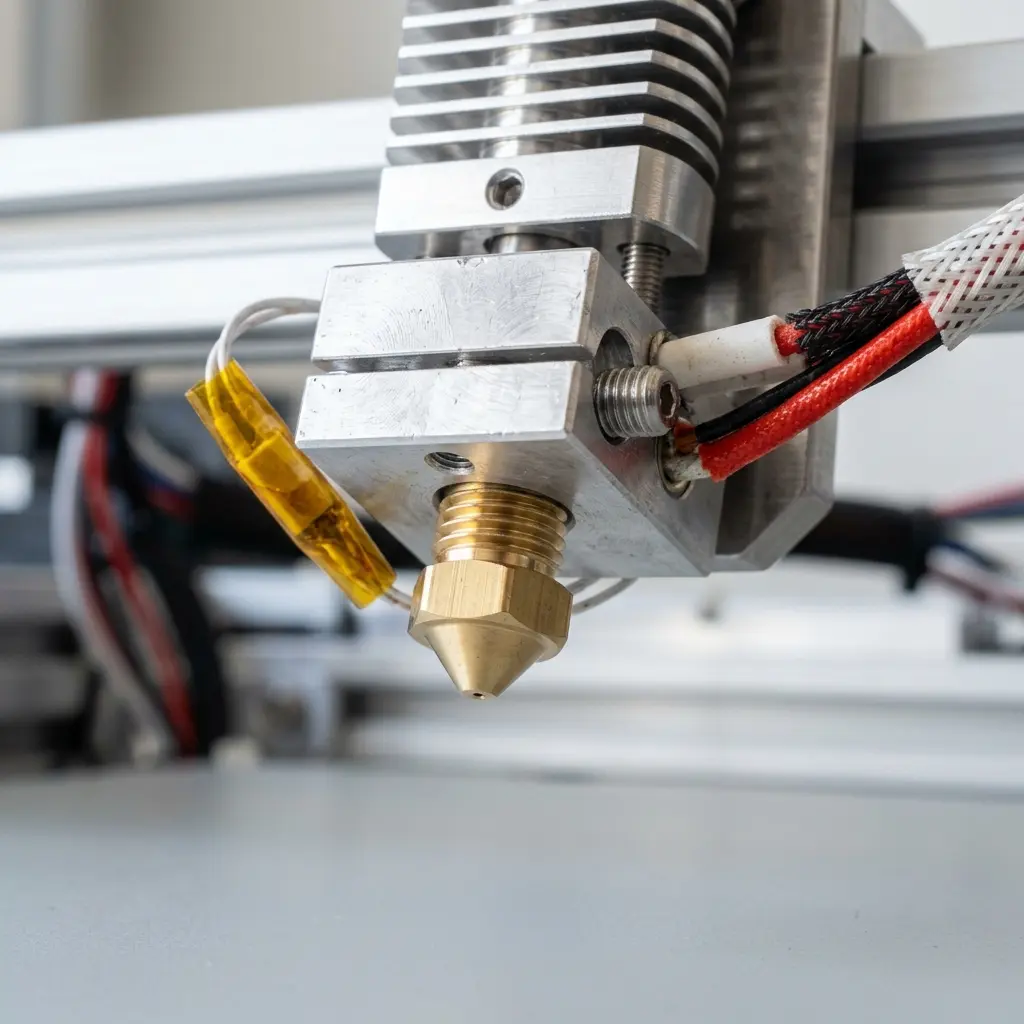
The cold pull method, also known as atomic pull, is a cleaning technique utilized in 3D printing. It effectively removes clogs and residue from the nozzle, ensuring optimal printing performance.
This process is especially useful when using materials like nylon filament due to its unique properties. Nylon can absorb moisture, which can lead to printing issues if residue is not cleared properly.
Benefits of Using Nylon Filament for Cold Pulls
Nylon filament offers several advantages when performing a cold pull. One of the most significant benefits is its ability to adhere to contaminants within the nozzle.
Furthermore, nylon's high melting point allows it to withstand the heat required for effective cleaning. This filament can also help maintain the integrity of the nozzle by minimizing wear during the cleaning process.

Essential Tools and Materials
Before embarking on the cold pull process, gather the necessary tools and materials. The following items are essential:
- Nylon filament (preferably 1.75mm)
- 3D printer with a heated nozzle
- Wire cutters or scissors
- Thermometer (optional for accuracy)
- Cleaning tool or needle (optional)
Having the right tools ensures a smooth and effective cleaning process. Each item plays a critical role in achieving optimal results.
Step-by-Step Guide to Performing a Cold Pull
Follow these detailed steps to execute a successful cold pull using nylon filament:
- Heat the nozzle to 250°C to allow the nylon filament to melt adequately.
- Once the temperature is reached, insert a piece of nylon filament into the nozzle.
- Allow the filament to extrude slightly, confirming it is flowing well.
- Reduce the temperature to about 90-100°C.
- Wait for a minute to allow the filament to cool slightly while maintaining some heat.
- Firmly pull the filament out of the nozzle. It should come out with any debris attached.
- If the first pull does not yield satisfactory results, repeat the process.

Additional Tips for Effective Cold Pulls
DomineTec Tip: Ensure that the filament is dry before use, as moisture absorption can affect the cleaning efficiency. Store nylon filament in a sealed bag with desiccants for optimal results.
Another effective strategy is to perform multiple cold pulls in succession. Each pull can remove additional debris that may not have been cleared in the first attempt.
Comparative Overview of Filaments for Cold Pulls
| Filament Type | Melting Point (°C) | Effectiveness in Cold Pulls | Moisture Sensitivity |
|---|---|---|---|
| Nylon | 220-260 | High | High |
| PLA | 160-220 | Medium | Low |
| ABS | 210-250 | Medium | Medium |
| PETG | 230-250 | Medium | Medium |
Maintaining Your 3D Printer After a Cold Pull
After completing the cold pull, it is crucial to check the overall condition of the nozzle. Inspect for any remaining clogs and ensure smooth filament flow.
Cleaning the nozzle regularly will prolong its lifespan and enhance printing quality. Performing maintenance checks can prevent future clogs and improve overall printer performance.

Frequently Asked Questions
What materials can be used for cold pulls?
Nylon filament is the most recommended material for cold pulls due to its effectiveness in adhering to debris. Other materials like PLA and ABS can also be used but may not yield the same results.
How often should cold pulls be performed?
Cold pulls should be done regularly based on usage. Frequent printing or using materials prone to clogging may necessitate more frequent cleaning.
Can cold pulls damage the nozzle?
When performed correctly, cold pulls should not damage the nozzle. However, excessive force during the pull can cause damage, so care must be taken.
Is it necessary to heat the nozzle for a cold pull?
Heating the nozzle is crucial for melting the filament and ensuring it can effectively clean out debris. Skipping this step can lead to ineffective cleaning.
What should be done if the cold pull fails?
If the cold pull does not remove the clog, try repeating the process with a fresh piece of nylon filament. Adjusting the temperature settings may also improve results.
Understanding the Importance of Nozzle Maintenance
Nozzle maintenance is critical for achieving high-quality prints in 3D printing. A clogged nozzle can lead to inconsistent extrusion, poor layer adhesion, and overall print failure.
Routine cleaning methods, including cold pulls, help prevent these issues. By maintaining the nozzle, the user can ensure a smoother printing experience and extend the lifespan of the 3D printer.
Checklist for Effective Cold Pulls
- Gather all necessary tools and materials.
- Ensure the printer is properly calibrated.
- Check the filament for moisture absorption.
- Set the correct temperature for the cold pull process.
- Perform multiple cold pulls if necessary.
- Inspect the nozzle after each cleaning.
- Document any recurring issues for future reference.
Common Issues and Troubleshooting
Inadequate Filament Flow
If filament flow is inadequate after a cold pull, check if the nozzle is still clogged. Repeating the cold pull with a fresh piece of nylon filament may resolve the problem.
Filament Breaking During Cold Pull
This issue can occur if the filament is too brittle or if too much force is applied during the pull. Ensure the filament is of good quality and avoid excessive pulling force.
Not Enough Debris Removed
If insufficient debris is removed, consider increasing the temperature before the pull. This may help the nylon filament better adhere to contaminants.
Conclusion
Performing cold pulls with nylon filament is an effective method for maintaining nozzle cleanliness in 3D printing. By understanding the process and following best practices, users can ensure optimal printing performance.
Regular maintenance through techniques like cold pulls can prevent clogs and enhance the longevity of the 3D printer. Users should always prioritize proper cleaning methods to achieve high-quality prints consistently.




