
Earwax (scientifically known as cerumen) is a vital biological defense mechanism for the human ear canal, consisting of epithelial cells, sebum, and secretions from ceruminous glands. However, in the domain of personal audio equipment, earwax represents a persistent hazard to acoustic fidelity. The warm micro-climate of the ear canal liquefies cerumen, allowing it to migrate via capillary action into the fine speaker grills of your AirPods. As the earwax cools and hardens, it forms an acoustic barrier that causes muffled sound, reduced volume levels, stereo channel imbalance, and harmonic distortion.
To clean earwax out of AirPods safely, use a dry soft brush, a wooden toothpick with caution, and adhesive putty to lift debris from the grill.
1. The Architecture of AirPods Speaker Grills and the Dangers of Sharp Tools
Apple AirPods employ highly engineered dynamic transducers housed inside precision-tuned acoustic chambers. Apple design engineers optimized the physical curvature of the earbud nozzle based on hundreds of anatomical scans of human ear canals. The speaker output ports are protected by a micro-mesh grill constructed from metallic alloy or high-density polyester fiber. This protective mesh is designed with precise microscopic openings that allow sound waves to pass through while preventing environmental dust from reaching the internal driver. Using improper tools or applying excessive force during cleaning can permanently compromise the structural integrity of this barrier.
Understanding the micro-engineering of these wireless earbuds is essential before trying any home remedy. The mesh itself is extremely thin—often measuring less than a fraction of a millimeter in thickness. This structural delicacy means that applying pressure with rigid materials can easily dislodge the grill from its seat. When the mesh is pushed out of place, it can come into direct contact with the speaker diaphragm, causing buzzing noises at high volumes or when playing bass-heavy tracks. Therefore, the goal of cleaning is not to dig into the port, but to gently draw the wax outward, preserving the original factory alignment of the internal acoustic components.
Many users make the critical mistake of using metal pins or safety needles to scrape the grills. While it might seem like a quick way to clean the visible parts, the hard metal tip scrapes off the anti-hydrophobic coating applied to the mesh. This chemical coating is designed to repel sweat and water droplets. Once it is scratched off, the mesh becomes much more susceptible to absorbing ear moisture and sweat, leading to permanent corrosion of the speaker voice coil over time.
2. Chemical Risks: Why Rubbing Alcohol and Hydrogen Peroxide Require Caution
The chemical composition of cerumen is rich in long-chain fatty acids, cholesterol, squalene, and alcohols. Because of these hydrophobic organic compounds, earwax is insoluable in water. Attempting to wipe your AirPods with a water-dampened cloth will only smudge the wax across the grill surface rather than removing it. However, the urge to use aggressive solvents like standard household rubbing alcohol (ethanol) or hydrogen peroxide directly on the grills carries serious hardware risks.
Standard household alcohol often contains a high percentage of water, which evaporates slowly. The high surface tension of hydrated alcohol pulls it through the speaker mesh via capillary action, exposing the internal microphone components to moisture. On the other hand, hydrogen peroxide acts by rapid oxidation and bubbling action. While this chemical action breaks down organic proteins in earwax, the liquid can quickly degrade the specialized adhesive bonding the speaker grill to the white polycarbonate plastic housing, causing the mesh to detach.
| Chemical Solvent | Effect on Earwax | Electronic / Structural Risks | Safety Status | Application Method |
|---|---|---|---|---|
| Isopropyl Alcohol (99% IPA) | Dissolves oils and evaporates rapidly | Negligible if applied lightly with a damp cotton swab | Safe | Dampen cotton swab lightly; do not drip liquid onto mesh |
| Hydrogen Peroxide (3% solution) | Softens wax via effervescent oxidation | High risk of metal corrosion and adhesive degradation | Hazardous | Never apply directly to the speaker ports |
| Standard Rubbing Alcohol (70%) | Moderate grease dissolution | Medium risk due to water content; can oxidize charging pins | Not Recommended | Use only on external plastic parts; avoid grills |
| Soapy Water / Detergents | Emulsifies lipids and oils | Extreme risk of liquid damage and chemical residue | Prohibited | Never allow soap or water to enter any device openings |
3. Essential Professional Tools for Safe Earwax Removal
To clean your wireless earbuds without damaging the delicate audio components, you must assemble a specialized cleaning kit. These tools provide mechanical cleaning action and disinfection without introducing excessive moisture into the speaker housing. Most of these items are inexpensive and can be kept in a dedicated tech-cleaning kit.
The first tool is a dry, soft-bristled toothbrush (preferably one with tapered nylon bristles). Hard or medium-bristled brushes are too stiff to clean the micro-mesh structure and can scratch the polished plastic housing or bend the metallic grills. The toothbrush must be completely clean and dry, without any chemical residues or moisture. It will serve as your primary tool for sweeping away dry, loose earwax particles from the speaker ports.
The second essential tool is adhesive putty or cleaning gel (often sold as Blu-Tack or keyboard cleaning putty). This putty functions as a passive mechanical extractor. When pressed gently against the speaker grill, the putty conforms to the microscopic contours of the mesh and binds to the hardened earwax. When pulled away, it lifts the wax out of the grill pores without pushing any debris deeper into the earbud, avoiding the compression issues caused by toothpicks or needles.
Finally, high-purity 99% isopropyl alcohol (IPA) and precision cotton swabs are required. Unlike household rubbing alcohol, 99% IPA contains virtually no water, meaning it will not cause corrosion on electrical circuits. It should be used sparingly to dampen cotton swabs for cleaning the plastic exterior and softening stubborn, compacted wax around the margins of the speaker ports without penetrating the grill.
4. Step-by-Step Guide to Cleaning the Main Speaker Grills
Before beginning the cleaning process, make sure your AirPods are disconnected from your phone or computer. If you are cleaning AirPods Pro, remove the soft silicone ear tips from both earbuds. These silicone tips can be washed separately in warm soapy water, but must be dried completely before being reattached. For the rigid body of the earbuds and the speaker grills, follow this sequence carefully.
First, perform a dry mechanical sweep. Hold the AirPod with the main speaker grill facing downward. This orientation is crucial because gravity will pull the loosened wax particles out of the earbud instead of letting them fall back inside. Gently brush the grill using your soft-bristled toothbrush, making outward sweeping motions. Apply no downward pressure; let the tips of the bristles do the work as they flick the loose wax out of the mesh.
Next, use your adhesive putty to lift the remaining wax. Knead a small piece of the putty in your hands to soften and warm it up. Press the putty gently against the speaker grill for 2 to 3 seconds. Do not push too hard, as you do not want the putty to penetrate the mesh. Pull the putty away in one quick, firm motion. The wax particles will adhere to the putty, leaving the mesh clean. Repeat this step using a clean section of the putty until the grill is completely clear of debris.
If you encounter stubborn, hardened wax that refuses to budge, dampen the tip of a cotton swab with 99% isopropyl alcohol and squeeze out any excess liquid. Gently press the damp cotton swab against the edge of the grill to soften the wax for 10 seconds. Immediately follow up with the dry toothbrush to sweep away the softened wax, then wipe the plastic surfaces with a dry, lint-free microfiber cloth to finish the job.
5. How to Clean the Charging Case Wells Safely

Many users focus exclusively on cleaning their earbuds, forgetting that earwax, sweat, and pocket lint are transferred to the charging case every time the AirPods are stored. Over time, this debris accumulates at the bottom of the charging wells, coating the gold-plated contact pins and preventing the case from charging the earbuds properly. The internal charging pins operate on low-voltage DC currents, and even a microscopic layer of skin oils or wax acts as an insulator, interrupting the electrical circuit and causing one or both earbuds to fail to charge when stored.
To prevent this charging failure, routine maintenance of the case wells is required. Dust and pocket lint act like a sponge for humidity, holding moisture inside the case and accelerating the oxidation of the delicate electrical contacts. When these gold-plated pins oxidize, they develop a dark film that blocks electricity. Cleaning them regularly with a dry or slightly damp cotton swab prevents this build-up and maintains stable charging cycles for your wireless earbuds. The gold contacts must be treated gently, as bent pins inside the wells cannot be repaired without replacing the entire charging case. You should periodically inspect the wells using your smartphone's flashlight to ensure no lint has accumulated at the very bottom, blocking physical contact.
6. Preventive Care and Maintenance to Protect Audio Quality
The best way to prevent muffled sound and avoid aggressive cleaning methods is to establish a simple preventive care routine. Clean your ears regularly and dry them with a towel after showering to reduce the amount of fluid wax that can enter the earbud grills. This simple habit will significantly reduce earwax accumulation on the mesh.
Inspect the speaker grills of your AirPods once a week. If you notice a minor build-up of wax, perform a quick dry sweep with a soft toothbrush. This prevents the wax from hardening and compacting under the heat of your ears during your next listening session. Additionally, wipe down the plastic body of the earbuds with a microfiber cloth after workouts to remove sweat and oils before they dry. This habit prevents sweat from dissolving existing wax and driving it deeper through the mesh pores during active movements.
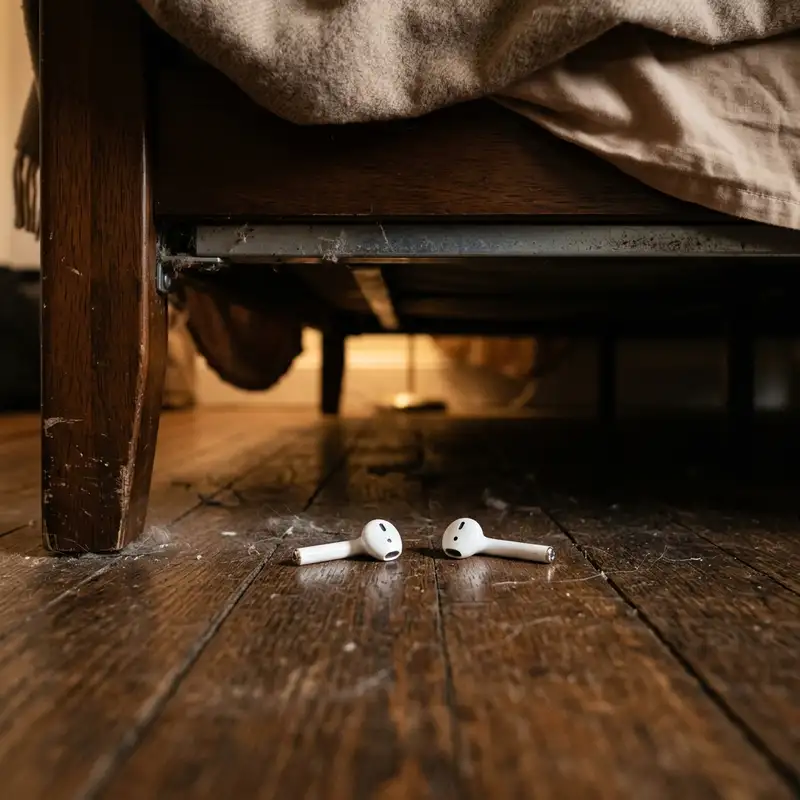
For long-term health, store your AirPods in their case immediately when not in use. Leaving them on desks, beds, or throwing them into pockets exposes the grills to lint, dust, and pet hair, which easily blend with existing wax to create a dense, hard-to-remove barrier. Taking these basic precautions keeps your earbuds hygienic, clean, and functioning at their designed frequency response levels without needing regular surgical cleanings.
Additionally, pay close attention to the ambient temperature of your storage environments. Exposing your AirPods to high heat, such as leaving them inside a car parked under direct sunlight, can accelerate the melting point of human earwax remaining on the nozzle margins. When the wax melts, it flows easily past the micro-mesh pores and hardens directly on the driver components. Once this occurs, standard superficial cleaning techniques will no longer resolve sound muffled conditions. Proper thermal protection, combined with routine dry sweep brushing, forms the foundation of proper tech care for high-fidelity wireless audio accessories.
If you experience connectivity or pairing issues after cleaning your wireless earbuds, you might need to change Wi-Fi password on your network if you are experiencing severe local RF interference. In addition, learning how to troubleshoot connection issues or how to resolve a situation where your QCY T13 earbuds not charging will help you understand how to manage charging contact issues across various models of wireless earbuds.
DomineTec Tip: Never use metal pins or needles on the acoustic mesh of your AirPods to avoid puncturing the driver membrane.
Frequently Asked Questions
Can I use a metal needle or pin to clean my AirPods grills?
No, you should never use a metal needle, pin, or paperclip to clean your AirPods. These sharp metal objects can easily puncture the thin speaker mesh, allowing earwax and dust to enter the driver, which can cause permanent damage and ruin your audio quality.
Is it safe to use hydrogen peroxide to dissolve wax on AirPods?
No, it is not recommended to apply hydrogen peroxide directly to the speaker grills. Hydrogen peroxide can corrode the delicate internal wiring and degrade the adhesive that holds the speaker mesh in place, causing the grill to fall out or fail over time.
How do I clean the silicone tips of my AirPods Pro?
Remove the silicone tips from the AirPods Pro earbuds and wash them in warm water with a small amount of mild soap. Rinse them thoroughly and dry them completely with a lint-free cloth before snapping them back onto the earbuds to prevent moisture ingress.
Why is one of my AirPods quieter than the other after cleaning?
If one AirPod is still quiet after cleaning, some earwax may have been pushed through the mesh into the speaker driver, or the audio balance settings on your phone may be shifted. Check your device's accessibility settings for audio balance or perform a factory reset.
Conclusion
Keeping your AirPods clean of earwax is essential for preserving their original audio performance, clarity, and overall volume. By avoiding sharp metal tools and harsh chemical solvents, and instead using a soft toothbrush, adhesive putty, and 99% isopropyl alcohol, you can safely remove wax build-up without damaging the delicate speaker mesh. Establish a weekly inspection routine to handle minor build-up before it becomes a major problem, ensuring your wireless earbuds remain hygienic and functional for years to come.
