Best Printing Temperature for PLA Filament: Extruder and Bed Settings

The optimal printing temperature for PLA filament ranges from 180°C to 220°C for the extruder and around 50°C to 70°C for the bed.
Understanding PLA Filament
Polylactic Acid (PLA) is one of the most popular thermoplastics used in 3D printing. Its popularity stems from its ease of use, low warping, and wide availability.
PLA is made from renewable resources like cornstarch or sugarcane, making it biodegradable and an environmentally friendly option compared to other filaments.
Properties of PLA Filament
PLA filament has a number of distinct properties that contribute to its popularity:
- Easy to Print: PLA requires less temperature control than many other filaments, making it ideal for beginners.
- Low Warping: PLA is less prone to warping compared to materials like ABS, which requires a heated chamber.
- Good Detail Resolution: The material can produce high-quality prints with fine details.
- Biodegradable: As a compostable material, PLA is a more sustainable choice for environmentally conscious users.
Extruder Temperature Settings
Setting the correct extruder temperature is crucial for achieving high-quality prints with PLA filament. The recommended temperature range is typically between 180°C and 220°C.
Temperature settings can vary based on the specific PLA formulation and the type of 3D printer being used. Consulting the manufacturer's guidelines is advisable for optimal performance.
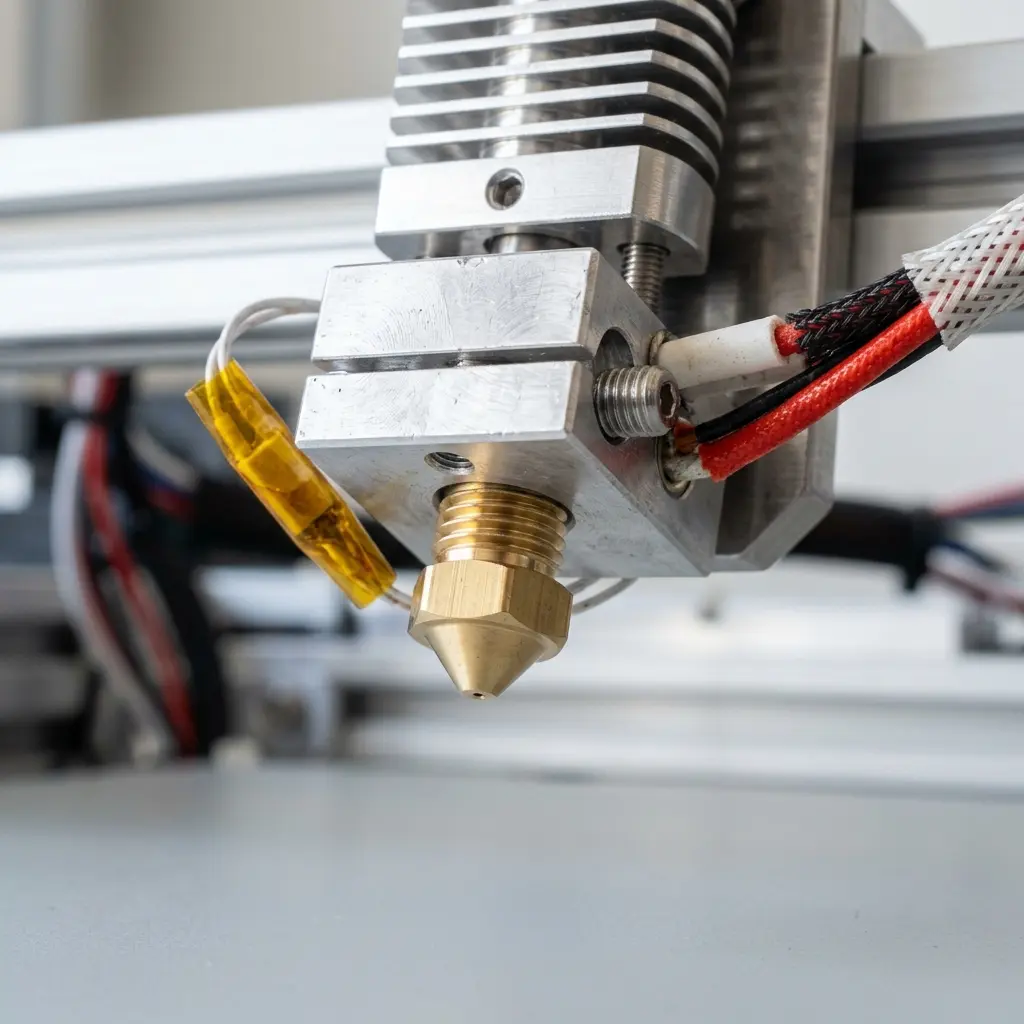
Starting at 200°C is a common practice for most standard PLA filaments. Adjustments can be made based on extrusion quality, layer adhesion, and filament flow.
If the prints exhibit stringing or oozing, lowering the temperature may help. Conversely, if layer adhesion is poor, slightly increasing the temperature could improve results.
Bed Temperature Settings
The build plate temperature also plays a vital role in the printing process. For PLA, a heated bed is not always necessary, but it can enhance adhesion and reduce warping.
Typical bed temperature settings for PLA range from 50°C to 70°C. Using a lower temperature can sometimes suffice if the print adheres well without warping.

In cases of poor adhesion or warping, adjusting the bed temperature can make a significant difference. Experimenting within the recommended range can yield the best results for specific printer setups.
Factors Influencing Temperature Settings
Several factors influence the ideal printing temperatures for PLA filament, including printer type, filament brand, and environmental conditions.
Different 3D printers have varying capabilities, and the hardware setup can affect how heat is maintained during printing. It is essential to consider these factors when determining temperature settings.
Comparative Analysis of Temperature Settings
| Filament Type | Extruder Temperature (°C) | Bed Temperature (°C) |
|---|---|---|
| PLA | 180 - 220 | 50 - 70 |
| ABS | 210 - 250 | 80 - 110 |
| PETG | 220 - 250 | 70 - 80 |
Tip: Always perform a test print to fine-tune temperature settings for optimal results.
Step-by-Step Guide to Setting up Temperature
- Start with the manufacturer’s recommended temperature settings for the specific PLA filament.
- Set the extruder temperature to 200°C for initial testing.
- Adjust the bed temperature to 60°C and observe adhesion.
- Monitor the first few layers for signs of warping or poor adhesion.
- Make incremental adjustments to the extruder and bed temperatures as needed.
- Conduct test prints to finalize optimal settings.
Common Issues and Troubleshooting
While printing with PLA, several common issues may arise due to incorrect temperature settings. These include stringing, warping, and layer adhesion problems.
Stringing occurs when excess filament oozes from the nozzle during travel moves. Lowering the extruder temperature or adjusting retraction settings in the slicer can help mitigate this issue.

Warping is often a result of inadequate bed adhesion or temperature fluctuations. Ensuring a proper bed level and maintaining consistent bed temperatures can significantly reduce this problem.
Frequently Asked Questions
What is the ideal extruder temperature for PLA?
The ideal extruder temperature for PLA typically ranges from 180°C to 220°C, with 200°C being a common starting point.
Is a heated bed necessary for PLA printing?
A heated bed is not strictly necessary for PLA printing, but it can enhance adhesion and reduce warping, especially for larger prints.
Can temperature affect print quality?
Yes, incorrect temperature settings can lead to issues such as poor layer adhesion, stringing, and warping, affecting overall print quality.
How do environmental conditions impact PLA printing?
Environmental factors, such as ambient temperature and humidity, can influence filament performance and print quality. Maintaining a stable environment is beneficial.
What should be done if prints are warping?
If prints are warping, consider increasing the bed temperature, improving bed adhesion methods, or using an enclosure to regulate temperature.
Checklist for Successful PLA Printing
- Choose the right PLA brand that matches printer specifications.
- Ensure the extruder is clean and free from clogs.
- Calibrate the 3D printer regularly.
- Use a reliable slicer and set appropriate settings for PLA.
- Conduct test prints to refine temperatures and settings.
- Monitor the printing environment for temperature and humidity.
- Adjust bed leveling for better adhesion.
Conclusion
Understanding the optimal temperature settings for PLA printing is essential for achieving high-quality results. By carefully managing extruder and bed temperatures, along with considering external factors, the 3D printing experience can be significantly enhanced.
```htmlUnderstanding PLA Filament Properties
PLA filament is known for its ease of use and low printing temperature, typically ranging from 180°C to 220°C. The specific temperature can significantly impact adhesion, layer bonding, and overall print quality.
It is crucial to consider the specific type of PLA being used, as variations exist that may require slight adjustments in temperature settings. Experimentation with different brands can yield optimal results for each unique filament type.
Extruder Temperature Adjustments
The extruder temperature plays a critical role in the flow characteristics of PLA filament during printing. Higher temperatures can improve layer adhesion but may lead to stringing and oozing if excessive.
Fine-tuning the extruder temperature in increments of 5°C can help achieve the best balance between flow and print quality. Regular calibration of the thermistor is also advisable to ensure accurate temperature readings.
Bed Temperature Settings
A heated bed can enhance the adhesion of PLA prints, preventing warping and improving surface finish. The recommended bed temperature for PLA typically ranges from 50°C to 70°C, depending on the specific model of the printer.
Adjusting the bed temperature can also help in achieving better first layer adhesion, which is critical for print success. It is important to monitor the bed surface for optimal temperature distribution to avoid localized overheating.
Common Calibration Mistakes
Calibration mistakes can lead to poor print quality and wasted materials, often stemming from incorrect temperature settings. One common error is failing to account for temperature fluctuations that can occur during the printing process.
Regular checks on the extruder and bed temperatures can help mitigate issues related to calibration errors. Utilizing temperature towers can also assist in identifying the optimal settings for specific filament types.
Cost Estimations for Printing with PLA
The cost of printing with PLA can vary based on filament quality, printer settings, and the complexity of the model being printed. On average, a spool of PLA filament ranges from $20 to $30, with additional costs for electricity and maintenance.
Calculating the total cost per print involves considering the weight of the filament used and the energy consumption of the printer. Budgeting for potential calibration and trial prints is advisable to account for initial setup costs.
Security Precautions During Printing
Safety should be a priority when operating 3D printers, especially with high-temperature materials like PLA. Ensuring proper ventilation in the printing area can help mitigate the release of fumes that may occur during printing.
Regular inspection of the printer's electrical components and wiring is essential to prevent fire hazards. Utilizing thermal runaway protection features can also enhance safety during prolonged printing sessions.
Alternative Filament Choices
While PLA is an excellent choice for many applications, alternative filaments like PETG and ABS may offer enhanced properties such as strength and temperature resistance. Each filament type has its own optimal printing temperature and settings that should be carefully researched.
Experimenting with these alternatives can provide expanded capabilities for specific projects, though they may require additional considerations during printing. Understanding the unique properties of each filament is key to achieving successful prints.
Advanced Configurations for Optimal Results
Advanced configurations, such as adjusting retraction settings and print speeds, can significantly improve the quality of PLA prints. Fine-tuning these parameters helps to reduce issues like stringing and blobbing during the printing process.
Utilizing slicer software features, such as adaptive layer height and variable print speeds, can also optimize the printing process. These advanced features may require additional testing but can lead to substantial improvements in print quality and efficiency.
``` ```htmlBest Printing Temperature for PLA Filament: Extruder and Bed Settings
Polylactic Acid (PLA) is one of the most popular 3D printing materials due to its ease of use and environmentally friendly properties. Understanding the optimal printing temperatures for both the extruder and the print bed can significantly enhance print quality and reduce issues such as warping and stringing. This document provides a comprehensive overview of the best printing temperatures for PLA filament.
Extruder Temperature Settings
The extruder temperature plays a crucial role in determining the flow characteristics of PLA filament. The optimal extruder temperature ensures that the filament melts adequately, allowing for smooth extrusion and layer adhesion.
Recommended Extruder Temperature Range
| Temperature Range (°C) | Effect on Print Quality |
|---|---|
| 180 - 190 | Good for detailed prints, but may lead to under-extrusion |
| 190 - 210 | Optimal for most PLA filaments, providing a balance between quality and flow |
| 210 - 220 | Increased stringing and oozing; may improve layer adhesion |
Factors Influencing Extruder Temperature
- Filament Quality: Higher quality PLA may require lower temperatures to achieve optimal flow.
- Nozzle Size: Larger nozzles may need higher temperatures to ensure proper melting.
- Print Speed: Slower print speeds may allow for lower temperatures without compromising quality.
- Ambient Temperature: Warmer environments can allow for lower temperatures, while colder environments may require higher settings.
Print Bed Temperature Settings
The print bed temperature is equally important when printing with PLA. A heated bed can improve adhesion and reduce warping, resulting in a more successful print.
Recommended Bed Temperature Range
| Temperature Range (°C) | Effect on Adhesion |
|---|---|
| 0 - 40 | Good for adhesion on blue tape or other non-heated surfaces |
| 40 - 60 | Optimal for PLA; reduces warping and improves adhesion |
| 60 - 70 | May lead to over-adhesion; difficult to remove prints |
Factors Influencing Bed Temperature
- Surface Type: Different surfaces (glass, PEI, painter's tape) may require varying bed temperatures.
- Layer Height: Thicker layers may benefit from higher bed temperatures for better adhesion.
- Print Speed: Faster print speeds may necessitate higher bed temperatures to maintain adhesion.
Common Issues and Troubleshooting
While printing with PLA, various issues can arise related to temperature settings. The following table outlines common problems, their symptoms, and potential solutions.
| Issue | Symptoms | Possible Solutions |
|---|---|---|
| Under-Extrusion | Thin layers, gaps, or missing extrusion | Increase extruder temperature; check for clogs |
| Stringing | Fine strands of filament between parts | Decrease extruder temperature; increase retraction settings |
| Warping | Corners of the print lifting off the bed | Increase bed temperature; ensure proper bed leveling |
| Over-Adhesion | Difficulty removing prints from the bed | Reduce bed temperature; use a release agent |
Conclusion
Finding the best printing temperatures for PLA filament involves balancing various factors, including extruder and bed settings. The recommended temperature ranges provided in this document serve as a starting point, but individual printer settings, filament brands, and environmental factors may necessitate adjustments. By monitoring print quality and making necessary modifications, optimal results can be achieved with PLA filament.
Additional Tips for Optimal PLA Printing
- Calibration: Regularly calibrate the 3D printer to ensure consistent results.
- Filament Storage: Store PLA in a cool, dry place to prevent moisture absorption, which can affect print quality.
- Cooling: Utilize part cooling fans to improve overhangs and bridges.
- Print Speed: Experiment with print speeds to find the best quality without sacrificing time.
Further Reading
For those interested in exploring more about PLA printing, consider the following resources:
``` ```htmlBest Printing Temperature for PLA Filament: Overview
PLA (Polylactic Acid) is one of the most common 3D printing materials, lauded for its ease of use and versatility. Selecting the correct printing temperature is crucial for achieving optimal results when working with PLA filament.
Understanding Extruder Temperature Settings
The extruder temperature is a critical factor that significantly affects the print quality of PLA. It is essential to fine-tune the extruder temperature within a specific range to ensure proper filament flow and adhesion.
Recommended Extruder Temperature Range
The recommended extruder temperature for PLA filament typically ranges from 180°C to 220°C. This range allows for a balance between good layer adhesion and minimizing stringing or oozing.
- Low Range (180°C - 200°C): Ideal for detailed prints with minimal warping.
- High Range (200°C - 220°C): Suitable for larger prints requiring enhanced layer adhesion.
Factors Influencing Extruder Temperature
Several factors can influence the ideal extruder temperature for specific prints. Adjustments may be necessary based on the printer model, filament brand, and environmental conditions.
- Filament Brand: Different manufacturers may have differing formulations affecting melting points.
- Printing Speed: Faster speeds may require higher temperatures to maintain flow.
Bed Temperature Settings for PLA
The bed temperature plays a significant role in the adhesion of the first layer to the print surface. A heated bed can help prevent issues like warping and improve overall print quality.
Recommended Bed Temperature Range
The recommended bed temperature for PLA is generally between 50°C and 70°C. This range helps with adhesion without causing excessive warping.
- 50°C: Suitable for most standard prints with good adhesion.
- 70°C: Useful for larger prints that may experience warping.
Bed Surface Material Considerations
The choice of bed surface material can also affect the required bed temperature. Different surfaces provide varying levels of adhesion and can influence the need for heating.
- Glass: Offers smooth finish but may require higher temperatures for adhesion.
- PEI: Provides excellent adhesion at lower temperatures.
Temperature Calibration Techniques
Calibrating the extruder and bed temperatures is crucial for achieving optimal print quality. Several techniques can be employed to fine-tune these settings.
Temperature Tower Prints
A temperature tower is a print designed to test various extruder temperatures. This method allows for visual assessment of print quality at different temperatures.
- Design: The tower includes sections printed at incremental temperature changes.
- Evaluation: Assess layer adhesion, stringing, and surface finish for each section.
First Layer Test Prints
Conducting first layer test prints can help determine the optimal bed temperature. Adjustments can be made based on the adhesion quality of the first layer.
- Observation: Look for signs of warping or detachment from the bed.
- Adjustment: Increase bed temperature if adhesion issues are observed.
Common Issues Related to Temperature Settings
Improper temperature settings can lead to various print issues that affect the final product. Understanding these problems can help in troubleshooting and making necessary adjustments.
Stringing and Oozing
Stringing occurs when excess filament oozes from the nozzle during travel moves. Lowering the extruder temperature can often mitigate this issue.
| Issue | Solution |
|---|---|
| Stringing | Reduce extruder temperature by 5-10°C. |
| Layer Adhesion Problems | Increase extruder temperature by 5-10°C. |
Warping
Warping occurs when the corners of a print lift off the bed surface. Increasing the bed temperature or adjusting the first layer settings can help reduce warping.
- Bed Adhesion: Ensure the bed is clean and prepared for optimal adhesion.
- First Layer Settings: Adjust speed and temperature for the first layer to enhance bonding.
Final Thoughts on Temperature Settings
Achieving the best printing temperature for PLA filament involves careful consideration of both extruder and bed settings. Regular adjustments and calibrations can lead to improved print quality and consistency.




