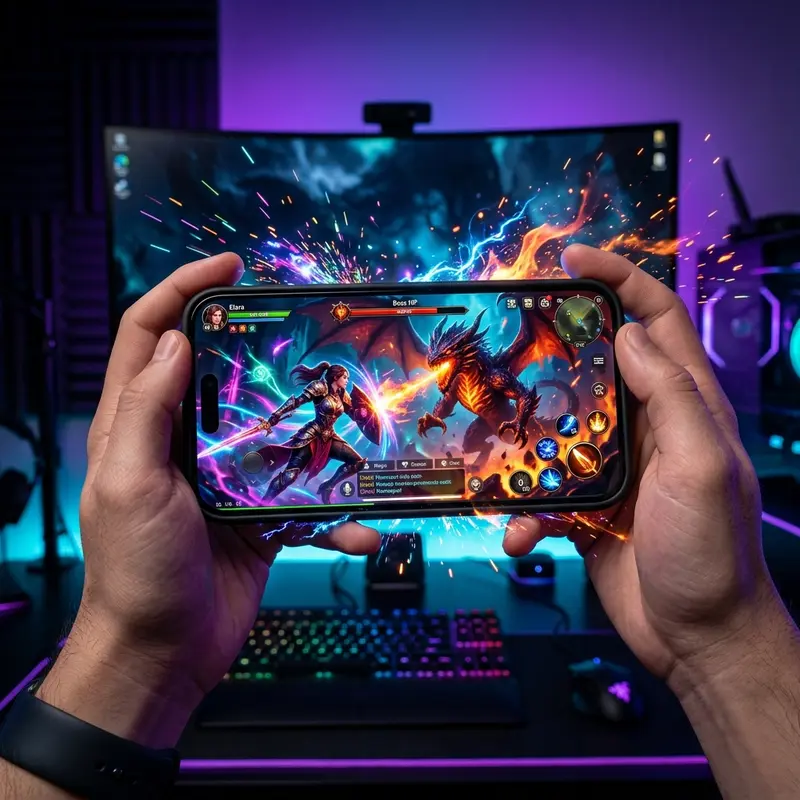
The best iPhones for gaming in 2026 are powered by the A16 Bionic or newer — chip generation is the single biggest performance divider.
Whether you live for mobile RPGs, battle royale titles, or console-quality games like Genshin Impact and Call of Duty Mobile, not every iPhone is created equal. The gap between a budget model and a Pro has never been wider — but that does not mean you need to spend $1,200 to have a great gaming experience. This guide breaks down every relevant model, the specs that genuinely matter, and the honest trade-offs so you can spend your money wisely.
Why the Chip is the Most Important Factor for Gaming
Every piece of gaming performance on an iPhone flows from a single source: the system-on-chip (SoC). Apple's in-house silicon integrates the CPU, GPU, Neural Engine, and memory controller on one die, which means latency between components is microscopic compared to anything on the Android side. But the generation of that chip matters enormously.
The A15 Bionic (iPhone 13 series and iPhone SE 3rd gen) delivers GPU performance that still handles most titles at 60 fps with high settings. However, it starts to sweat on 120Hz displays with ray-traced lighting or heavy particle effects. The A16 Bionic (iPhone 14 Pro, iPhone 15 standard) was a larger jump than Apple admitted publicly — its 5-core GPU is roughly 18% faster than the A15 in sustained workloads, which is exactly the scenario during a 45-minute gaming session.
The A17 Pro (iPhone 15 Pro/Max) introduced hardware ray tracing and a 6-core GPU, making it the first mobile chip capable of running console ports like Assassin's Creed Mirage and Death Stranding without software compromises. The A18 and A18 Pro in the iPhone 16 lineup push this further with improved memory bandwidth that eliminates texture pop-in, a common frustration in open-world mobile games.
The practical takeaway: if you are buying in 2026, the A15 is the minimum acceptable chip. Anything older — including the A14 in the iPhone 12 — will struggle with new titles releasing this year. The A16 is the sweet spot for value, and the A17 Pro or A18 series are for players who refuse to compromise.
One often-overlooked factor is the memory subsystem. Apple does not publish RAM numbers, but independent teardowns confirm: iPhone 13 = 4 GB, iPhone 14 Pro = 6 GB, iPhone 15 Pro and 16 series = 8 GB. More RAM means more of the game world stays loaded, reducing stutters when returning to a scene or switching between game and a voice chat app.
Ranking: Best iPhones for Gaming in 2026
The table below uses average market prices observed in early 2026 (unlocked, US market). Prices for older models vary considerably depending on refurbished vs. new-old-stock.
| Model | Chip | Display Hz | Battery (mAh) | Avg. Price 2026 (USD) | Gaming Verdict |
|---|---|---|---|---|---|
| iPhone 13 | A15 Bionic | 60 Hz | 3,227 | ~$420 | Solid entry point; locked at 60 fps |
| iPhone 14 | A15 Bionic | 60 Hz | 3,279 | ~$480 | Skip — same chip as 13 at higher price |
| iPhone 14 Pro | A16 Bionic | 120 Hz (ProMotion) | 3,200 | ~$620 | Best value for serious gamers |
| iPhone 15 | A16 Bionic | 60 Hz | 3,349 | ~$580 | Good chip, bottlenecked by display |
| iPhone 15 Pro | A17 Pro | 120 Hz (ProMotion) | 3,274 | ~$820 | Excellent; handles every 2026 title |
| iPhone 16 | A18 | 60 Hz | 3,561 | ~$799 | Powerful chip limited by 60 Hz panel |
| iPhone 16 Pro | A18 Pro | 120 Hz (ProMotion) | 3,582 | ~$1,099 | Top-tier; no trade-offs whatsoever |
| iPhone 16 Pro Max | A18 Pro | 120 Hz (ProMotion) | 4,685 | ~$1,199 | Best battery + performance combo |
If budget is the primary concern, the iPhone 14 Pro stands out as the clear value champion: A16 Bionic, ProMotion 120Hz, and prices have dropped significantly on the refurbished market. For those who want zero compromise, see our full iPhone 16 review for 2026 where we benchmark it against previous generations in detail.
ProMotion 120Hz — Does It Actually Matter for Games?
The short answer is: yes, significantly — but only if the game actually supports it. Apple's ProMotion technology dynamically adjusts the screen's refresh rate between 1Hz and 120Hz depending on content. During fast-paced gameplay, it locks to 120Hz, which halves the time between rendered frames appearing on screen compared to a 60Hz panel.
The human eye is surprisingly sensitive to this difference in gaming contexts. At 60Hz, fast camera movements in a first-person shooter produce perceptible motion blur and input lag. At 120Hz, the same motion appears crisp and the touch response feels almost instantaneous. Competitive players consistently report better reaction times on ProMotion devices — not a placebo effect, but a measurable physical reduction in display latency (from ~8ms to ~4ms).
The catch: not every game supports 120fps on iOS. Major titles like PUBG Mobile, Fortnite, Call of Duty Mobile, Genshin Impact, and Honor of Kings have all added high-frame-rate modes. However, hundreds of smaller titles remain capped at 30 or 60fps regardless of hardware. Before treating 120Hz as a deal-breaker, check the specific games you play.
Another practical point: ProMotion is exclusive to the Pro models in the iPhone 14 and 15 generations. The standard iPhone 16 reverted to 60Hz despite carrying the powerful A18 chip — a frustrating decision for gamers who do not want to pay the Pro premium. This is one of the strongest arguments for buying an older Pro over a current standard model.
Battery Life and Overheating: The Real Problem for Gamers
Gaming is the most demanding sustained workload any smartphone faces. It simultaneously taxes the CPU, GPU, cellular modem, display, and in many cases the microphone and speakers. The result: battery drain that can reach 15–25% per hour even on efficient chips, and heat that triggers thermal throttling — the silent killer of frame rates.

Thermal throttling occurs when the iPhone's core temperature exceeds a safety threshold, typically around 45°C. When this happens, iOS automatically reduces CPU and GPU clock speeds to protect hardware — which translates directly to dropped frames and sluggish input response. You may notice the phone becoming warm to the touch, followed by a sudden degradation in performance about 20–30 minutes into an intense session.
The iPhone 16 Pro Max addresses this better than any previous iPhone. Its larger chassis accommodates better heat dissipation, and the A18 Pro chip is manufactured on TSMC's 3nm process, which produces significantly less heat per operation than older nodes. In extended gaming tests, it maintains near-peak performance for over an hour before any throttling occurs.
Practical tips to reduce overheating on any iPhone model: remove the case during long sessions (cases trap heat), enable Low Power Mode before gaming (it limits background processes without impacting foreground performance much), avoid charging while gaming (charging generates substantial additional heat), and play in cooler environments when possible. If your iPhone consistently overheats, the battery health may have degraded — Apple recommends replacement when health drops below 80%.
Battery capacity matters too. The iPhone 16 Pro Max's 4,685mAh battery provides roughly 5–6 hours of continuous gaming at high brightness with cellular off. The iPhone 14 Pro's 3,200mAh cell yields closer to 3–3.5 hours. Plan charging sessions around your gaming schedule if you prefer portable play.
iOS Settings to Maximize Gaming Performance
Hardware is only half the equation. iOS offers several settings that meaningfully affect gaming performance, and most users never touch them.
Reduce Motion: Go to Settings → Accessibility → Motion → Reduce Motion. This disables the parallax effect and transition animations. It does not affect gameplay directly, but it frees a small amount of GPU overhead and reduces visual noise.
Background App Refresh: Settings → General → Background App Refresh → Off. Background apps compete for memory and CPU time. Disabling this ensures the game gets maximum resources, particularly on older models with 4 GB of RAM.
Notification management: Notifications during gameplay interrupt focus and, on older iPhones, can trigger brief stutters as the notification banner renders over the game. Use Focus Mode (Settings → Focus → Gaming) to silence all non-essential alerts during sessions.
Screen resolution trade-offs: Some games let you choose between quality and performance modes. Always test the performance/high-framerate mode first — on A17 Pro and A18 chips, you often get near-identical visual quality at higher frame rates. The quality mode is rarely worth the frame rate sacrifice on modern chips.
iCloud sync timing: If iCloud is syncing game saves or photos in the background, it consumes both bandwidth and CPU. Schedule heavy iCloud activity for when the phone is idle and charging.
iPhone vs Android for Gaming: An Honest Comparison
This debate generates more heat than it deserves, but the honest answer is nuanced. iPhones have genuine advantages in some areas and real disadvantages in others.
Where iPhone wins: iOS game optimization is generally superior because developers target a small number of hardware configurations. A game built for A17 Pro can be tuned precisely. On Android, the same game must run on hundreds of different chipsets, display configurations, and memory amounts — leading to broader but shallower optimization. Apple Arcade games, in particular, are designed specifically for iOS without ad interruptions or paywalls. Apple's Metal graphics API is also more efficient than Vulkan on most mobile GPUs for sustained workloads.
Where Android wins: High-end Android flagships from Asus (ROG Phone series) include gaming-specific hardware like physical shoulder triggers, front-facing stereo speakers, dedicated cooling fans, and USB-C ports that support 65W+ fast charging during gameplay without significant heat impact. The iPhone has no equivalent gaming accessories in its ecosystem. Android also allows sideloading game clients that may offer lower-latency game streaming options not available on the App Store.
The bottom line: For mainstream mobile gaming — battle royale, RPGs, sports titles — any iPhone with an A16 or newer chip competes favorably with premium Android devices costing the same or more. The gap is not about raw performance but about ecosystem features. If you already own an iPhone and are wondering whether to switch for gaming, the answer is almost certainly no. If you are deciding between platforms fresh, your game library and budget matter more than the chip specifications.
It is also worth evaluating whether the whether the iPhone SE 2022 is still a good buy for light gaming — its A15 chip handles casual titles well, but the 4.7-inch 60Hz display is a real limitation for immersive experiences.
FAQ
Is the iPhone 16 better than iPhone 15 Pro for gaming?
In raw chip performance, the A18 in the iPhone 16 slightly outpaces the A17 Pro in the iPhone 15 Pro. However, the iPhone 16 uses a 60Hz display versus ProMotion 120Hz on the 15 Pro, which is a significant gaming disadvantage. For a pure gaming experience, the iPhone 15 Pro remains the better choice despite the older chip generation.
Can older iPhones like the iPhone 12 or 11 still run 2026 games?
Many casual titles continue to support older hardware, but demanding 2026 releases increasingly require A15 Bionic or newer. The iPhone 12 (A14 Bionic) will run into compatibility walls with new AAA mobile ports, and the iPhone 11 (A13) is no longer recommended for gaming purchases in 2026.
Does iPhone overheat during gaming and how to fix it?
Yes, extended gaming sessions can cause thermal throttling on any iPhone, especially the compact models. Remove the case, avoid simultaneous charging, play in cool environments, and ensure Background App Refresh is disabled. If overheating is persistent and severe, battery degradation may be the root cause — check battery health in Settings.
Is a gaming controller compatible with iPhone?
Yes. iPhone natively supports MFi-certified controllers and also Bluetooth controllers including Xbox Series controllers and PlayStation DualSense via standard Bluetooth pairing. Many demanding titles on iPhone are significantly more enjoyable with a physical controller, and the experience is comparable to handheld console gaming on supported titles.
