
Best 2TB External SSDs: Price and Speed Comparison Guide
The market for external solid-state drives (SSDs) has seen remarkable growth, particularly for 2TB models. This guide presents an in-depth comparison of the best 2TB external SSDs based on price and speed, enabling informed purchasing decisions.
Key Considerations When Choosing a 2TB External SSD
When selecting a 2TB external SSD, several critical factors must be evaluated: read/write speeds, form factor, interface type, durability, and price. Each of these elements plays a significant role in the overall performance and usability of the device.
Performance Metrics
Speed is a crucial parameter for external SSDs. The performance can typically be measured by sequential read and write speeds. These metrics are expressed in megabytes per second (MB/s).
Price Comparison Table
| Brand | Model | Read Speed (MB/s) | Write Speed (MB/s) | Price (USD) |
|---|---|---|---|---|
| Samsung | Samsung T7 | 1050 | 1000 | 99.99 |
| SanDisk | SanDisk Extreme | 1050 | 1000 | 109.99 |
| WD | WD My Passport SSD | 1050 | 1000 | 89.99 |
| Crucial | Crucial X8 | 1050 | 1000 | 89.99 |
| ADATA | ADATA SE800 | 1000 | 800 | 79.99 |
Step-by-Step Buying Checklist
- Determine intended use (gaming, storage, backup).
- Assess the required speed (sequential vs. random access).
- Evaluate compatibility with existing devices (USB-C, USB 3.2).
- Consider the durability and form factor (portable vs. desktop).
- Compare prices across different retailers for the best deal.
DomineTec Tip: When looking for an external SSD, consider pairing it with a best portable USB-C monitor for enhanced productivity.
Brand Analysis
Each brand offers unique features and specifications that cater to different user needs. Samsung and SanDisk SSDs are renowned for their high reliability and performance benchmarks.
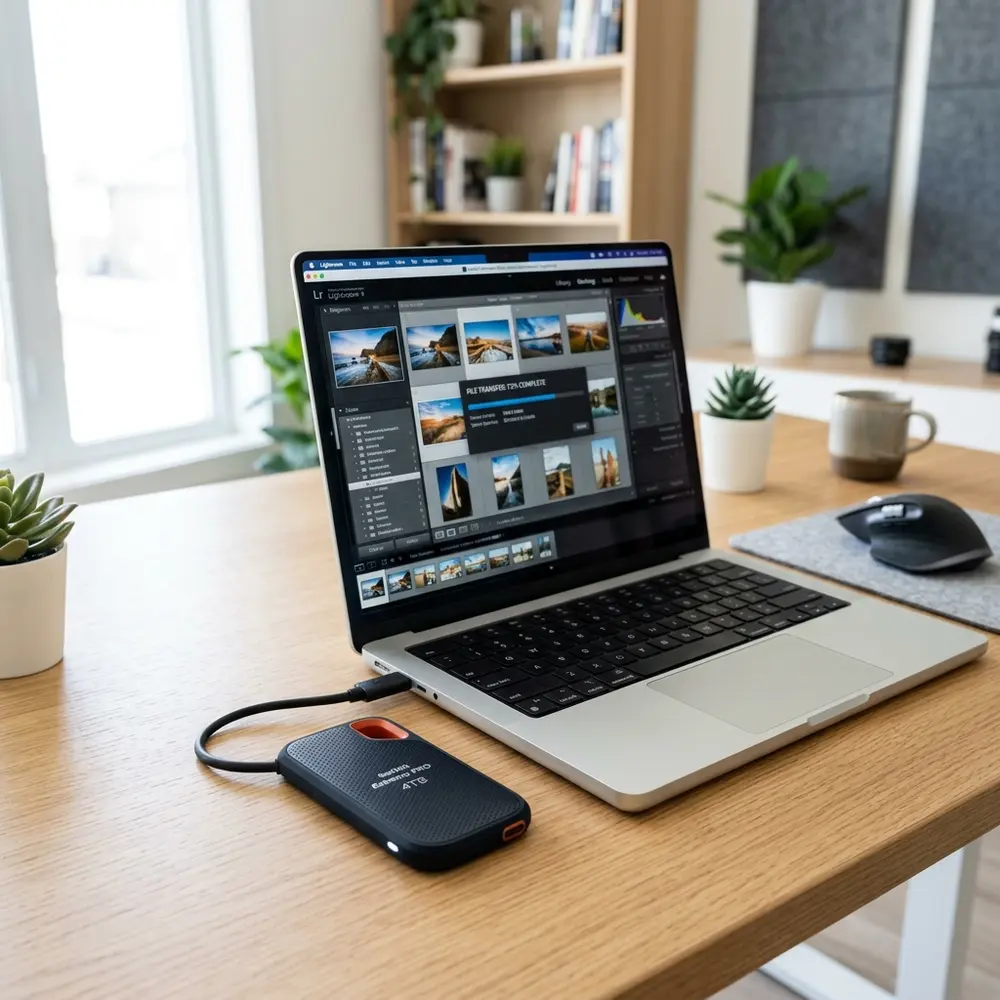
WD and Crucial strike a balance between performance and affordability, making them suitable for users on a budget. ADATA focuses on affordability while still offering decent speeds, often appealing to casual users.
Speed Tests and Reviews
Real-world speed tests often differ from manufacturer specifications. It is advisable to read reviews that include speed test results under various conditions.
Durability and Reliability
Durability is particularly important for portable SSDs. Look for models with rugged designs that include shock resistance and water resistance ratings.
Connectivity Options
Most modern external SSDs offer USB-C connectivity, providing faster data transfer rates. Compatibility with USB-A connections is also beneficial for older devices.
Storage Capacity and Future-Proofing
While 2TB is a popular choice, consider future storage needs. Opting for a larger capacity may provide more flexibility down the line.

Environmental Considerations
Energy efficiency and environmental impact are becoming key considerations. Seek brands that prioritize sustainable practices in their manufacturing processes.
Conclusion
Choosing the best 2TB external SSD involves evaluating performance metrics, durability, and price. The comparison table above serves as a useful guide to identify the most suitable option based on specific needs.
Frequently Asked Questions
1. What is the difference between USB 3.0 and USB 3.2?
USB 3.2 offers higher data transfer rates compared to USB 3.0, making it preferable for external SSDs requiring fast speeds.
2. Are external SSDs faster than external HDDs?
Yes, external SSDs typically provide significantly faster data transfer speeds than external hard disk drives (HDDs).
3. Can external SSDs be used with gaming consoles?
Many gaming consoles support external SSDs for expanded storage, allowing faster load times compared to traditional HDDs.
4. How do I determine the right size for my needs?
Assess current and future storage requirements, considering the types of files and applications that will be stored.
5. What are the advantages of portable SSDs over desktop models?
Portable SSDs offer greater flexibility, compact design, and ease of transport, making them suitable for on-the-go use.
Advanced Setup Tips for 2TB External SSDs
Utilizing the full potential of a 2TB external SSD requires proper setup and configuration. Ensuring the latest firmware and driver updates are installed can significantly enhance performance and reliability.
Formatting the SSD with a file system that suits specific use cases can optimize speed and compatibility. For users primarily working with macOS, formatting to APFS may yield better results, while exFAT is recommended for cross-platform use.
Common Mistakes to Avoid with 2TB External SSDs
One prevalent mistake is neglecting to safely eject the SSD before disconnecting it from the system. This can lead to data corruption and affect the longevity of the drive.
Another common error is using the SSD for long-term storage without regular backups. Regularly backing up data ensures that information is preserved in case of drive failure or accidental deletion.
Model Comparisons: Key Features to Consider
When comparing 2TB external SSD models, it is essential to examine read and write speeds. Higher speeds can significantly affect data transfer times, especially when dealing with large files.
Another critical feature to consider is durability. Some models offer rugged designs that protect against drops and water damage, making them suitable for on-the-go use.
Use Case Scenarios for 2TB External SSDs
For content creators, a 2TB external SSD serves as an excellent tool for storing and editing high-resolution videos and images. The fast read and write speeds allow for smooth playback and quick file transfers.
In the gaming community, these SSDs can dramatically reduce load times and improve overall gaming performance. They provide ample space for multiple game installations without sacrificing speed.
System Compatibility Considerations
Compatibility with different operating systems is a crucial aspect when selecting a 2TB external SSD. Users should ensure that the SSD supports the required file systems for seamless integration with their devices.
Additionally, checking USB interface compatibility can prevent connectivity issues. Many modern SSDs use USB-C for faster data transfer, but users with older systems may need an adapter.
Cost Estimates for 2TB External SSDs
The price of 2TB external SSDs can vary significantly based on brand, speed, and additional features. Budget options may start around $200, while high-end models can exceed $400.
It's advisable to compare prices across multiple retailers to find the best deals. Seasonal sales and discounts can also provide opportunities for significant savings.
Troubleshooting Common Issues with 2TB External SSDs
Users may encounter issues such as the SSD not being recognized by their system. A simple solution involves checking the USB connection and trying different ports or cables to rule out hardware failure.
If data transfer speeds are slower than expected, ensuring that the SSD is connected to a high-speed USB port can resolve the issue. Keeping the SSD firmware updated may also improve performance.
When to Seek Expert Help for 2TB External SSDs
If persistent problems arise, such as frequent disconnections or data corruption, it may be time to consult an expert. Seeking professional help can prevent further data loss and provide effective solutions.
Additionally, if there is uncertainty about compatibility with specific devices or configurations, expert advice can clarify any concerns. Utilizing professional services can ensure optimal performance and longevity of the external SSD.
Best 2TB External SSDs: Price and Speed Comparison Guide
Introduction
In the realm of data storage, external SSDs have gained significant popularity due to their speed, durability, and portability. This guide focuses on the best 2TB external SSDs available in the market, comparing their prices and speeds, and providing additional information to assist consumers in making informed decisions.
Comparison Table of Best 2TB External SSDs
| Brand | Model | Read Speed (MB/s) | Write Speed (MB/s) | Price (USD) | Warranty |
|---|---|---|---|---|---|
| Samsung | Samsung T7 | 1050 | 1000 | 199.99 | 3 Years |
| SanDisk | SanDisk Extreme Portable SSD | 1050 | 1000 | 229.99 | 5 Years |
| Western Digital | WD My Passport SSD | 1050 | 1000 | 199.99 | 3 Years |
| Crucial | Crucial X8 | 1050 | 1000 | 169.99 | 3 Years |
| Seagate | Seagate One Touch SSD | 1030 | 1000 | 199.99 | 3 Years |
Key Features to Consider
- Speed: Look for SSDs with high read and write speeds for efficient data transfer.
- Durability: Opt for models that offer rugged designs or resistance to water and dust.
- Compatibility: Ensure that the SSD is compatible with your operating system and devices.
- Portability: Consider the size and weight if frequent travel is planned.
- Data Security: Some SSDs provide encryption features for added security.
Additional FAQs
What is the difference between SSD and HDD?
SSD (Solid State Drive) uses flash memory to store data, which results in faster speeds and better durability compared to HDD (Hard Disk Drive), which uses spinning disks and mechanical parts.
Can 2TB external SSDs be used with gaming consoles?
Many gaming consoles support external SSDs for additional storage. It is recommended to check the console's specifications for compatibility.
Are external SSDs worth the investment?
Yes, external SSDs offer significantly faster data transfer speeds compared to traditional HDDs, making them suitable for tasks such as video editing, gaming, and large file backups.
How long do external SSDs last?
The lifespan of an external SSD typically ranges from 5 to 10 years, depending on usage, quality, and environmental factors.
Verification Checklist Before Purchase
- Check the read and write speeds to ensure they meet your requirements.
- Confirm the warranty period and what it covers.
- Verify compatibility with your devices (operating system and hardware).
- Assess the physical size and weight for portability needs.
- Look for reviews and ratings from previous customers for reliability.
Technical Glossary
- MB/s: Megabytes per second, a measurement of data transfer speed.
- Durability: The ability of a device to withstand physical stress and environmental factors.
- Write Speed: The speed at which data can be written to the SSD.
- Read Speed: The speed at which data can be read from the SSD.
- Encryption: A method of securing data by converting it into a coded format.
- Rugged Design: A design that provides enhanced durability against drops and environmental challenges.
Conclusion
Choosing the right 2TB external SSD requires careful consideration of various factors such as speed, price, and durability. The comparison table provided highlights some of the best options available in the market, each with its unique features and benefits. By utilizing the verification checklist and understanding the technical glossary, consumers can make well-informed decisions tailored to their specific needs.
Additional Model Comparisons
When considering 2TB external SSDs, it's essential to compare not only speed but also features and build quality. Models like the Samsung T7 and SanDisk Extreme Portable SSD often stand out for their durability and performance in various conditions.
Another noteworthy comparison is between the Crucial X8 and the WD My Passport SSD. The Crucial X8 offers slightly better read speeds, while the WD My Passport is praised for its comprehensive software suite and user-friendly interface.
Evaluating customer reviews can further aid in making an informed decision. Users often highlight the importance of warranty and support services when comparing models, which can significantly influence long-term satisfaction.
Security Best Practices for External SSDs
Ensuring the security of data stored on external SSDs is crucial, especially for sensitive information. Implementing encryption can safeguard data against unauthorized access, and many SSDs come with built-in encryption features for added protection.
Regularly updating the firmware of the SSD is another essential practice. These updates often patch security vulnerabilities, enhancing the overall protection of stored data against potential threats.
Additionally, employing strong passwords and secure backup solutions can further mitigate risks. Users should consider using multi-factor authentication for added security, especially when accessing sensitive files from multiple devices.
Lifespan Analysis of 2TB External SSDs
The lifespan of 2TB external SSDs is often determined by their usage patterns and the technology used in their construction. Typically, SSDs are rated for a specific number of write cycles, which can vary significantly between models and manufacturers.
Monitoring the health of the SSD can provide insights into its remaining lifespan. Tools that report on the drive's wear-leveling count and total bytes written can help users gauge when it might be time to replace the device.
Environmental factors also play a role in the longevity of an SSD. Extreme temperatures, humidity, and physical shock can adversely affect the drive's lifespan, making it essential to store and handle these devices with care.




